Telegram group messaging software
Prepare messages for selected Telegram groups with Deskgram 2. Configure accounts, recipients, content, pauses and exclusions in one task.
Telegram group messaging software
Prepare messages for selected Telegram groups with Deskgram 2. Configure accounts, recipients, content, pauses and exclusions in one task.
Download Deskgram 2 Explore the interface Plans GuideModule settings
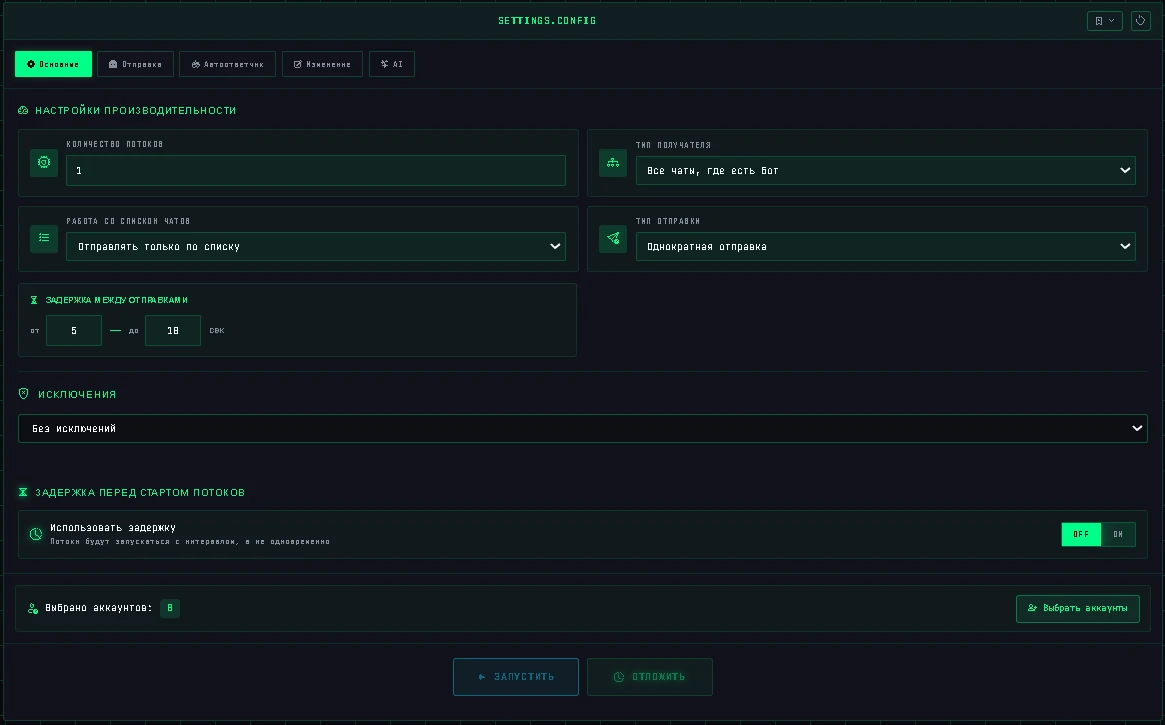
Load the chat list, select accounts and prepare content in the message builder. Set threads, messages per account and delays. Check exclusions and any enabled autoresponder separately. Accounts must be able to access and write to each group.
Example: one message to two groups you own
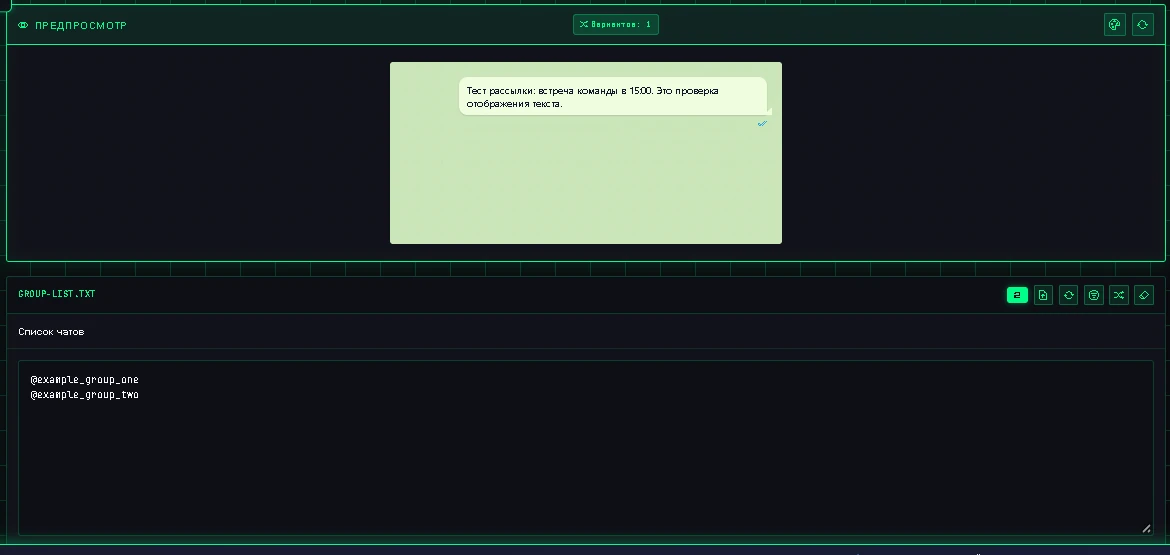
Prepare a short message: ‘Broadcast test: team meeting at 15:00. This checks text rendering.’ Plain text is enough for the first test; AI and the autoresponder are not needed.
Choose Send only to the list and enter two test groups you own, one per line. The screenshot uses @example_group_one and @example_group_two as placeholders: replace them. The selected account must have permission to send in both groups.
Set one thread, One-time sending and a 5–10 second delay between messages. These are example settings, not universal Telegram limits. Before starting, choose one account you own and review exclusions. The screenshot shows the form before account selection and execution.
Check the text, line breaks and formatting in the preview. Check any link or attachment separately. The green bubble is Deskgram's message preview, not a message delivered to Telegram.
To check the result in the installed app, start the task, open both of your groups and find the test text. Match the posts with the sending entries in that task's log and check for unwanted duplicates. If a group has no message, check permissions, slow mode and the error before retrying. A running task status does not confirm delivery.
Use the scheduler for timed runs. A single pass through the list, cycles within the messaging task and scheduled starts are configured separately. Web preview shows the form and message appearance; no messages were sent for this example.
Check before running
Send a test to your own group and compare the received message with the log. Slow mode, permissions and FloodWait can interrupt execution. Delays do not guarantee unrestricted delivery. Channel direct messages, private messages and bot posts in channels use separate modules.
Related tasks and guides
Choose a related task or open the detailed guide. Linked Russian guides are marked accordingly.
Telegram task scheduler and task chains Guide Guide Guide Telegram API Telegram API Compare software Support Home