Telegram autoresponder
Reply to incoming private Telegram messages with prepared text or AI using Deskgram 2. Set the response rules, exceptions and model before starting.
Telegram autoresponder
Reply to incoming private Telegram messages with prepared text or AI using Deskgram 2. Set the response rules, exceptions and model before starting.
Download Deskgram 2 Guide PlansModule settings
Select accounts and prepare the response in the message builder. Configure AI provider, model and prompt when needed. Review word filters, exclusions, reply limits, delays and handling of older incoming messages. The standalone module and the autoresponder embedded in messaging tasks have different use cases.
Example: business hours, AI and an exclusion
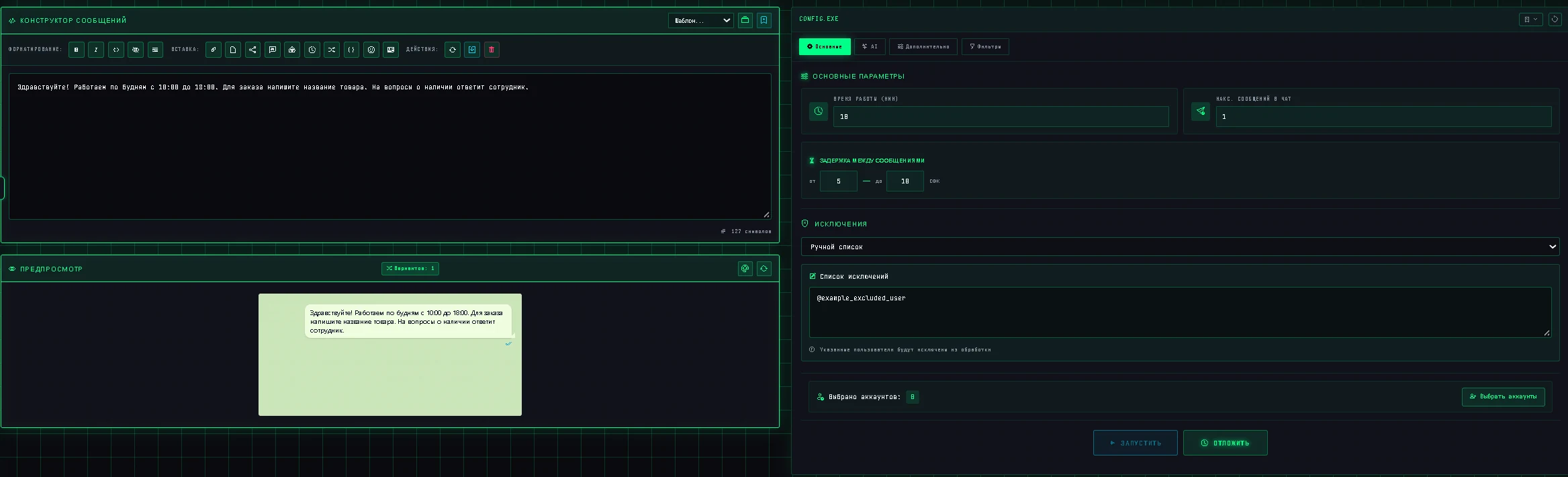
Prepare a store reply: ‘Hello! We are open weekdays from 10:00 to 18:00. To place an order, send the product name. A staff member will confirm availability.’ These are example terms; replace them with your own.
Under Main, set a 10-minute run, a maximum of 1 message per chat and a delay of 5–10 seconds. Select manual exclusions. Replace @example_excluded_user with your second test account. Leave replies to old messages disabled for the first test.
Run the module on one account you own. From another account outside the exclusion list, send a new private message asking about business hours. Check the prepared reply in the conversation and its log entry. Separately send from the excluded account: it should receive no reply. The count of 1 applies to this run, not to a Telegram daily limit.
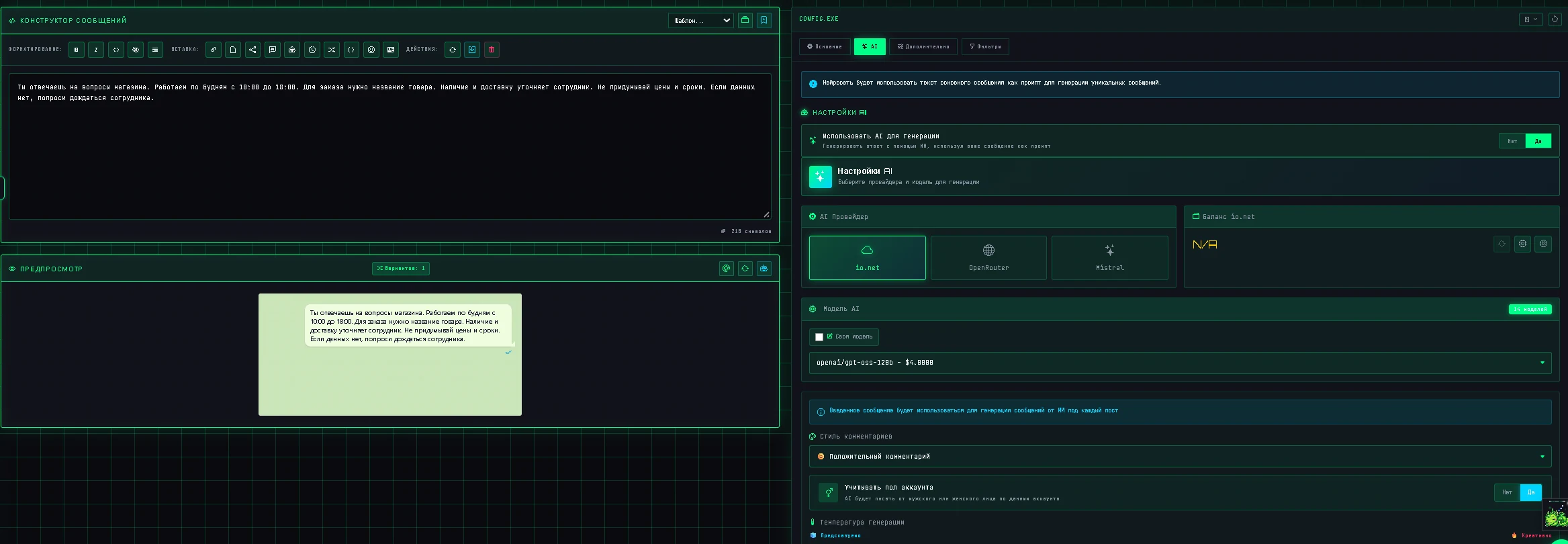
For a separate AI test, enable generation and choose an available provider and model. Example prompt: ‘Answer store enquiries. We are open weekdays 10:00–18:00. Orders require a product name. A staff member confirms availability and delivery. Do not invent prices or delivery times. If information is missing, ask the customer to wait for a staff member.’ Check that the message editor is used as the prompt and enable the context options you need.
Ask about business hours, then about delivery details absent from the prompt. The second answer should defer to a staff member rather than invent a date. This is a test criterion, not a recorded AI result. Web preview sends no messages; test generation and delivery in the installed application.
Check before running
Send several test messages from another account, including an excluded case. Check whether the correct reply is sent and inspect the log. Avoid restarting without checking which messages were already handled. Use the branching responder for a structured dialogue and AI group chat for group conversations.
Related tasks and guides
Choose a related task or open the detailed guide. Linked Russian guides are marked accordingly.
Guide Branching Telegram autoresponder Guide AI conversations in Telegram groups