Your first route through Deskgram 2
Deskgram 2 brings together Telegram account management, messages, publishing, data collection and tasks. This overview follows a practical route: add an account, choose a tool, run a small check and locate the result. Use the individual module guides for detailed settings.
You can explore the web preview before installing. It demonstrates the interface rather than connecting your Telegram accounts. For a working installation, use the current download and installation guide. Check access conditions in the current plans, not in older screenshots.
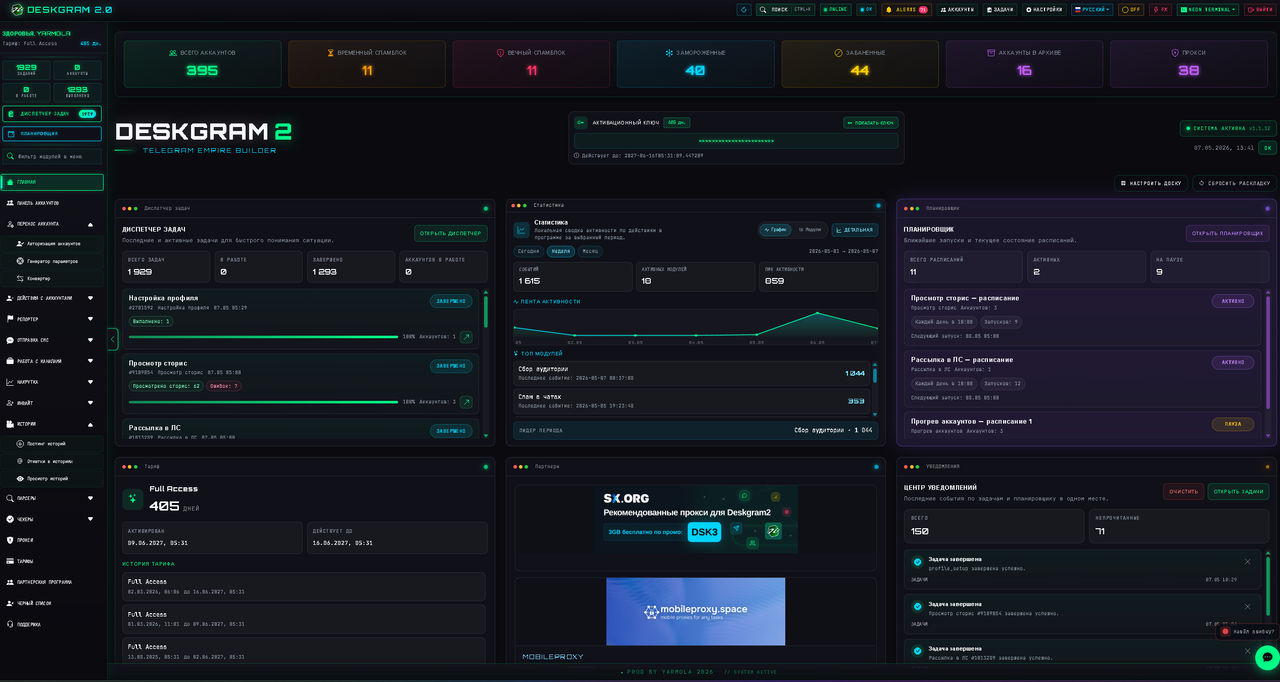
The retained screenshots illustrate existing screens. Their language and appearance may differ from your installed version.
Prepare an account
Open the account panel and import Session/JSON or TData. Check which entries were added. A file import is not the same as a successful connection check: a row in the table does not confirm that the account can perform tasks.
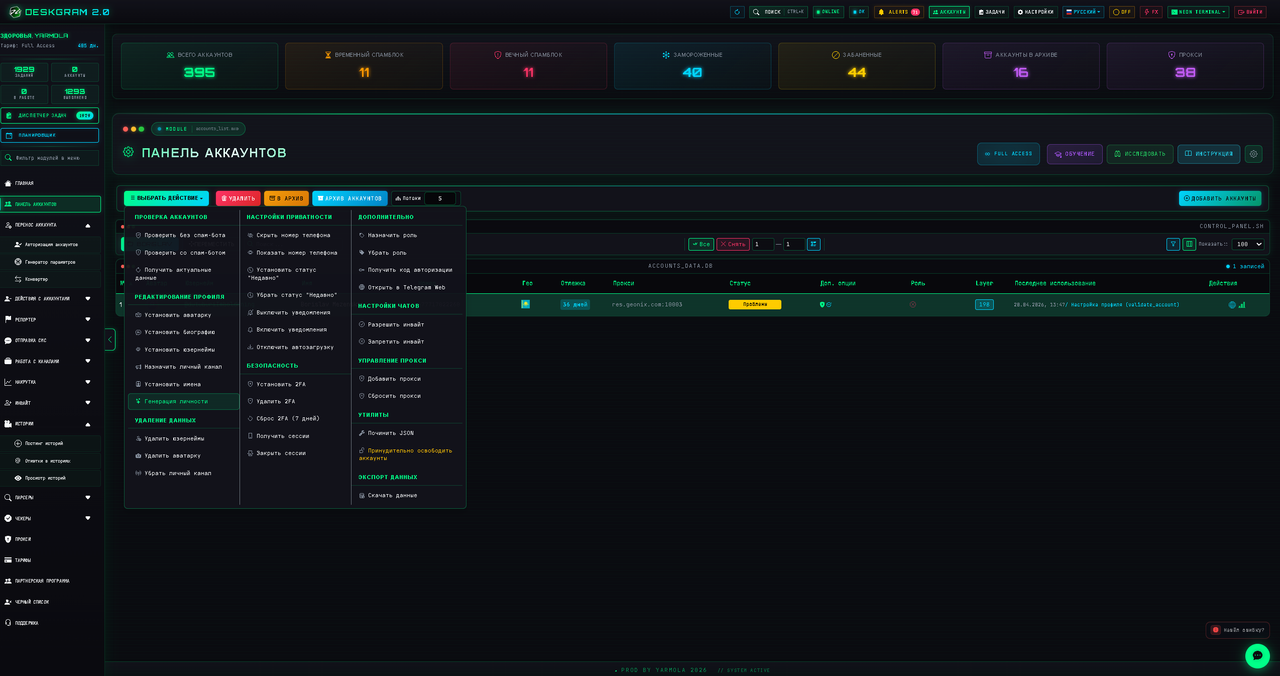
Start with one account you control. If your setup needs a proxy, check its configuration and assignment before network actions. Search, folders, filters and roles help separate test accounts from daily work. Follow the import guide and the account panel guide for those steps.
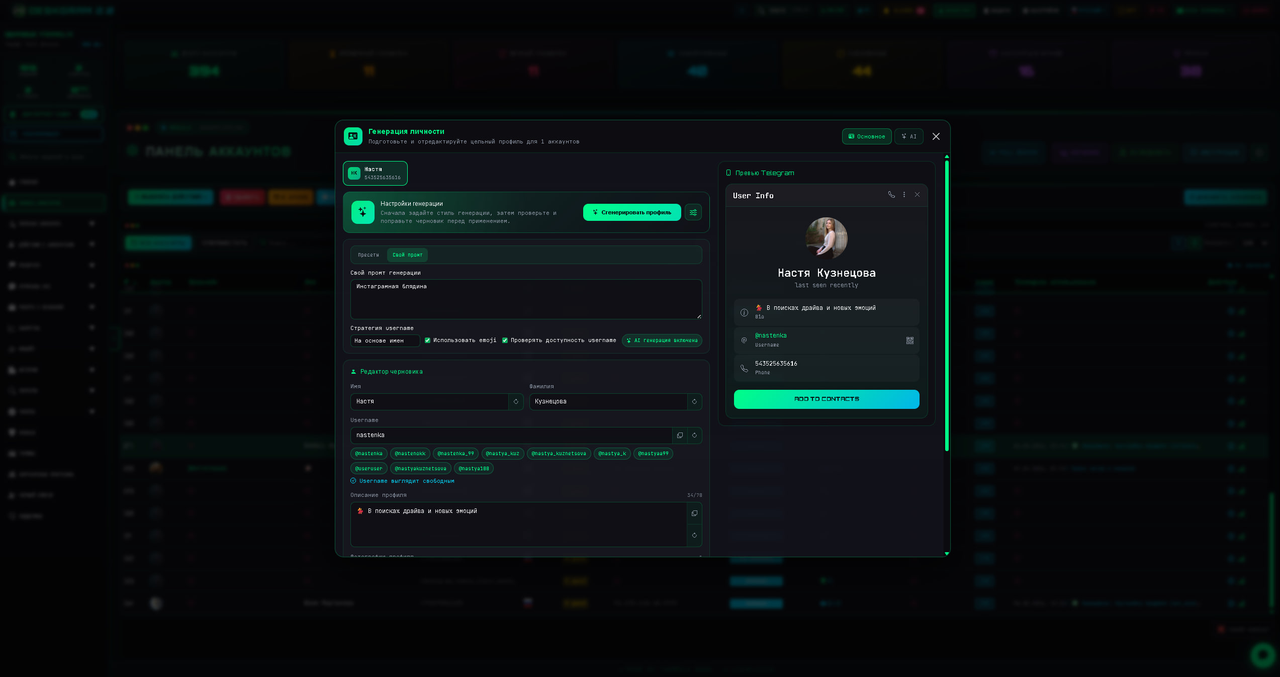
The panel also provides profile editing, privacy settings, and operations involving 2FA, email and Passkey. Check the selected accounts before confirming an operation. The identity generator and profile editor are separate tools; you do not need to rewrite a whole profile just to start a task.
Choose a tool for the intended result
- Group messaging — Send prepared messages to selected groups: recipients, cycles, delays and execution log.
- Autoresponder — Reply to incoming private messages with prepared text or AI: rules, exclusions and delays.
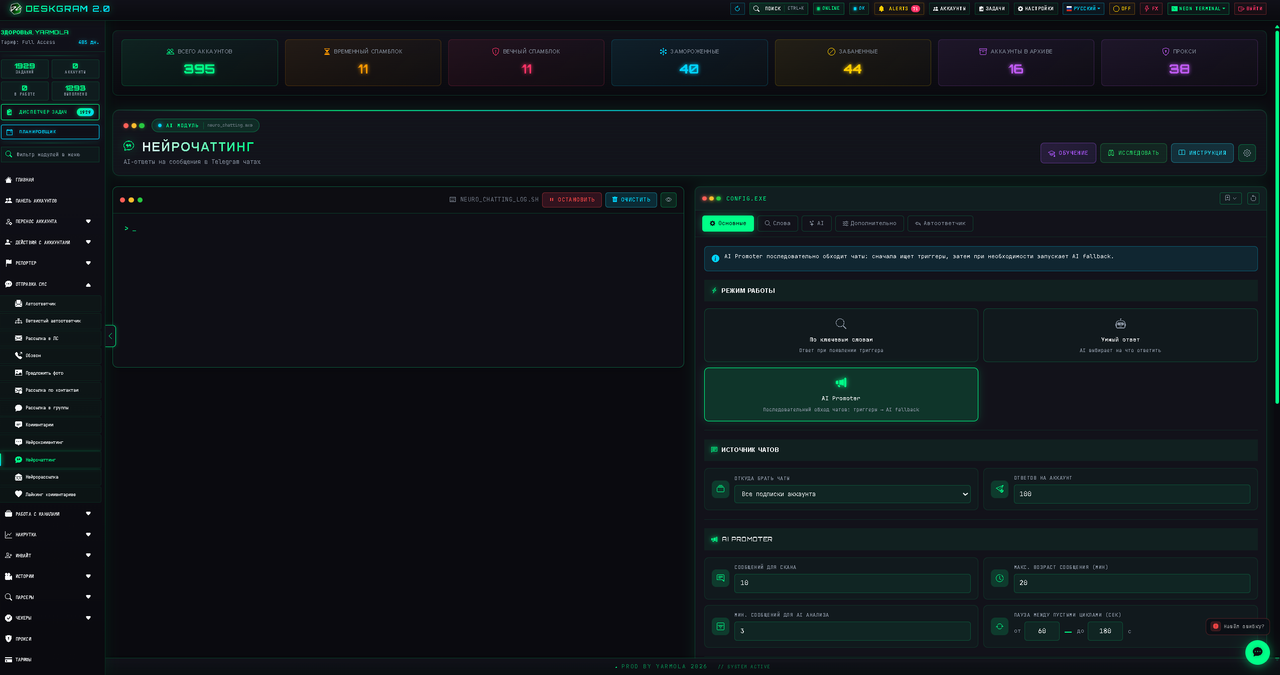
- AI commenting — Comment on new channel posts where discussions are available: sources, model and response context.
- Scheduler and task chains — Schedule module runs and arrange tasks with pauses; check the next run and execution history.
Messages and replies
Private messages, group posting, the standard autoresponder and branching replies have different triggers and destinations. Decide where the message belongs and what should trigger a response before choosing a module. See the group messaging guide; adding members is covered separately in the invite guide.
For AI tools, also check the provider, model, API access and instructions. Review a few responses in a controlled test before leaving the process unattended.
Data, channels and Stories
For data collection, choose the source and required output fields. For publishing, check the destination, content and account permissions. Channel creation, contact management and bot tools have their own sections; they are not prerequisites for importing accounts.
For Stories, prepare the media and publication settings. Telegram and the account state determine whether a particular action is available. Read the application’s response instead of assuming that another account’s conditions apply.
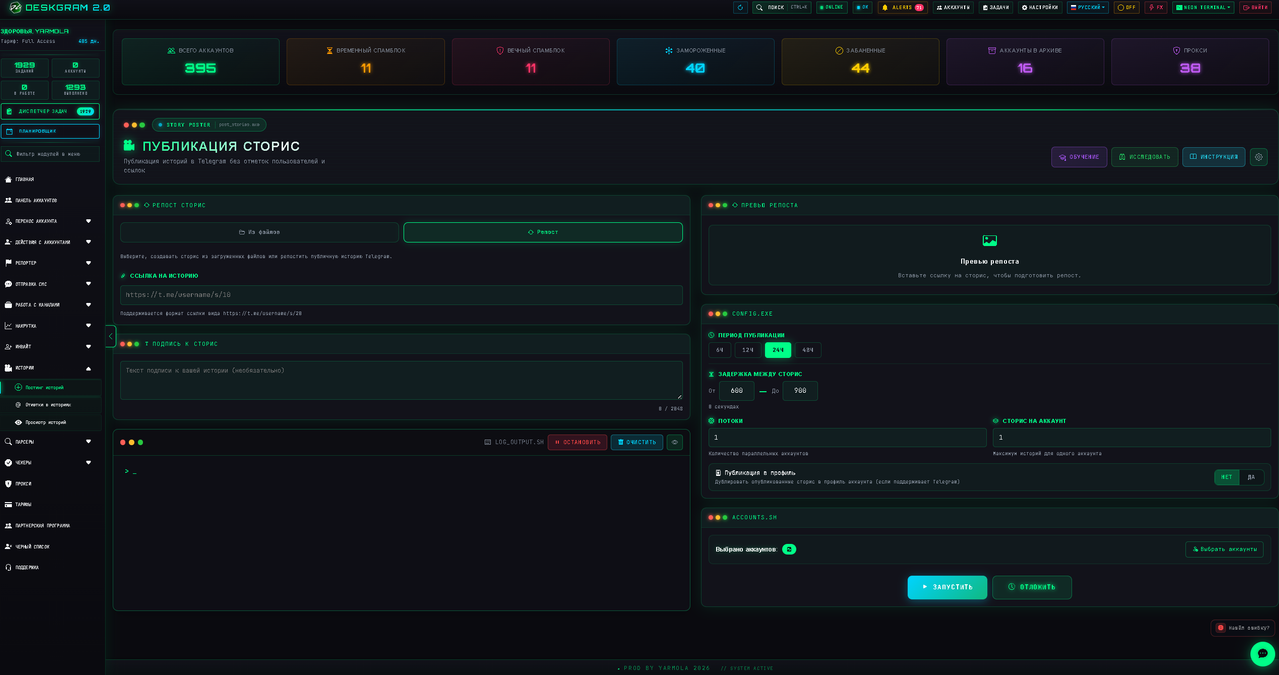
Run a small check
- Choose a module and one test account.
- Prepare a small input or an object you control, such as your own channel for a test post.
- Review the content, destination and launch settings.
- Start the task and open the task manager.
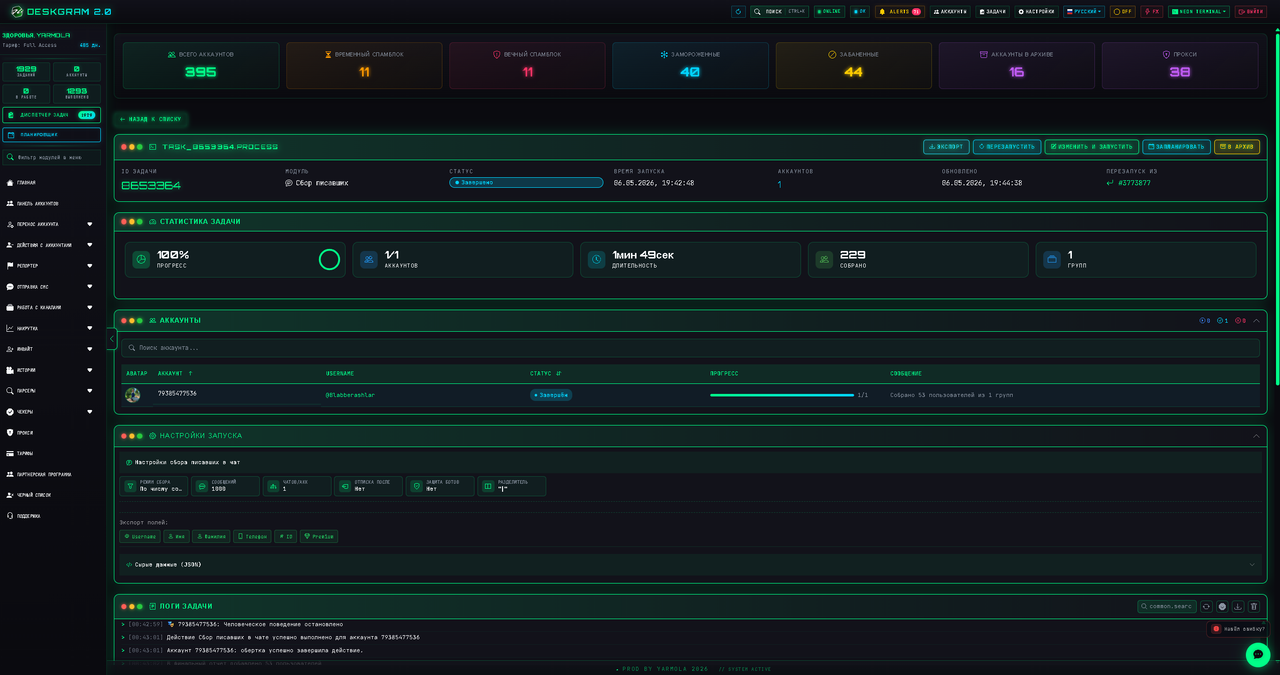
- Compare the status and log with the actual Telegram result. Starting a task does not mean every action succeeded.
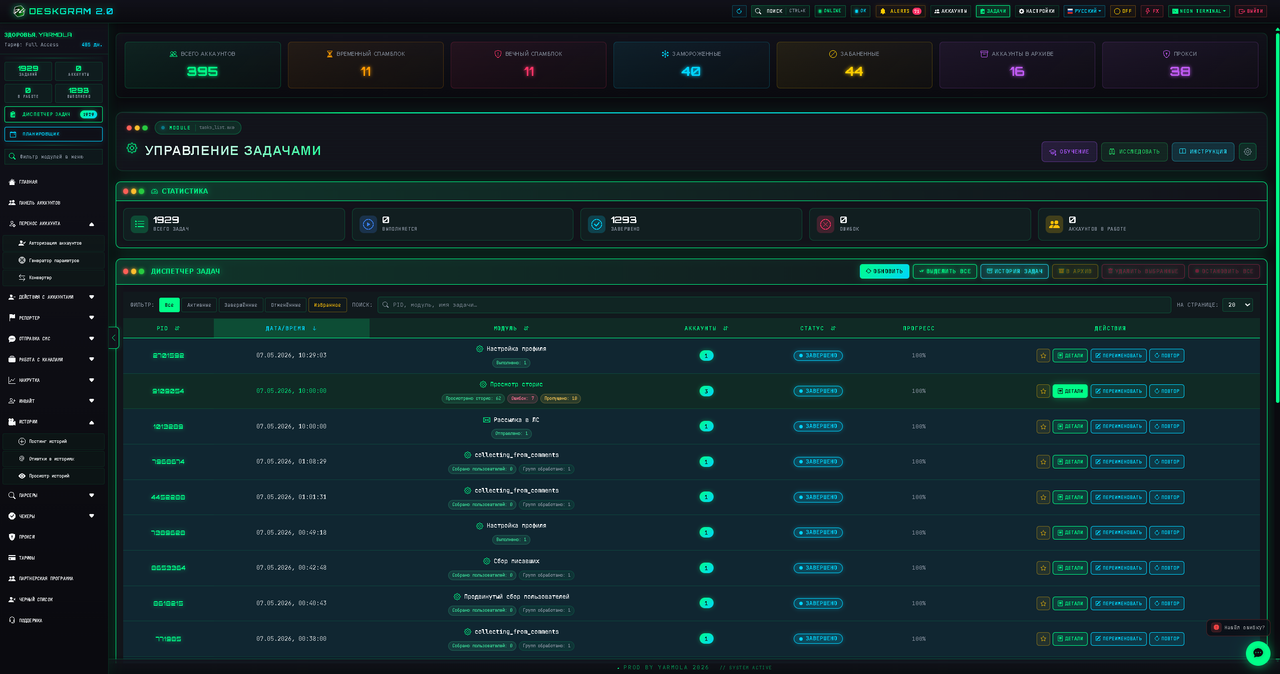
Open task details to distinguish a source problem, connection failure, missing permission or Telegram response. Respect a reported FloodWait before retrying. Do not start duplicate tasks just because a result has not appeared yet.
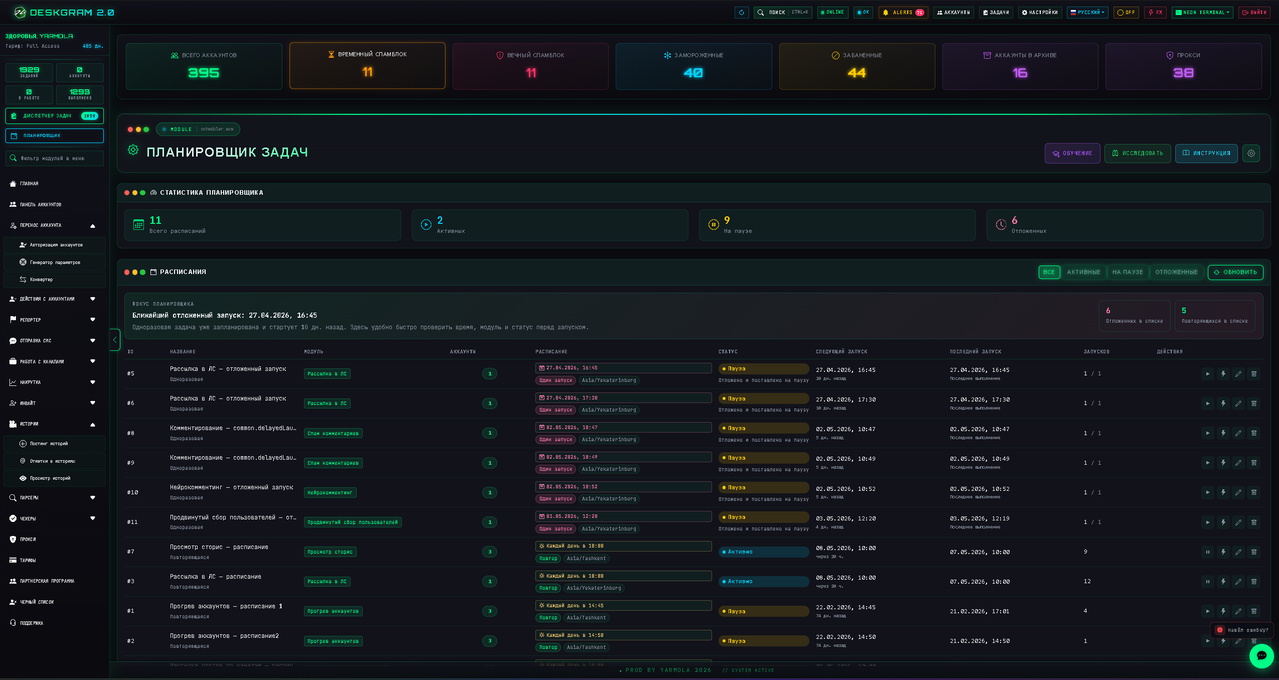
Add scheduling after the test
Once a regular launch works, use the scheduler for a supported module, its parameters and a start time. The computer and application must be available then. A schedule entry confirms configuration; check execution in task results.
For troubleshooting, record the version, module, action and log message. Consult the guide catalog and FAQ, then the support contacts on the website. Keep session files and access keys out of public error reports.