Authors, not every member
This module reads accessible group history and collects authors of qualifying messages. Read-only members do not appear. A broadcast channel without group conversation is not a source for this module; use the comment parser for channel discussions.
A hidden member list does not make message history automatically accessible. The working account needs group access and visibility of the relevant messages. Neither this module nor the basic parser reveals hidden numbers.
Sources and three modes
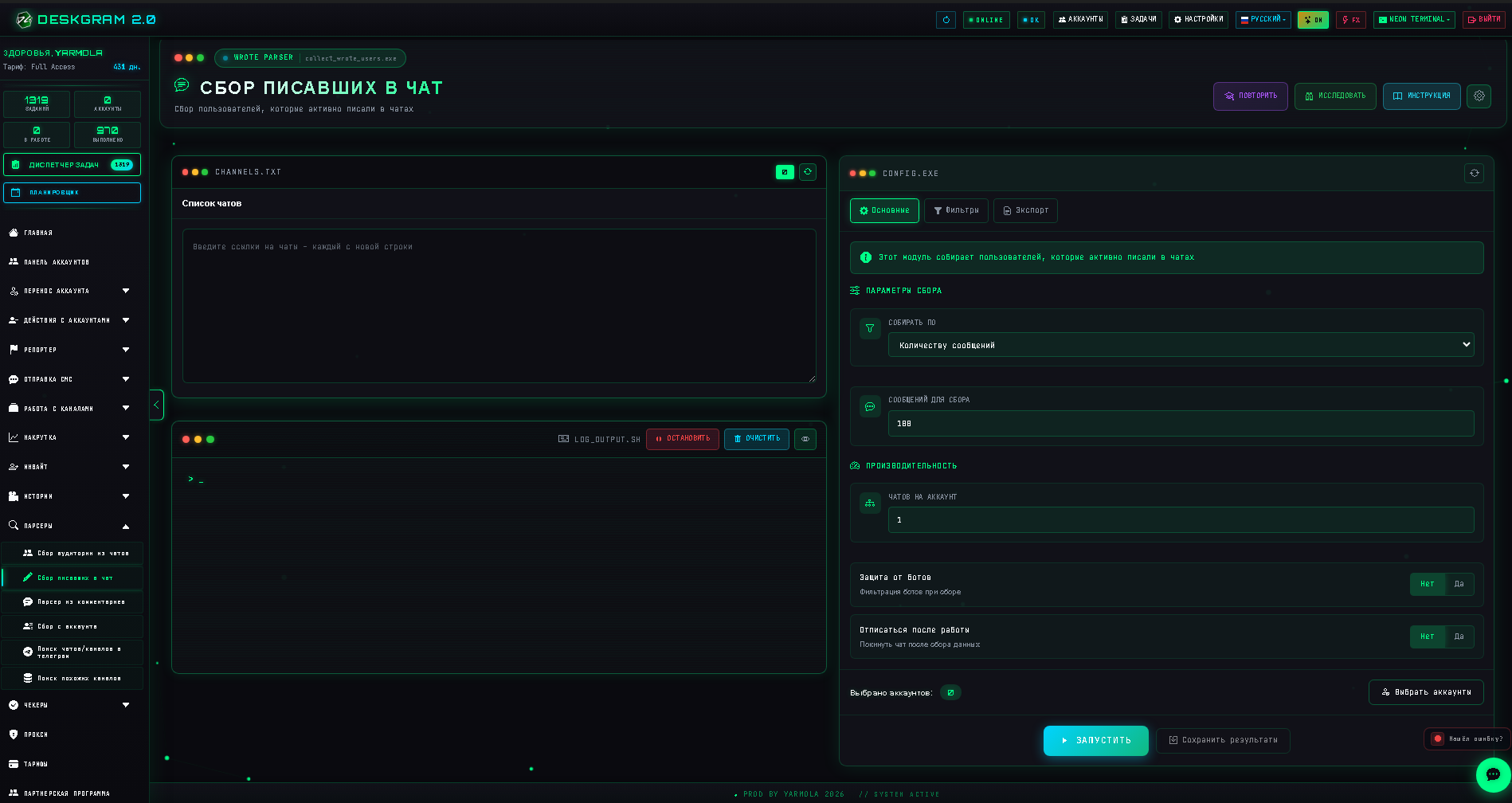
Enter one group per line or load a list, then select accounts. Start with one familiar group containing visible history.
- Count (
collectByCount): set the number of recent messages to examine. Output contains qualifying authors, not the same number of users. - Period (
collectByDate): set start and end dates. The current implementation examines up to 100,000 recent messages per group; older dates may lie outside that window. - Words (
collectByWords): add words and the number of messages to examine. Each word has ignore-case and whole-word settings. With whole-word off, matching uses substrings. For example,deliverycan matchDeliverywhen case is ignored.
Period applies to message dates, not an author's last-seen time. Chats per account distributes work; it is not a guaranteed permissible Telegram load.
Additional conditions
Bot filtering excludes users carrying Telegram's bot flag. It neither solves CAPTCHA nor identifies every automated profile.
Leave after completion makes the account leave the source. Consider re-entry, especially for a private group. Setting one group per account does not itself enable leaving; these are separate options.
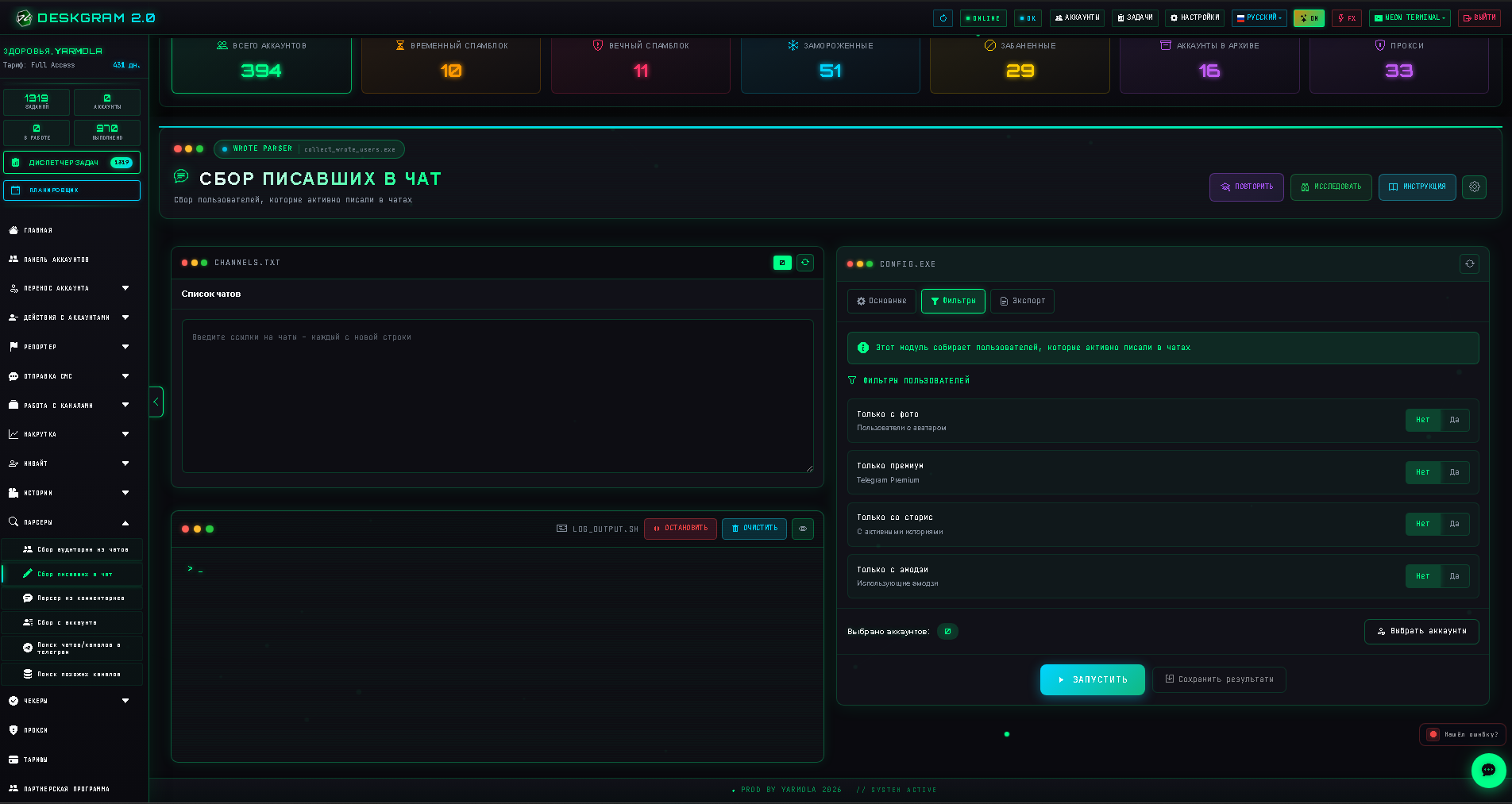
The filters tab offers photo, Premium, Stories and emoji only. The last option requires a message made entirely of supported emoji characters. A sentence containing one smiley is different. Combining an ordinary keyword with emoji-only can produce no results: test each condition separately.
Some combined emoji include control characters and can fail the simplified filter.
Export and verify
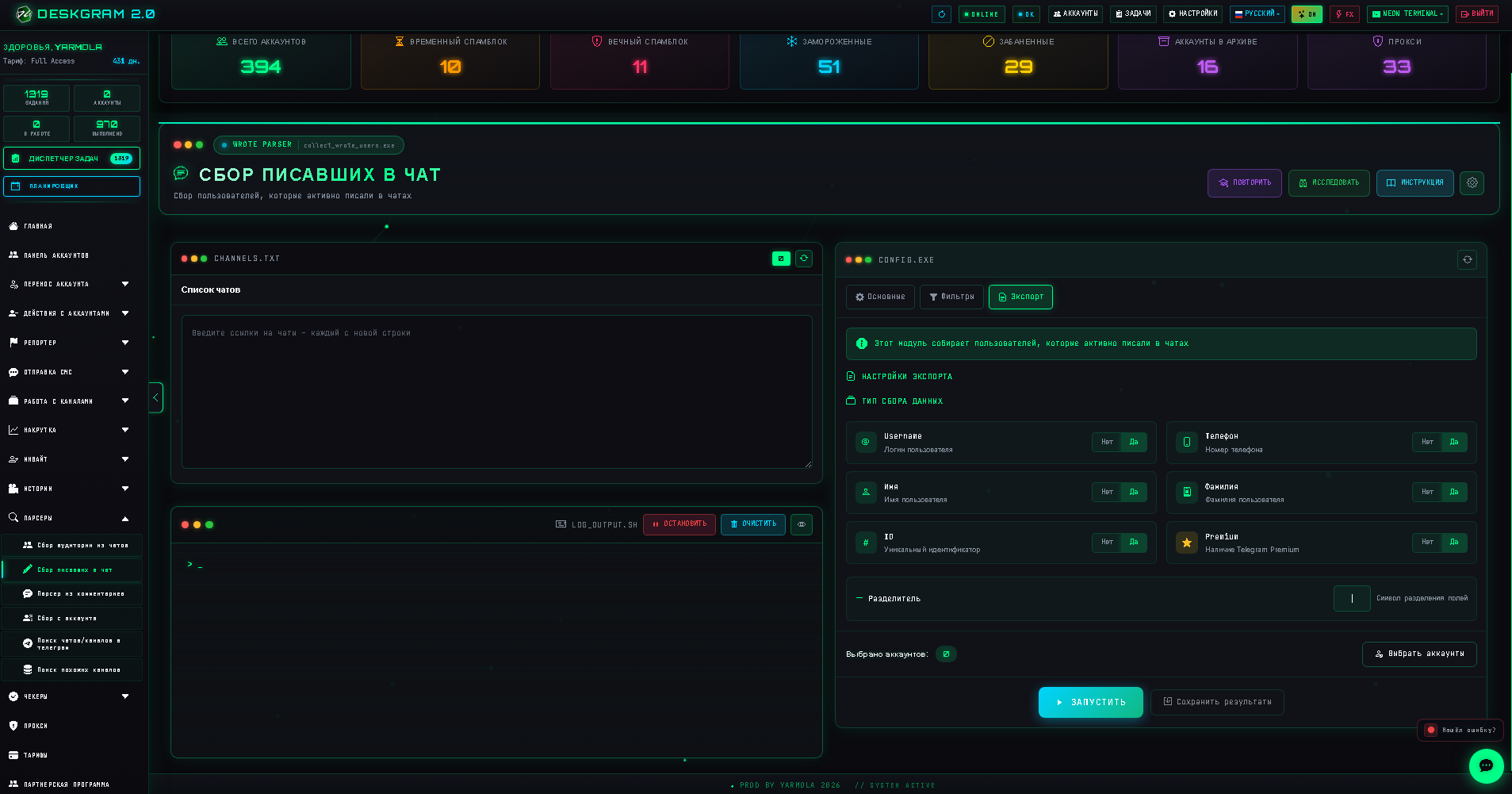
Select username, first name, last name, phone, ID and Premium and a delimiter. Enabling a field does not disclose hidden information. If username is missing, use ID; do not infer a phone number.
Run a small test and distinguish examined messages, matching authors and processed groups. Repeated messages by an author do not create the same number of unique accounts; sources and repeated runs can overlap.
After completion choose Save results, TXT or Excel and inspect the file. If saved during execution before a dataset is ready, the file may contain only an interim summary. Wait for completion for the final selection. Configure the available delayed launch only after testing; the program must be running at execution time.
For few or no users, check history access, source type, depth and dates. Then disable extra conditions one at a time and check words, case and whole-word matching. Respect FloodWait, and preserve partial results before retrying. Sending uses separate modules.
Member parser · Download Deskgram 2
Interface screenshots
These real screenshots from the earlier guide use the Russian interface. Layout can differ in the current release; current capabilities and limits are explained above.