Telegram Audience Parser in Deskgram 2
This guide explains how to use the Audience Parser module in Deskgram 2 to collect members from Telegram groups and chats.
The important point is simple: this module collects members. If a group hides its member list, the module cannot extract those hidden users. In that case, use a different scenario: collecting users who actually wrote messages in chats.
What to prepare before launch
Before you start, decide:
- which groups or chats will be used as sources;
- whether you need filters or a full member collection;
- where the collected base will go next;
- which accounts will perform the collection;
- which export format is needed for the next module.
Do not treat parsing as the final goal. The result should be useful for the next step: direct messaging, invite, analysis, or another workflow.
How the module is structured
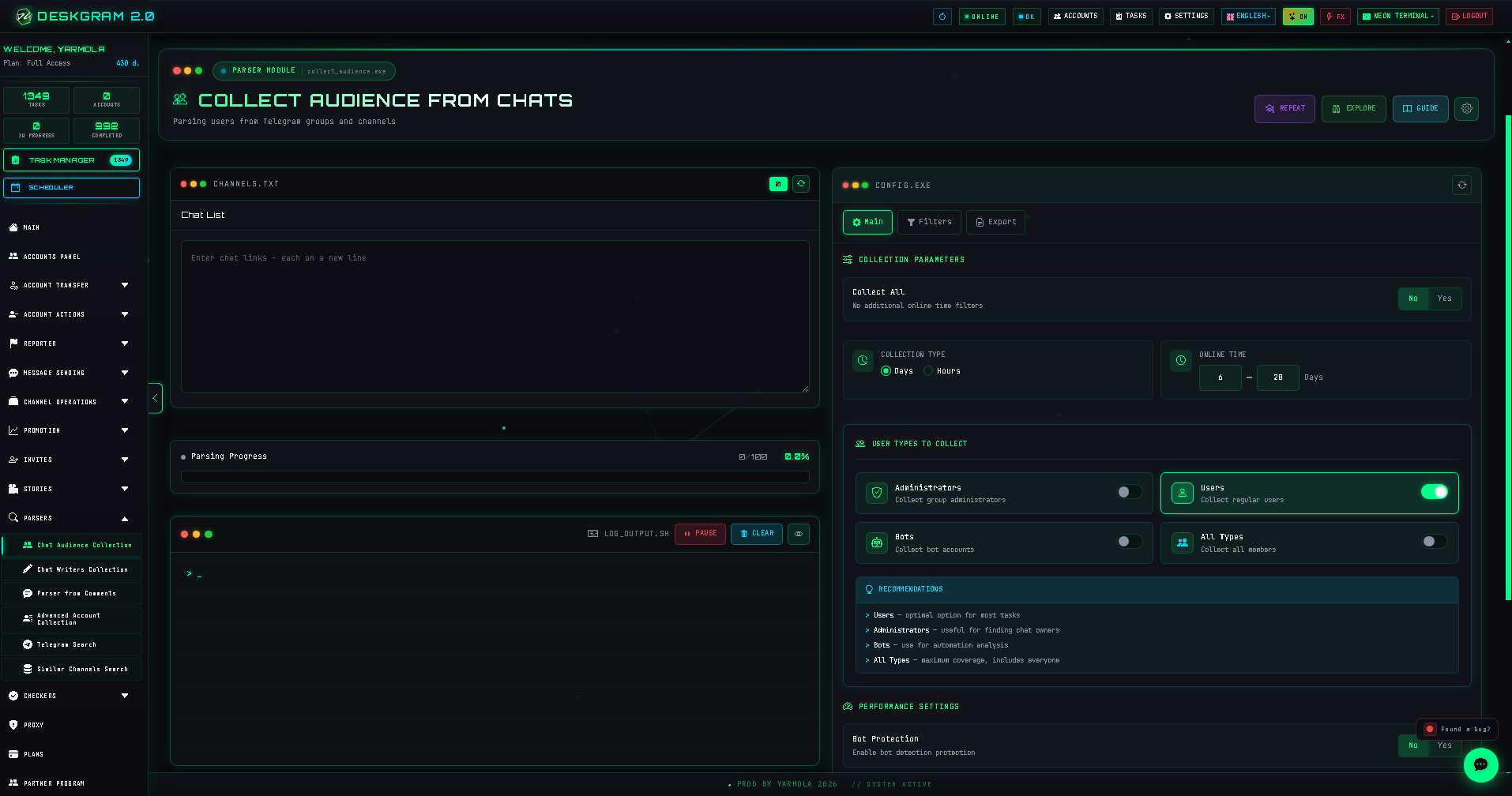
The module is built around three main setting blocks:
- Main settings;
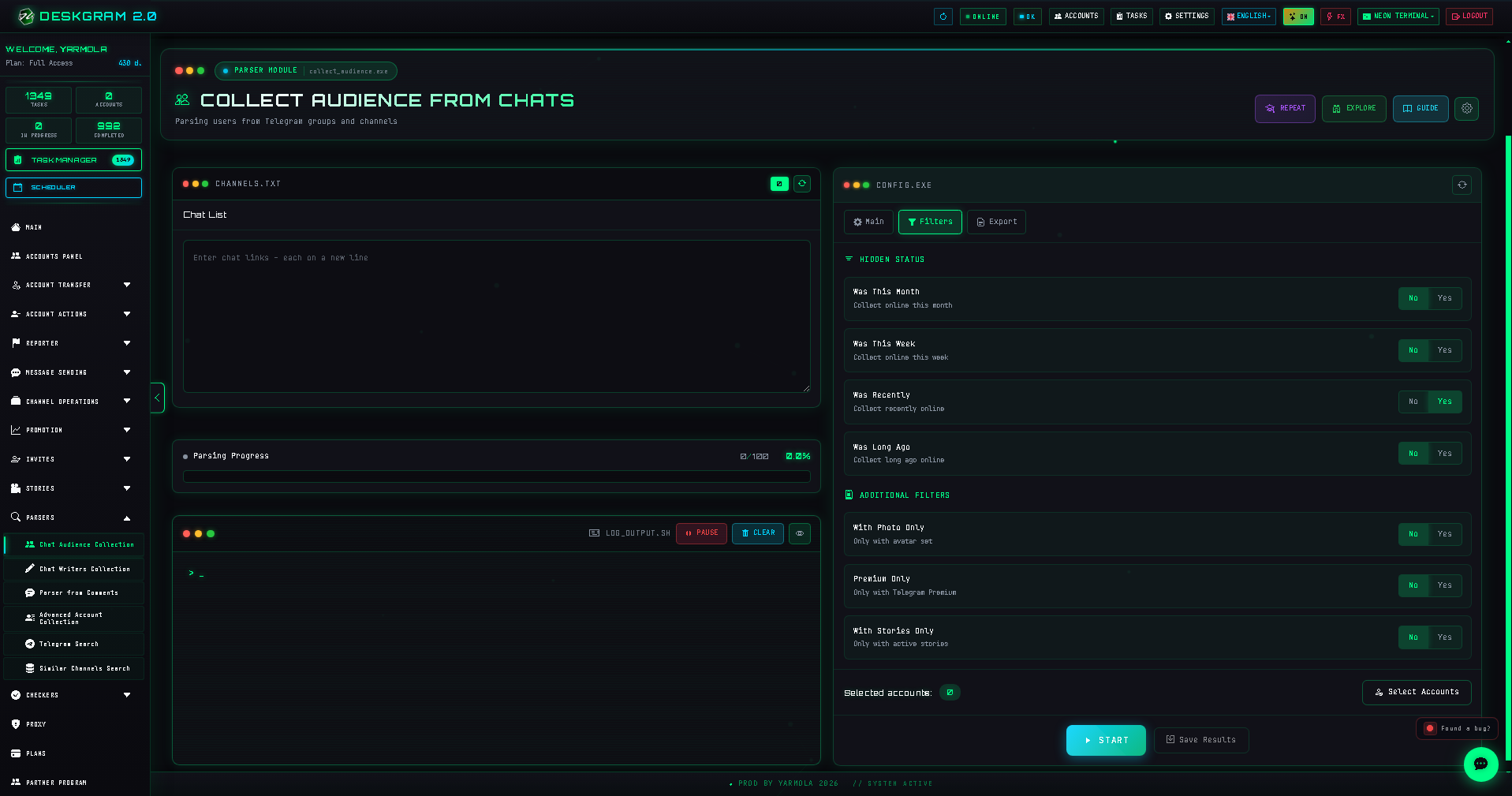
- Filters;
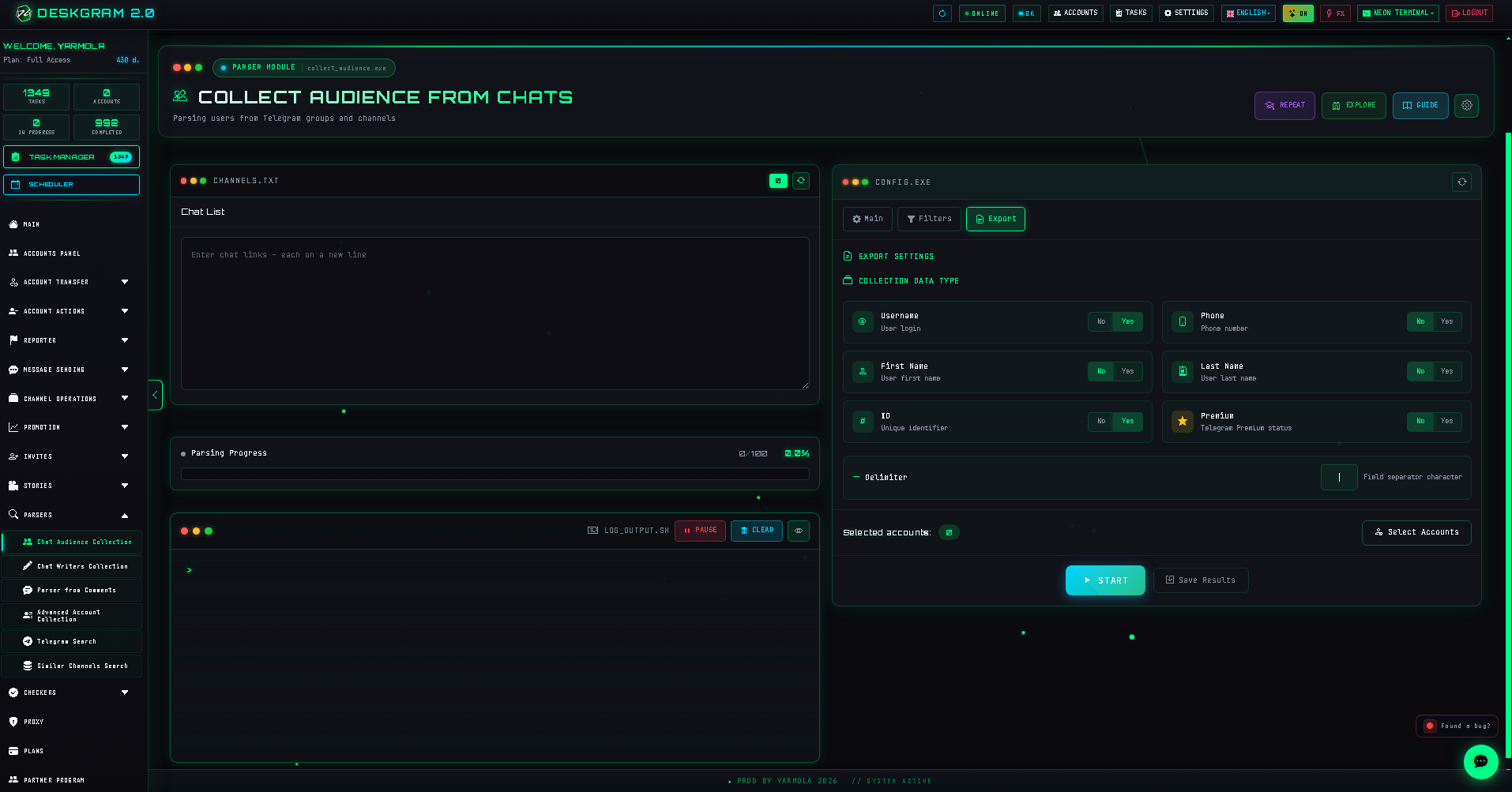
- Export.
You also have logs, account selection, and the learning mode. In Deskgram 2 you can enable the learning mode and hover over settings to see what each control is responsible for.
Basic workflow
- Add the list of Telegram groups or chats.
- Configure the main collection settings.
- Enable filters if you do not want to collect everyone.
- Choose the export format.
- Select the accounts.
- Start the task.
- Check logs and review the resulting export.
Main settings
This block controls the collection logic.
Collect everyone
The simplest option.
- Yes means the module collects all available users.
- No means filters become important.
If you do not have a complex task, start with collecting everyone and run a small test. Do not overcomplicate the first launch.
Source list
The source list defines the quality of the result. If you add irrelevant chats, the export will also be irrelevant. Before scaling, test several sources and compare the result.
Account selection
Use accounts that can access the selected groups or chats. If accounts cannot enter the source or see the member list, the collection quality will fall immediately.
Filters
Filters are useful when you do not need the full member list.
Use filters when:
- the group is too broad;
- you only need a specific segment;
- you want to reduce noise before outreach;
- the result will be used for direct messaging or invite.
Export
The export block defines how the collected data will be saved and passed to the next module.
Before export, think about the next step:
- for direct messaging, usernames or phone numbers may matter;
- for invite, the base should match the target group or channel;
- for analysis, source labels and segmentation are important.
Do not merge different sources into one unmarked file if you plan to analyze quality later.
Logs and first test
Always start with a small test. After the first run, check:
- whether the sources were processed correctly;
- whether accounts had access;
- whether the export contains useful users;
- whether filters removed too much or too little;
- whether errors repeat on the same accounts.
Common mistakes
- Parsing random chats without checking relevance.
- Sending the exported base straight into outreach without cleaning.
- Forgetting that hidden member lists cannot be collected by this module.
- Mixing different sources without labels.
- Scaling before checking a small test export.
What to use next
After audience parsing, you can move the result into:
- Direct Messaging for private outreach;
- Invite if the goal is to bring users into a group or channel;
- Audience quality checks before scaling;
- Autoresponder if users will reply after outreach.
Summary
The Audience Parser is not just a "collect users" button. It is the first data layer of the workflow. The better your sources, filters, accounts, and export logic are, the easier every next module becomes.
Start small, check the logs, keep source context, and only then scale the collection.