The Guerrilla Marketing module runs a messaging scenario across several selected accounts in Telegram groups. You configure an opening, follow-up steps, participants and delays, optionally using AI generation or adaptation. See the module overview.
Checked against the implementation on 24 October 2026. First run a short scenario in your own test group where every selected account's messages are visible.
Load chats
In PARTISAN-CHATS.TXT, enter one source per line: @chatname or a link such as https://t.me/examplegroup. These illustrate the format, not a supplied database.
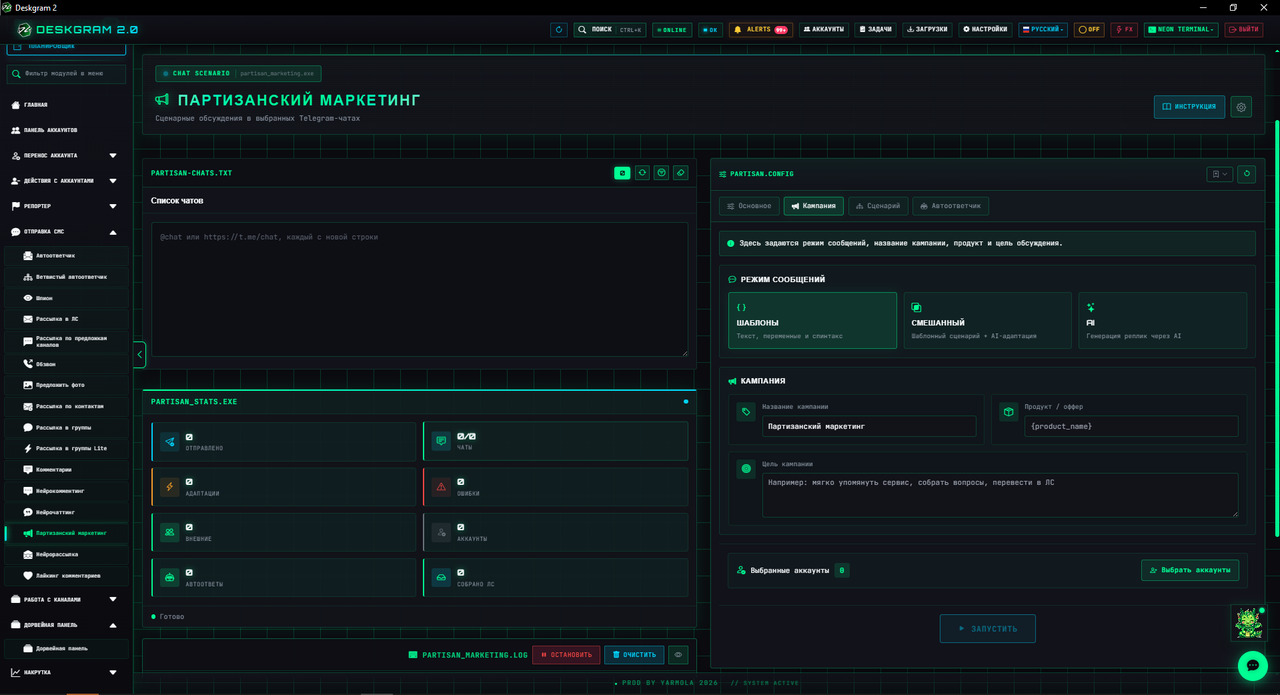
Start with one group. Confirm all selected accounts can open it and write. Join by link attempts membership when necessary; it does not replace join-request approval or sending rights.
Choose participants and timing
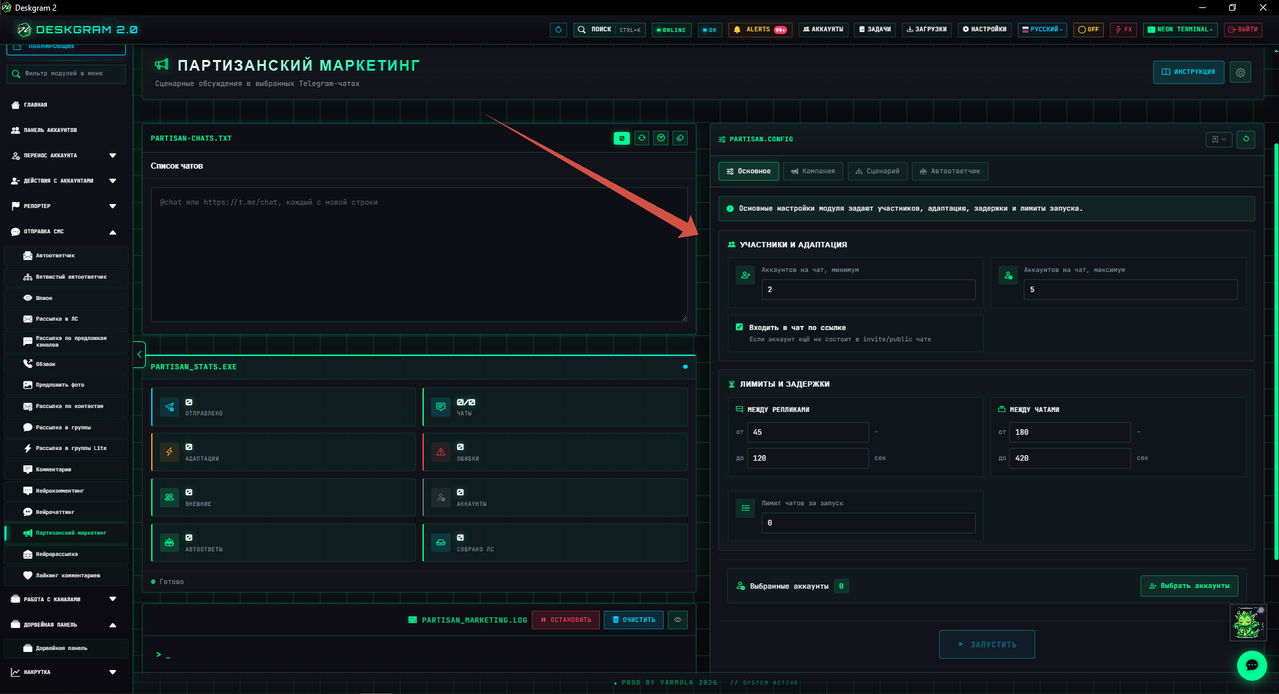
| Setting | Purpose |
|---|---|
| Accounts per chat, minimum/maximum | Scenario participant count, bounded by the selected available pool |
| Initiator/responder selection | Rotation or random choice where supported |
| Between messages, seconds | Waiting range between scenario steps |
| Between chats, seconds | Pause before the next group |
| Chat limit per run | Current task volume |
| Context | Recent-message count for external-message inspection |
The lower delay bound must not exceed the upper. Timing controls sending, not a “typing” status or Telegram daily limits. Screenshot values are not a universal recommendation.
The initiator sends the opening and responders handle following steps. Fewer available accounts than the maximum does not create missing participants. Verify actual senders and logs in one group.
Choose campaign mode
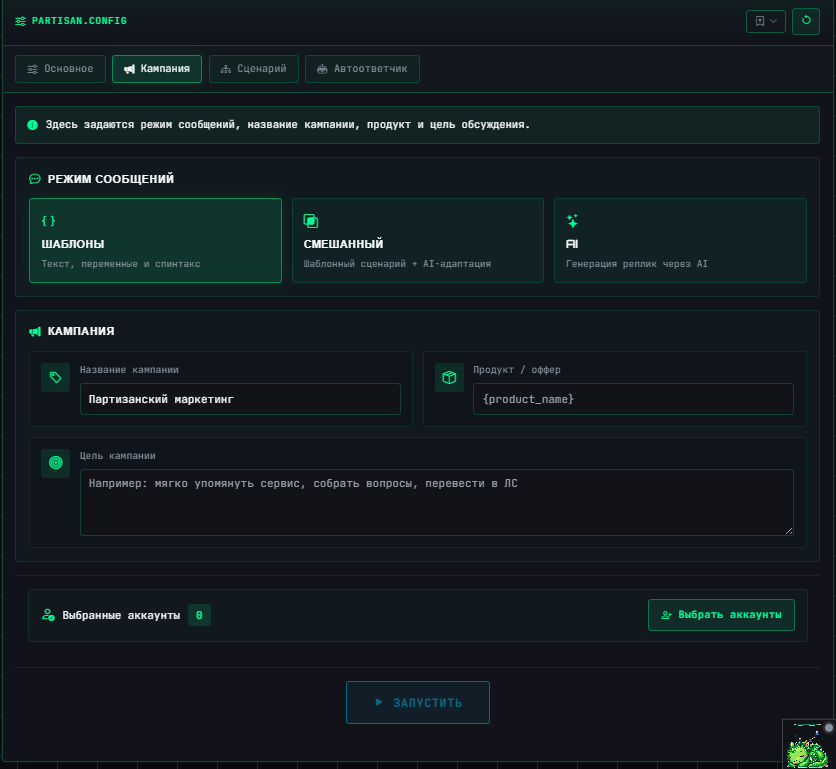
| Mode | Source of text |
|---|---|
| Templates | Prepared messages, variables and spintax |
| Mixed | Prepared scenario, with possible AI adaptation when external context qualifies |
| AI | Opening and follow-ups generated from campaign instructions |
Mixed mode does not necessarily rewrite every message. Adaptation depends on external-message processing being enabled, new messages from other participants and an available AI processor. Without qualifying context, the planned text remains. Optional adaptation that returns no usable result also leaves planned text in place.
AI mode differs: unavailable required generation or no finished output is a step error, not permission to send the prompt. Optional adaptation fallback is not a guaranteed backup for required generation.
Complete the following:
- Campaign name: recognizable working/log name.
- Product/offer: facts or a name to consider.
- Campaign goal: generation/adaptation instructions.
- In AI mode: separate opening and continuation prompts plus replies per chat.
The AI-reply count means follow-ups after the opening. Current normalization bounds it to 1–20. It does not count messages from other group participants.
Configure provider, model and key through the AI component. External requests can cost money and are not included in Deskgram's subscription.
Build a template scenario
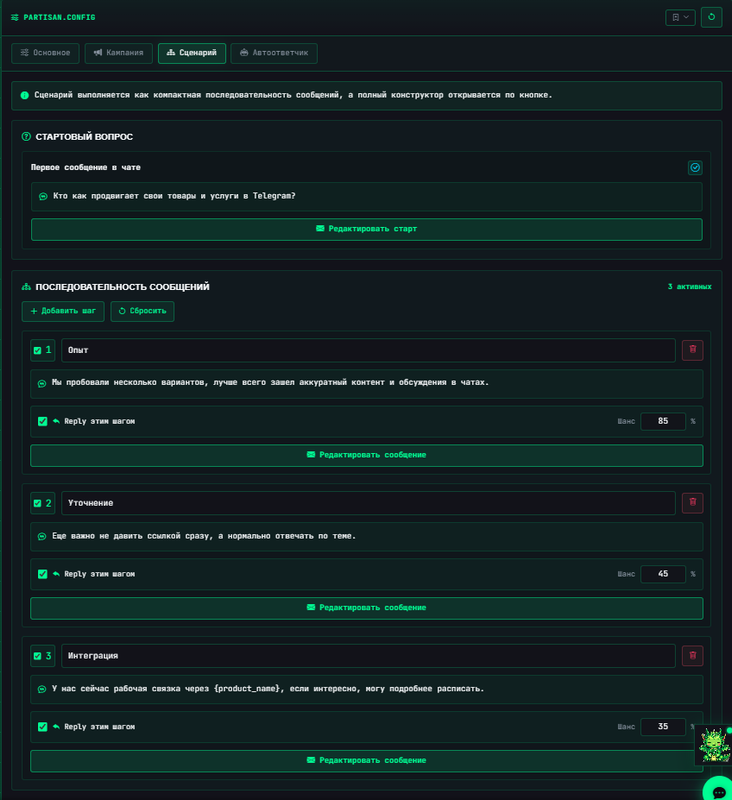
The initiator sends the opening, then saved steps execute. Give each a meaning or prepared text, a clear label and Reply settings.
Hypothetical test: account one asks how to install the product; account two supplies the instruction link; account three clarifies supported systems. Replace illustrative content with verified information before starting.
Available variables include {chatname}, {groupname}, {accountid}, {campaignname}, {campaigngoal}, {productname}, {step_label}. Values come from the campaign and current step. Use spintax such as {Hello|Good afternoon} for variants. Inspect output for unresolved placeholders.
What Chance means
Reply for this step and Chance (%) control linking to messages previously sent by this scenario. At 35%, the step still executes, but roughly 35% of eligible sends use Reply if a target exists.
This is not the probability of executing the step, attracting a customer or mentioning a product. The target is an available earlier scenario message, not an arbitrary message from the entire history.
Handle external messages
With adaptation enabled, recent context is inspected between steps. New external entries are measured relative to the last scenario message; selected accounts' own messages are not external.
In mixed mode, this context can revise the planned reply. It is not a separate keyword lead finder or indefinite chat listener after the scenario ends.
Pause on external question has a current implementation limitation: it stops when a question is detected and no AI processor exists. With an active AI processor, the switch does not guarantee stopping. Question recognition uses textual indicators, not guaranteed understanding of every question.
Test by sending a fresh message from another account during a between-step pause. Inspect external-message count, actual adaptation and continuation. Old pre-start history alone is not this test.
Private replies and collection
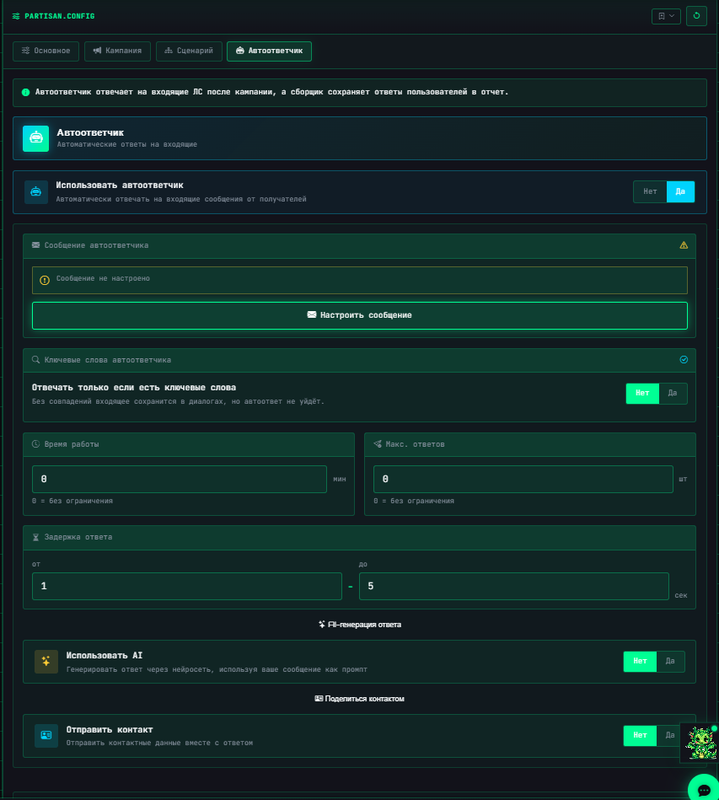
The embedded autoresponder handles private incoming messages on selected accounts separately from group scenario steps. Configure its prepared text/AI, duration, count, delays and additional conditions in that block.
If private-reply trigger conditions are enabled, test their words and mode using a separate incoming message. The collector saves received messages for viewing/reporting. A collected message is not automatically a sent reply.
See the component guide. Do not transfer these settings to the standalone regular or branching autoresponder: their task entry points differ.
Leave private replies and collection off for the first group-scenario test. Then test each using one message from another account you own. No private inquiry does not imply group delivery failed or that an inquiry is guaranteed later.
Check execution and statistics
- Choose one test group and a small available account pool.
- Check mode, opening, continuation, AI-reply count or template steps, timing and Reply.
- Save and start.
- Compare opening and each step with actual senders in the group.
- When using external context, add a test message between steps.
- Test private reply and collection separately if required.
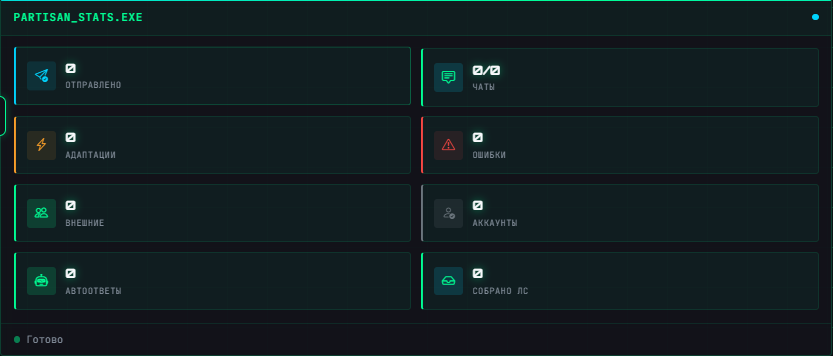
Sent messages, chats, AI adaptations, errors, private autoresponses and collected messages count different actions. Accounts are your Telegram accounts, not necessarily bots. Private replies and collected messages do not measure unique buyers or sales.
Troubleshooting
| Symptom | Check |
|---|---|
| Group inaccessible | Link, each account's membership, posting rights |
| Fewer participants | Available selected pool and selection strategy |
| Step has no Reply | Enablement, chance and an existing previous target |
| Mixed text unchanged | New external entries, context, adaptation and AI; not every message must change |
| AI step not sent | Model, key, finished generation output and error log |
| Question did not stop scenario | AI processor presence and pause-switch limitation |
| No private answers | Separate enablement, duration, conditions and fresh private input |
| Fewer sends than steps | Failures, task stop, available accounts and Telegram waiting |
Screenshots show an earlier Russian interface. They help locate controls; inspect current labels, AI-reply count and extra switches in your program. The same illustrations are used in every language.