Deskgram 2 AI Component
The AI component is used in Deskgram 2 modules that generate or analyze text: AI comments, AI chat, message preparation and similar workflows.
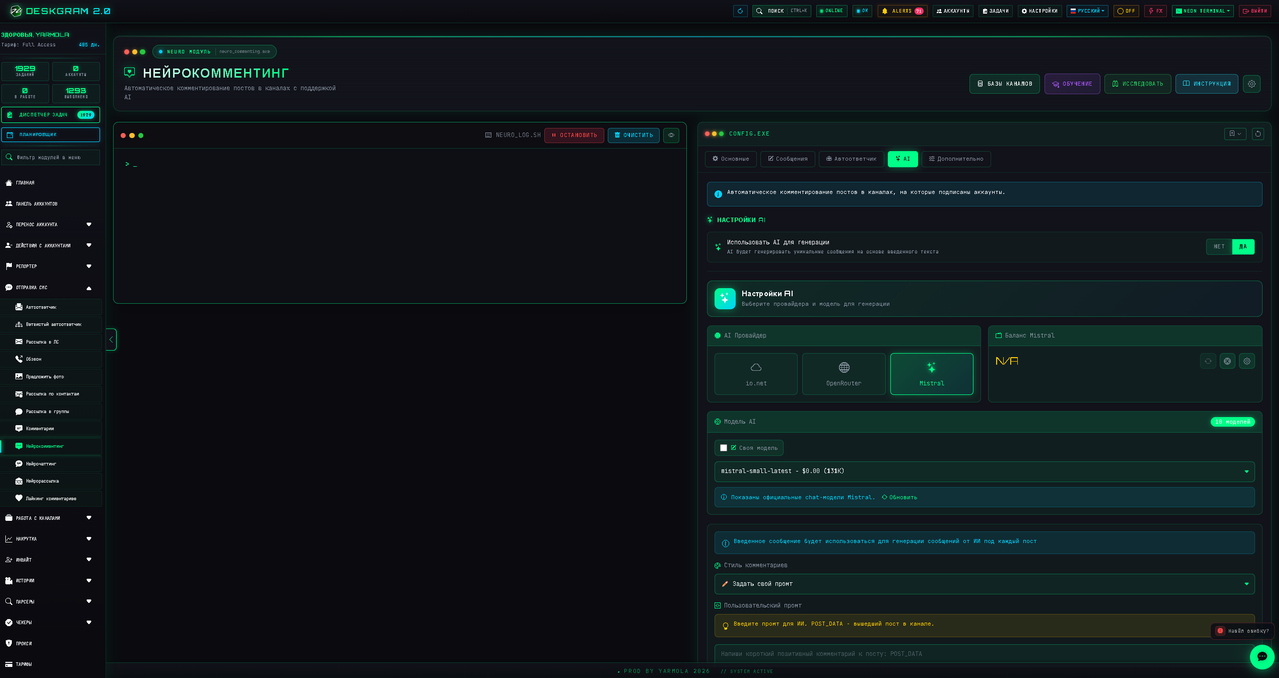
Where to find it
Open a module that supports text generation, switch to the AI tab and enable AI generation. A new settings block will appear with provider, model and prompt options.
Choosing a provider
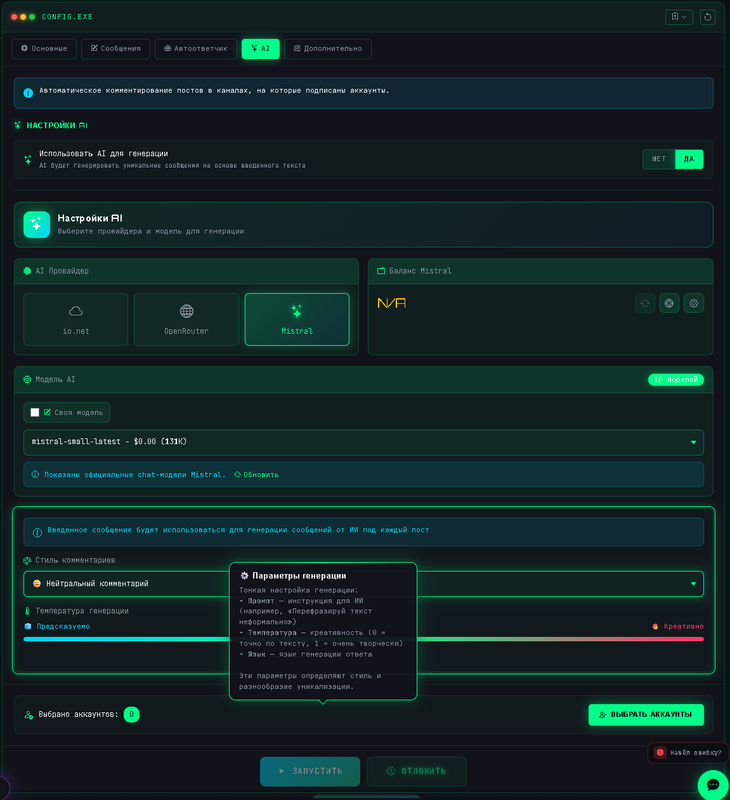
Deskgram 2 supports several provider types, including Mistral, OpenRouter and io.net. The exact set can change over time, but the setup logic is the same: choose a provider, connect an API key, select a model and test generation on a small task.
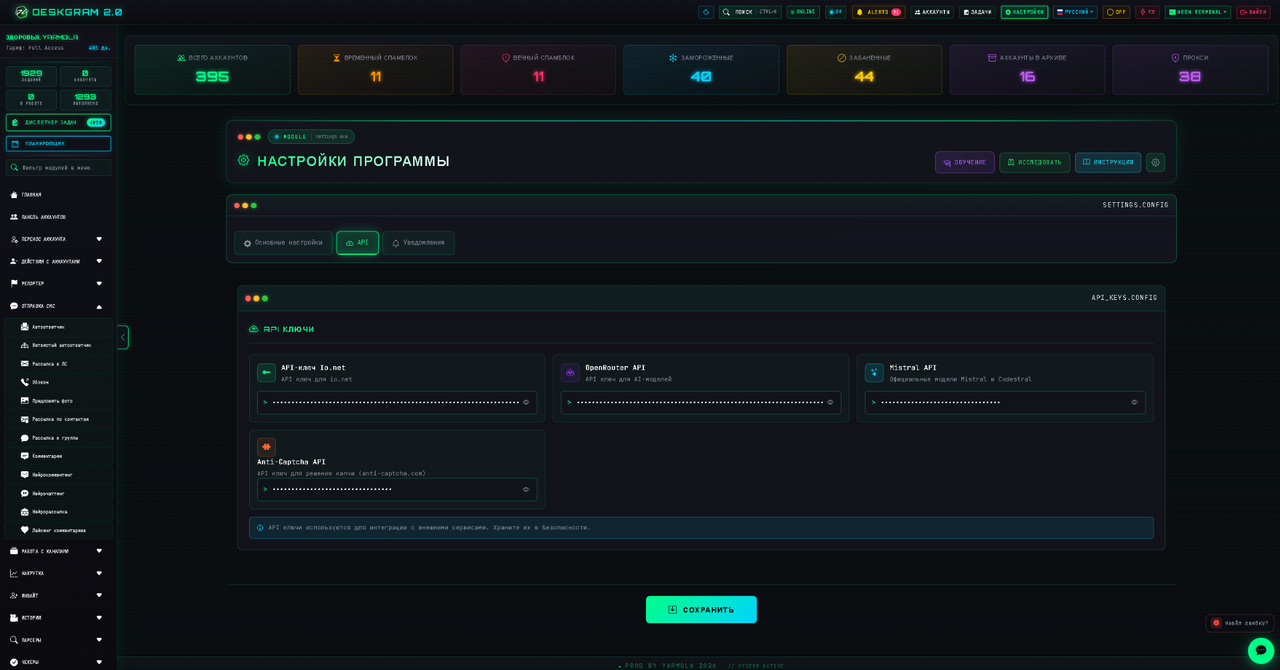
API keys
Enabling AI in a module is not enough. You also need to add provider API keys in the global program settings. Open settings, go to the API section, paste the key and save.
Prompt setup
The prompt tells the model who it is, what it should say, what tone to use and which topics to avoid. For outreach, write the offer clearly. For support-style replies, define boundaries and tell the model when to redirect a user to a human.
Example structure:
- Role: who the AI represents.
- Offer: what product or service it explains.
- Tone: friendly, concise, professional or informal.
- Limits: what the AI must not promise.
- CTA: what the user should do next.
Temperature
Temperature controls creativity. For most Telegram automation tasks, keep it moderate. Too low can sound repetitive; too high can create unstable or risky replies.
Safety tips
- Test prompts on a small account group.
- Avoid claims that cannot be verified.
- Keep outputs short for cold outreach.
- Use separate prompts for comments, direct messages and support replies.
- Monitor replies after the first launch.
Summary
The AI component is powerful only when the provider, model and prompt are configured carefully. Start simple, test the output, then scale the campaign after the messages sound natural and stay within your rules.