Deskgram 2 Tools Overview: Everything for creating a funnel
In the previous lesson, we analyzed the logic of attracting traffic and the importance of a Telegram bot. In this guide, we will review the tool itself — the Deskgram 2 software.
🔥 The main idea to grasp: Deskgram 2 is not just a local spammer. The program offers a full cycle of building a sales funnel in one place. From automatic creation and design of accounts (packaging) to sending traffic, warming up, and getting the first leads. You don't need third-party services, everything is done here.
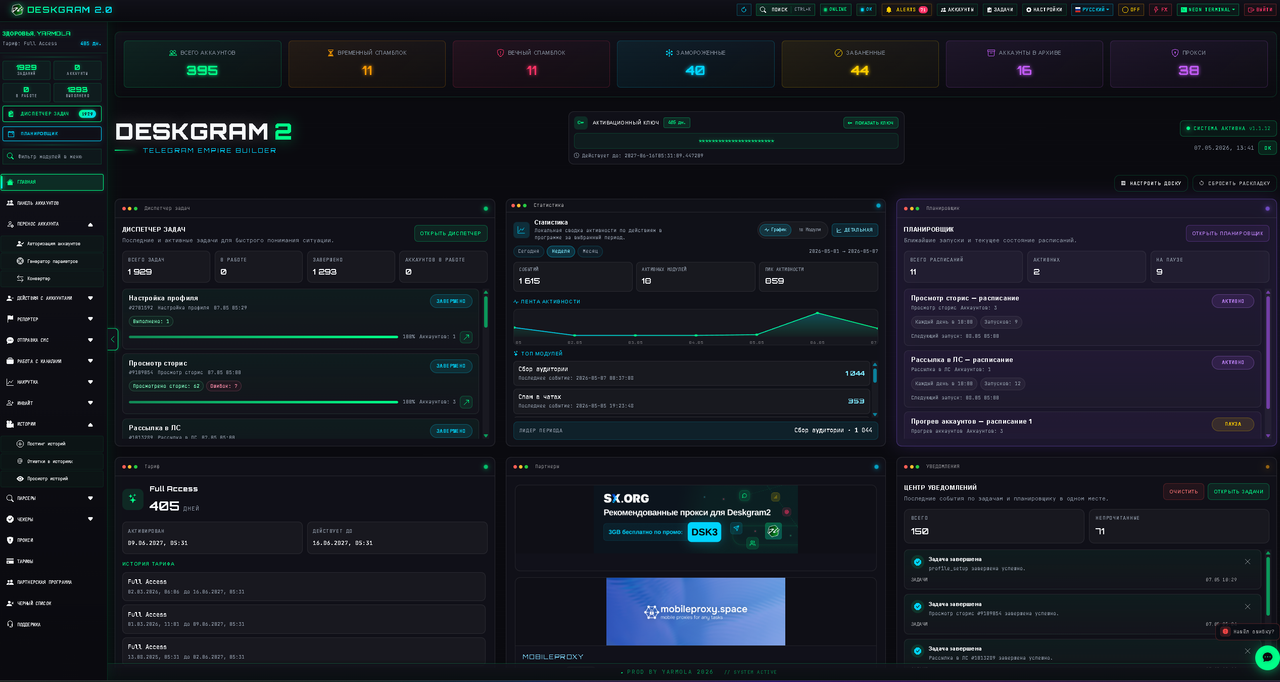
1. Feel the program yourself (Web Preview)
For a start: every user can get acquainted with the full list of functions and the program interface right on our website, without even downloading anything!
We have made a full-fledged "Web Preview". This is an exact copy of our program's interface in the browser (naturally, the tasks themselves do not run there, it's a demo mode). Go in, click around, and see how everything works:
2. Accounts Panel: Over 30+ functions
The software can do almost anything with accounts. The program has a separate powerful block for full interaction with profiles.
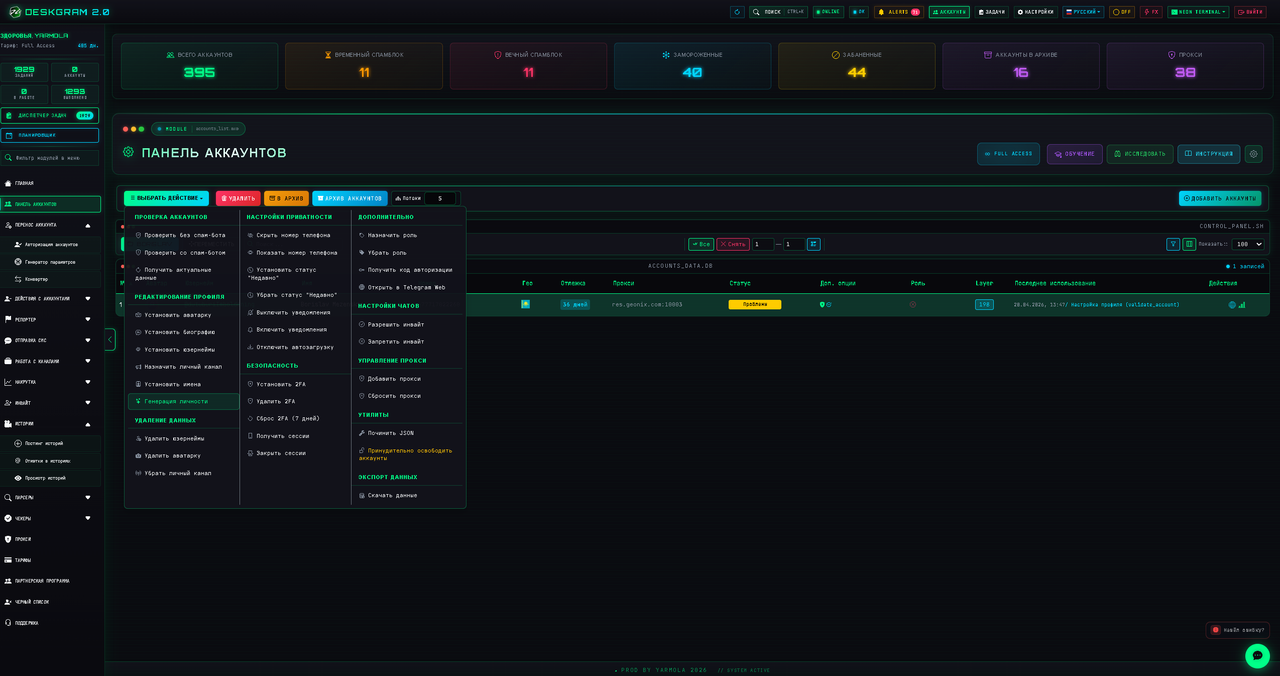
About 30+ different functions are available specifically for interacting with profiles:
- Adding, deleting, and editing profiles (names, avatars, bios, usernames).
- Automatically adding links to your channels or bots directly in the profile description (creating a proxy channel).
- Privacy and permission settings.
- Removing restrictions (spam blocks).
- Mass unfollowing and subscribing.
- Cleaning accounts (clearing chats, history).
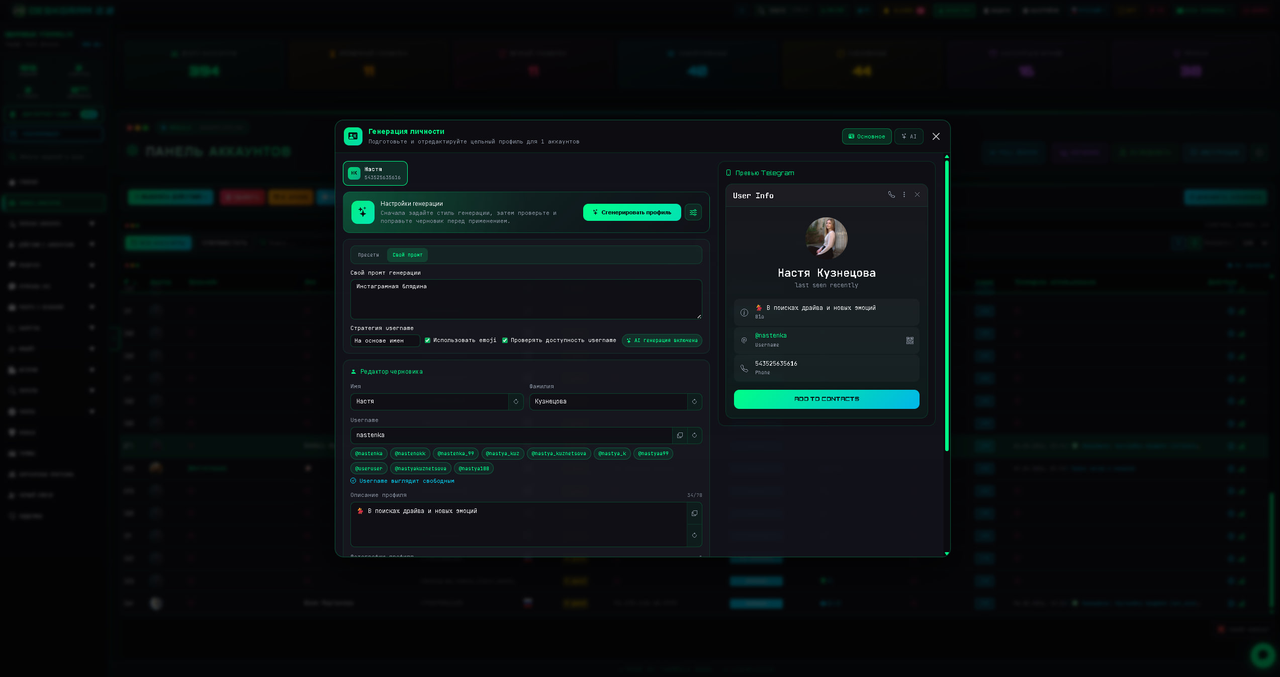
For maximum uniqueness and security, we have a separate Identity Generation function, which automatically makes your accounts "alive" and unlike bots.
3. Working Modules: Traffic and Automation
In addition to working with profiles, Deskgram 2 is a huge combine of parsers, checkers, and mailing modules.
In your arsenal:
- Parsers and Checkers: collecting the target audience (those who wrote in chats, commenters), checking numbers, usernames, and account statuses.
- Traffic Generation: Mailings via private messages (PM), mailings to groups, autoresponders, and Neuro-commenting / Neuro-chatting (modules where Artificial Intelligence communicates for you).
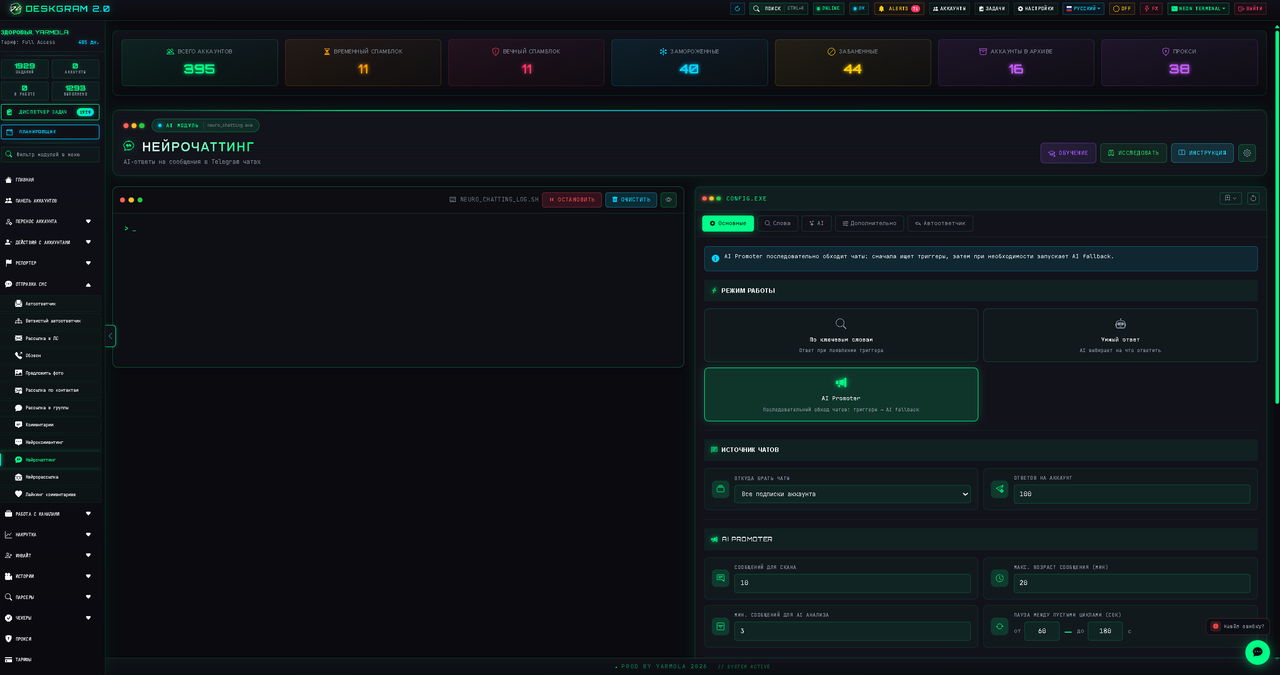
- Infrastructure Management: Mass creation of Telegram channels and bots, automatic warm-up of accounts before work, web deployment.
- Working with channels: Mailings to other people's channels, mass editing, and deleting your own posts in the network of your channels.
4. Working with Stories
Special attention should be paid to working with stories. Telegram recently updated and allowed posting stories on accounts WITHOUT a Premium subscription.
Yes, there are limitations: the story is posted for exactly 24 hours, and only 1 story per account per day is available. But this is more than enough to create a powerful bundle!
Deskgram 2 has full functionality for working with this update:
- Posting stories: You can massively upload stories to thousands of working accounts.
- Story mentions: Tag the target audience so they receive direct notifications.
- Mass-looking (Story views): Watch other people's stories, drawing attention to your profile.
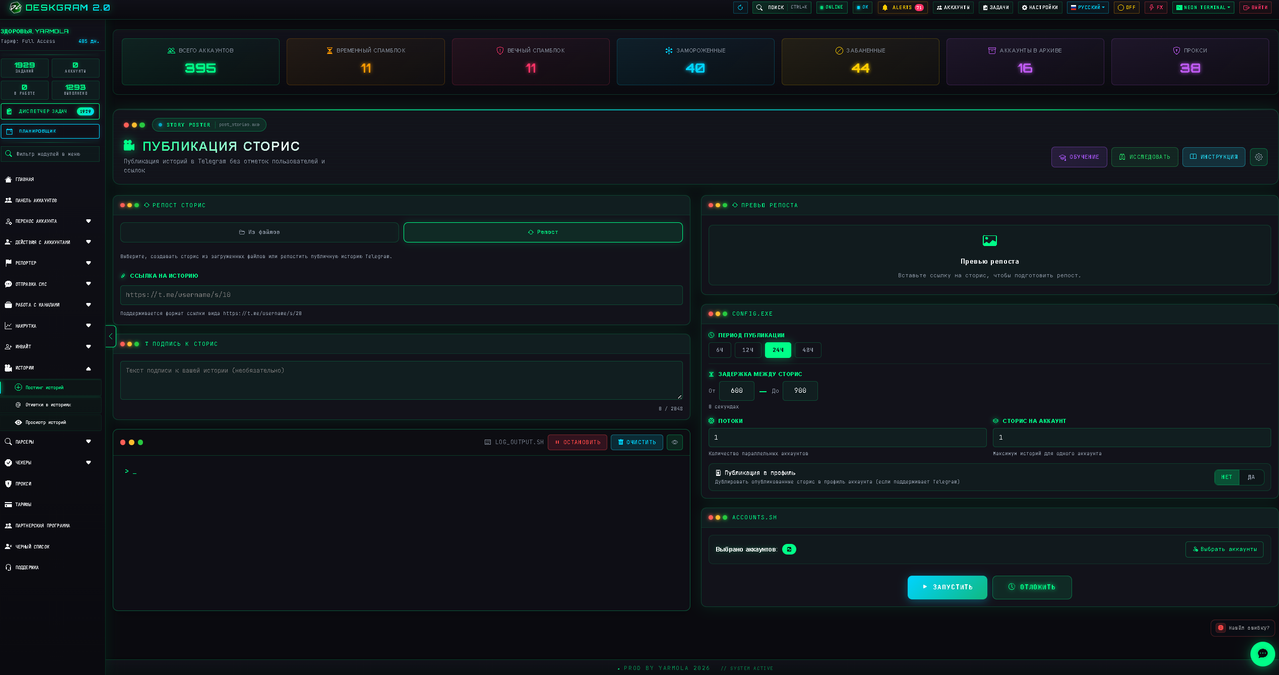
💡 The coolest bundle: You can post stories with a clickable link even without Premium, and then launch mass-looking. Read the details here:
👉 Guide: How to post clickable stories without Telegram Premium
5. Task Scheduler and Manager
To control all this huge functionality, the program has a convenient task management system.
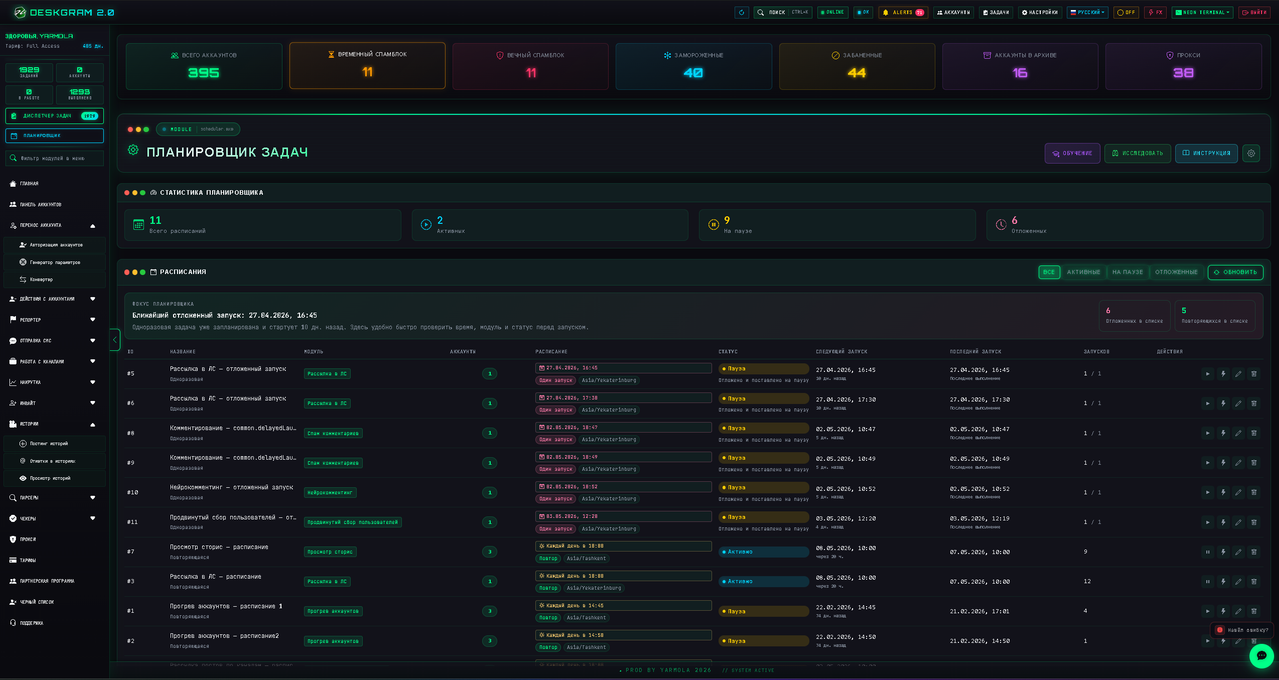
The Task Scheduler allows you to set up a delayed launch. For example, you can configure the system so that accounts warm up at night, publish stories in the morning, and start neuro-commenting at lunch.
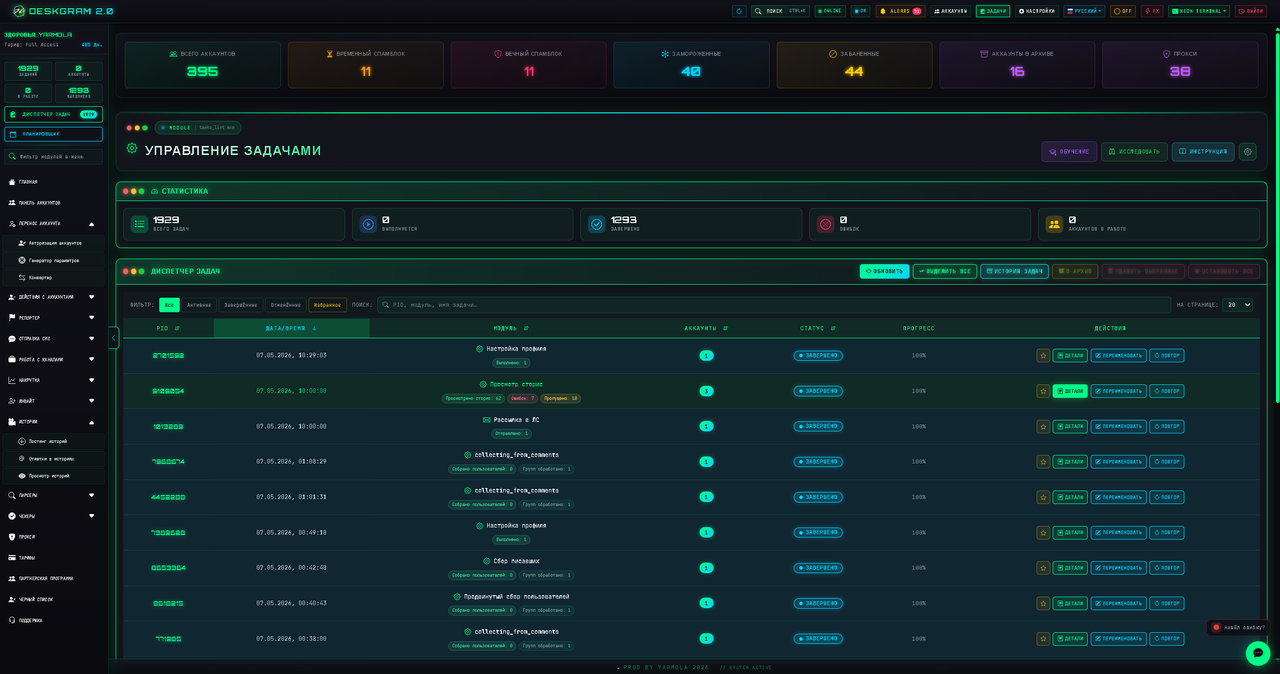
In the Task Manager, you monitor the results in real-time, see logs, and execution status:
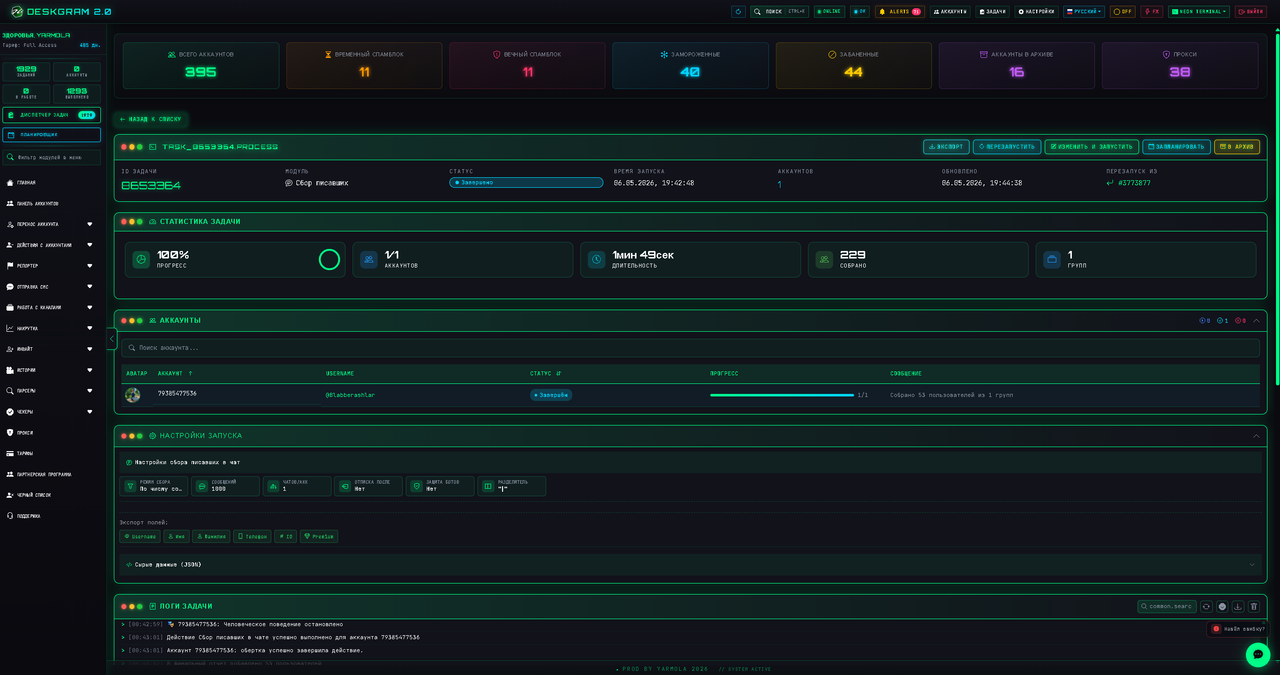
You can always drill down into any task and see detailed statistics (successes, errors, flood control):
Where to find more information?
We will analyze specific funnels in the following lessons of the course. But if you want to delve into the settings of a specific module right now (for example, an autoresponder, proxy, or neural networks) — just look at the menu on the left.
The Guides section on the site already contains dozens of detailed instructions for some of the modules of my program. If you need a guide for a specific module and it's not there, you should knock on the program's tech support and the guide will be released shortly!