Checking Telegram Channels for Comments in Deskgram 2
This guide explains how to use the Deskgram 2 checker that finds Telegram channels with open comments and linked discussion groups. The module is useful before neuro-commenting, audience parsing and campaign planning, because not every channel gives you a place to interact with subscribers.
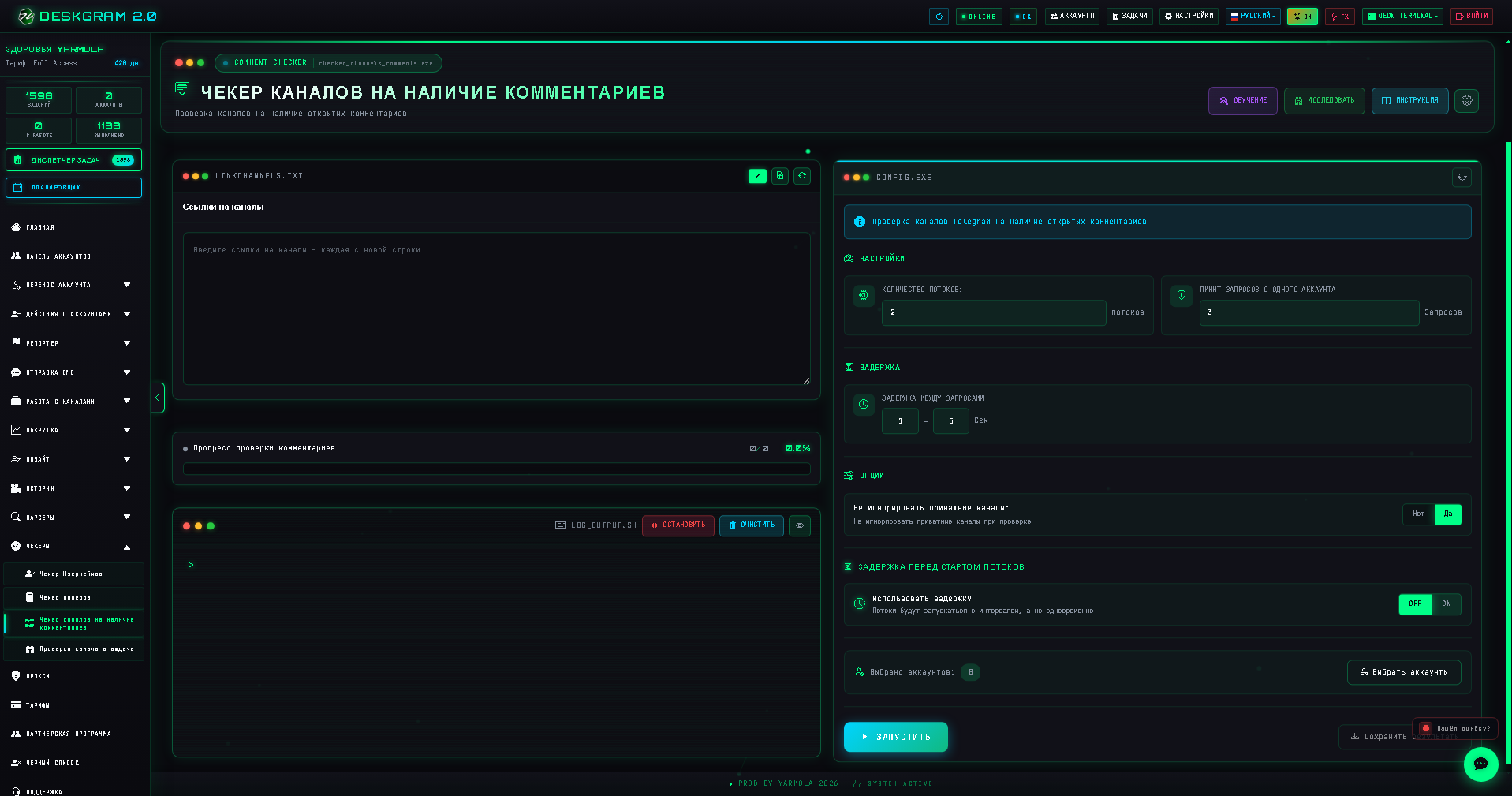
When to Use This Module
Use the comments checker when you need to:
- filter a large list of Telegram channels before launching comment-based promotion;
- find channels where users can leave replies under posts;
- prepare sources for neuro-commenting scenarios;
- understand which channels are suitable for audience analysis and manual review;
- clean up a raw channel list before giving it to another Deskgram 2 module.
The checker saves time because you do not need to open every channel manually and look for the comment button yourself.
Step 1. Prepare a Source List
Start with a text list of Telegram channels. One channel per line is the safest format.
Good examples:
https://t.me/example_channel@example_channelexample_channelTry to remove obvious trash before launching the check: broken links, unrelated chats, duplicate rows and channels from niches you do not need.
Step 2. Configure the Check
Open the module and add your source list. Then set conservative limits and delays, especially if the list is large.
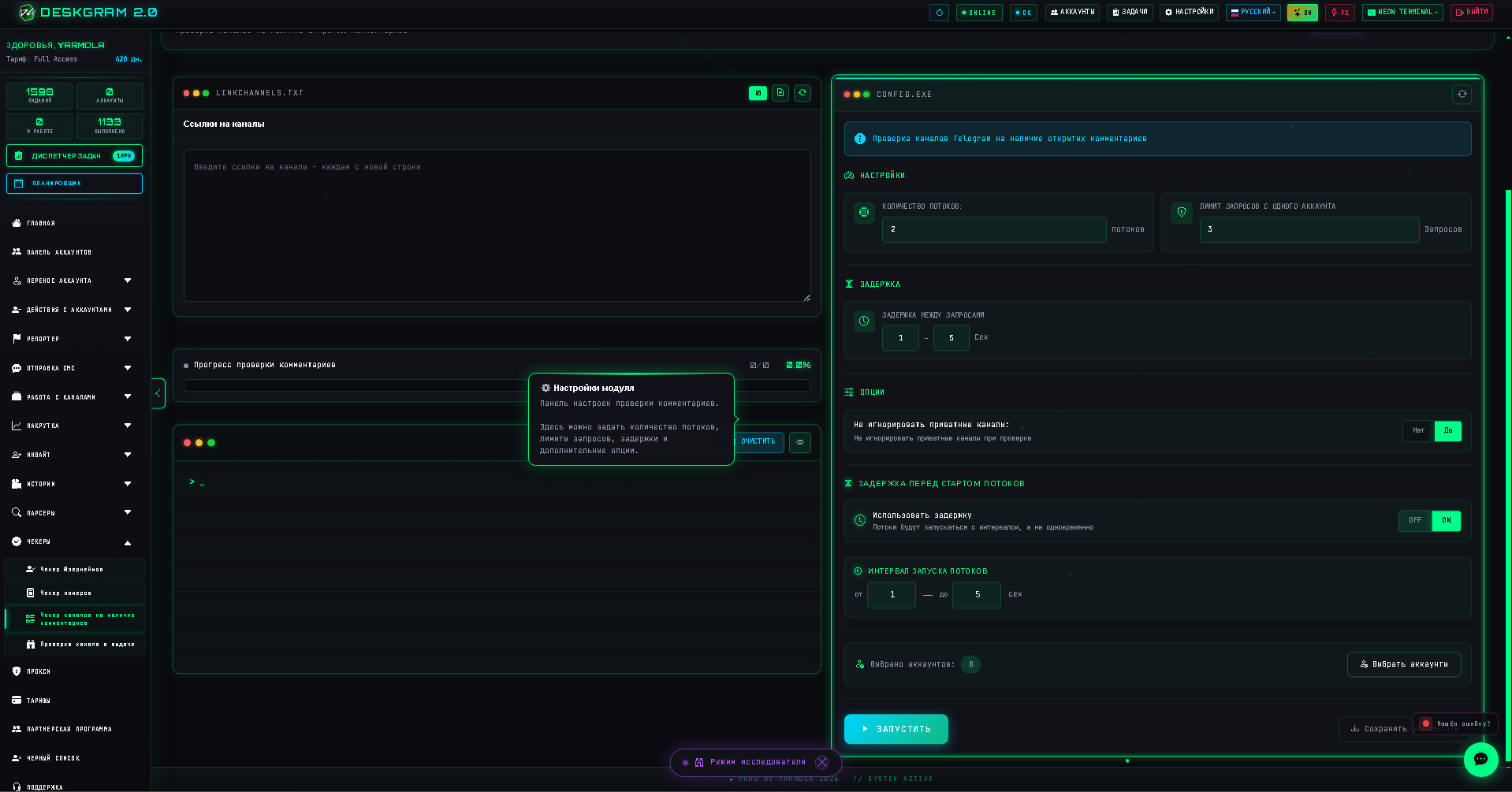
Recommended starting settings:
- use moderate delays between requests;
- do not process too many channels from one account at once;
- split large lists into smaller batches;
- keep only active and relevant sources for the next stage.
The goal is not to rush the check. The goal is to get a clean list that can be safely used later.
Step 3. Select Accounts
Choose accounts that are already warmed up and stable. If an account is new or has suspicious activity, avoid using it for large checks.
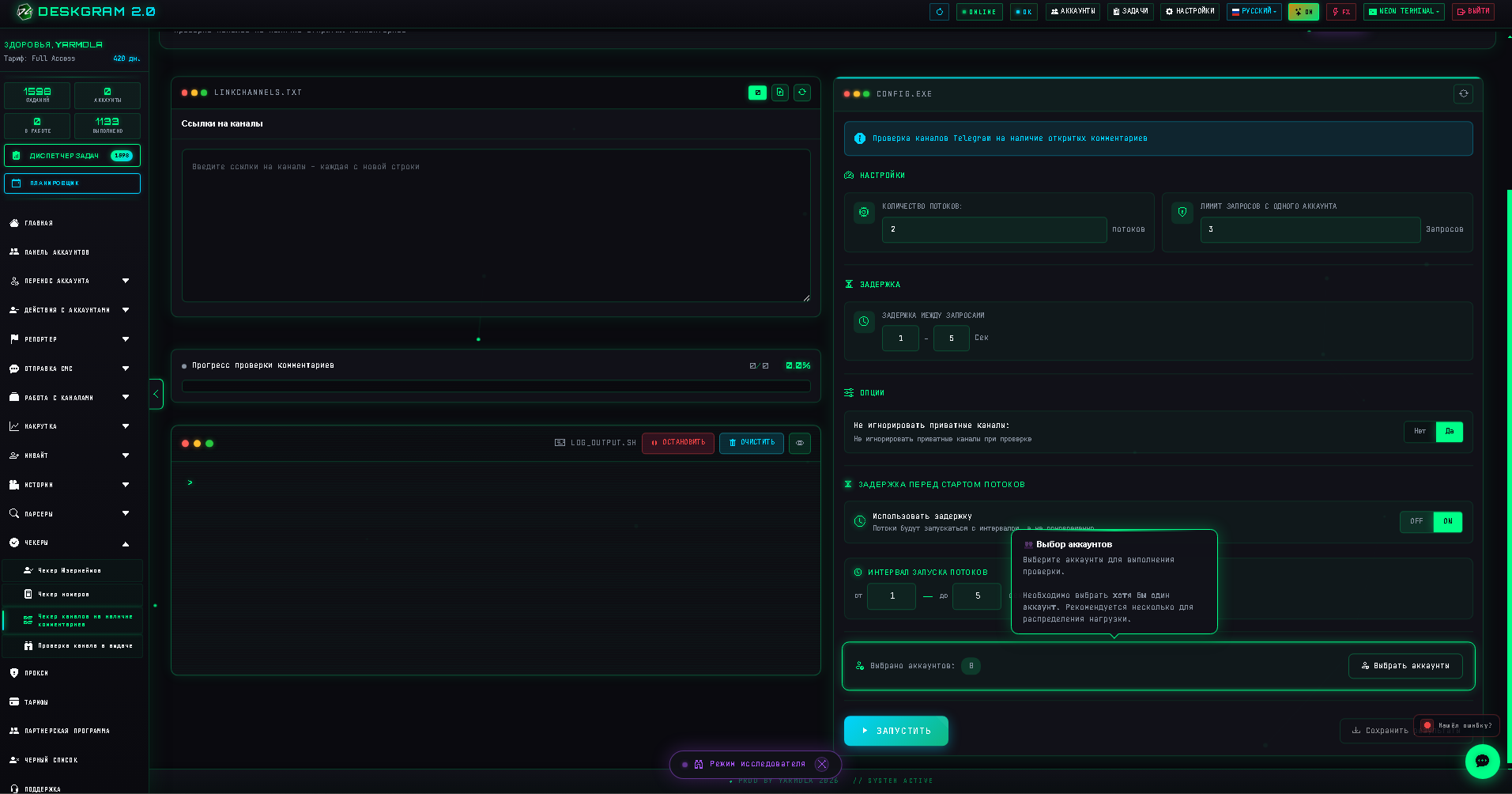
Good account hygiene:
- use accounts with completed sessions;
- avoid unstable proxies;
- rotate accounts for large batches;
- monitor errors and stop the task if the error rate grows.
This is especially important if you plan to reuse the resulting list for Telegram automation, parsing or comments.
Step 4. Launch and Review Results
After the task finishes, Deskgram 2 shows which channels have available comments or linked discussions.
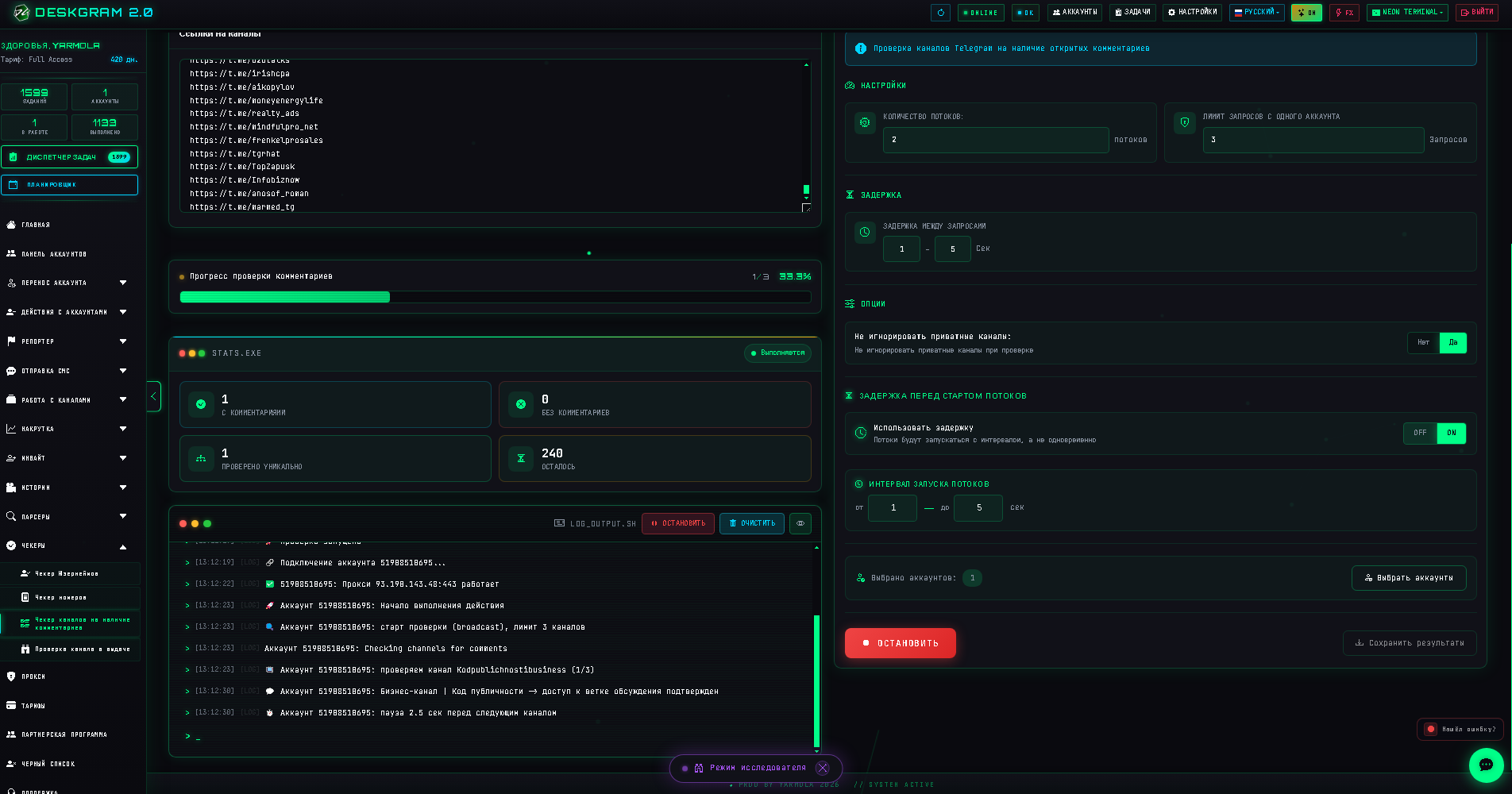
Review the result before using it in another module. A channel may technically have comments enabled but still be low quality for promotion if the audience is inactive or the topic is irrelevant.
What to Do with the Result
You can use the checked list for:
- neuro-commenting campaigns;
- audience parsing from active discussions;
- manual analysis of competitor channels;
- building a cleaner channel database;
- preparing a safer promotion funnel.
For the next step, see the guide on Telegram neuro-commenting in Deskgram 2.
Common Mistakes
Do not treat the checker as a magic traffic button. It only tells you where comments are available. You still need a relevant offer, good targeting and safe account settings.
Avoid these mistakes:
- checking huge lists without delays;
- using fresh accounts for large batches;
- mixing unrelated niches in one source file;
- launching comments without reviewing the channels first;
- ignoring proxy quality and Telegram API limits.
Key Takeaways
- The module helps find Telegram channels where comments and discussions are open.
- Clean source lists give better results than random scraped databases.
- Warmed accounts, proxy stability and request delays matter.
- The result is most valuable when combined with parsing, neuro-commenting and manual niche analysis.