How to Add Deskgram 2 to Windows Defender Exclusions
Windows Defender can sometimes block automation software files, including Deskgram 2 components such as UnityLauncher. If the program does not start or files disappear after launch, add only the Deskgram 2 folder to exclusions.
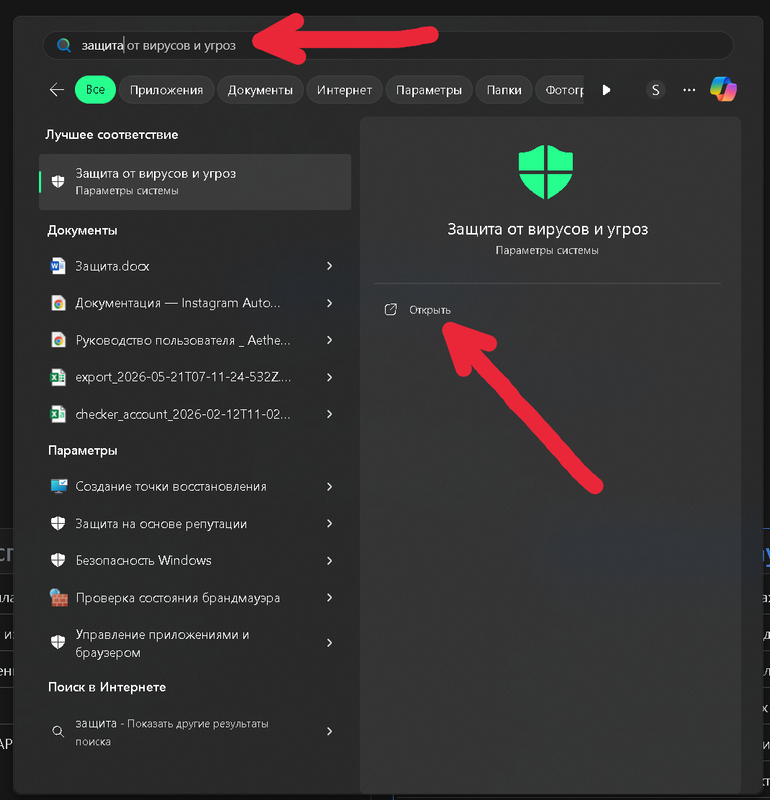
Step 1. Open Virus and Threat Protection
Open the Start menu and search for Virus & threat protection.
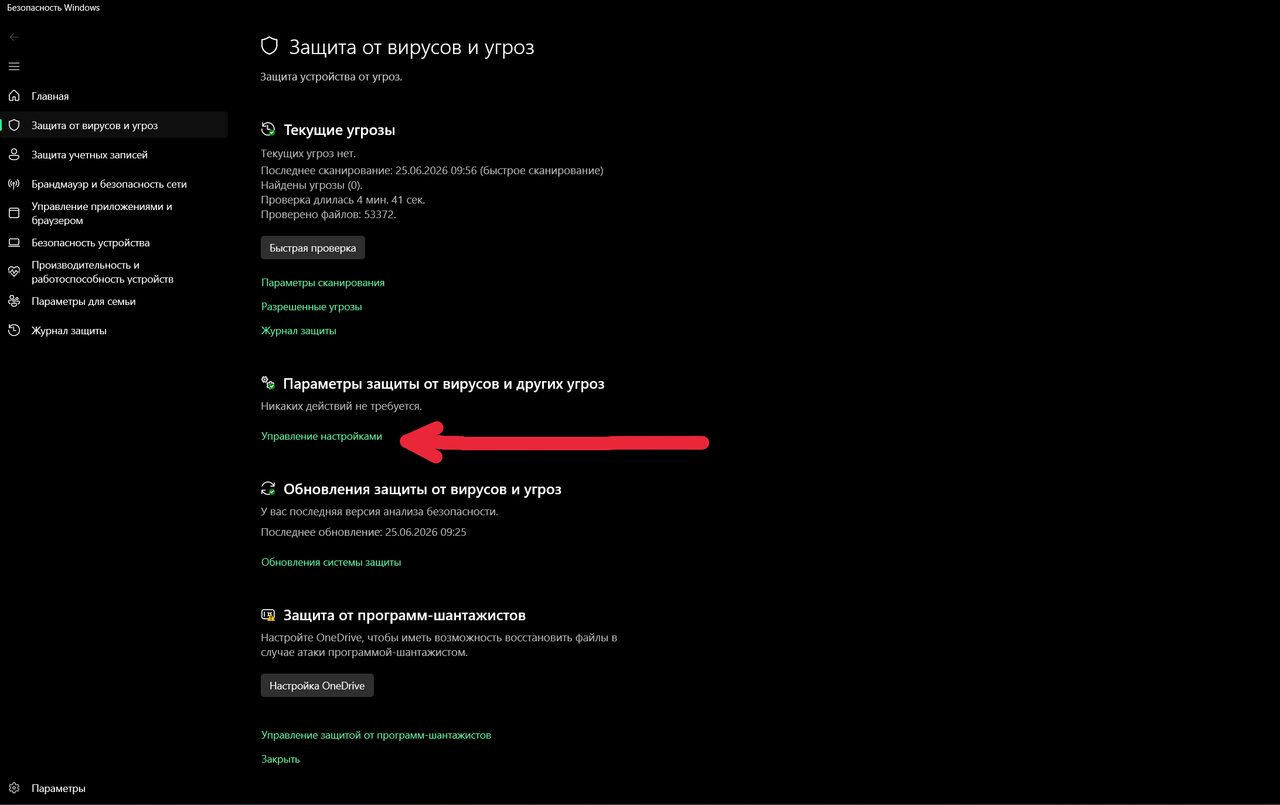
Step 2. Open Protection Settings
Find protection settings and open the management screen.
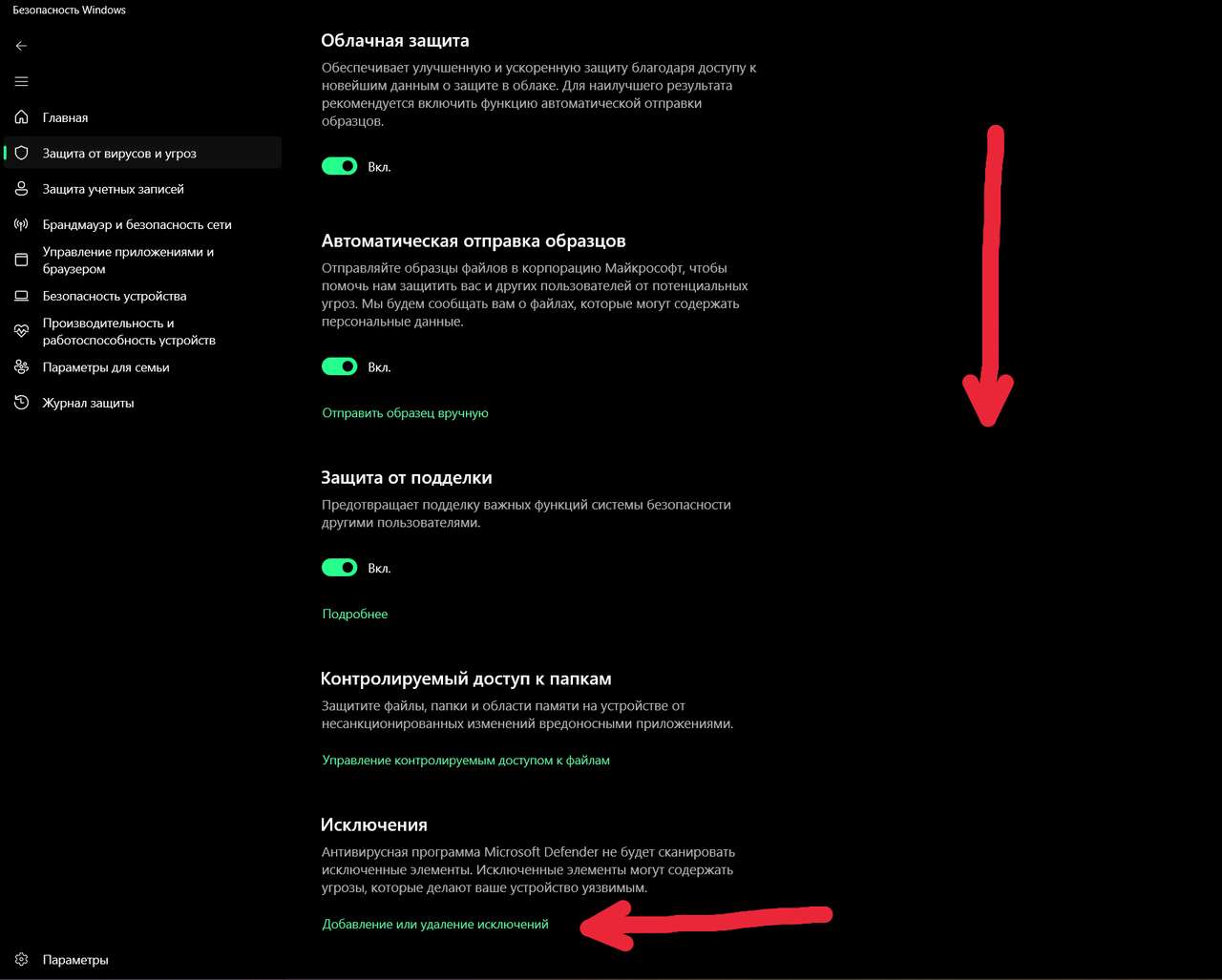
Step 3. Find Exclusions
Scroll to the exclusions section and choose the option to add or remove exclusions.
Step 4. Add the Deskgram 2 Folder
Choose Folder as the exclusion type.
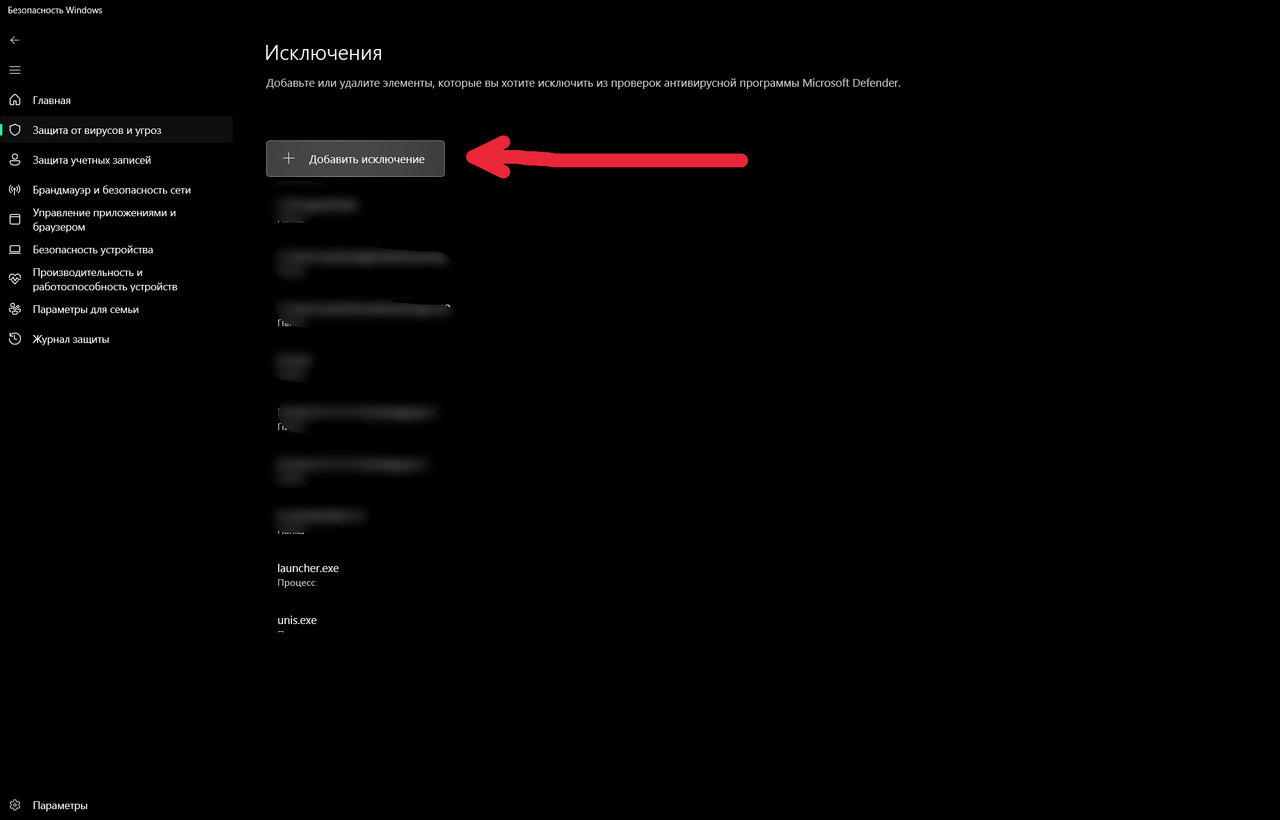
Then select the folder where Deskgram 2 is installed.
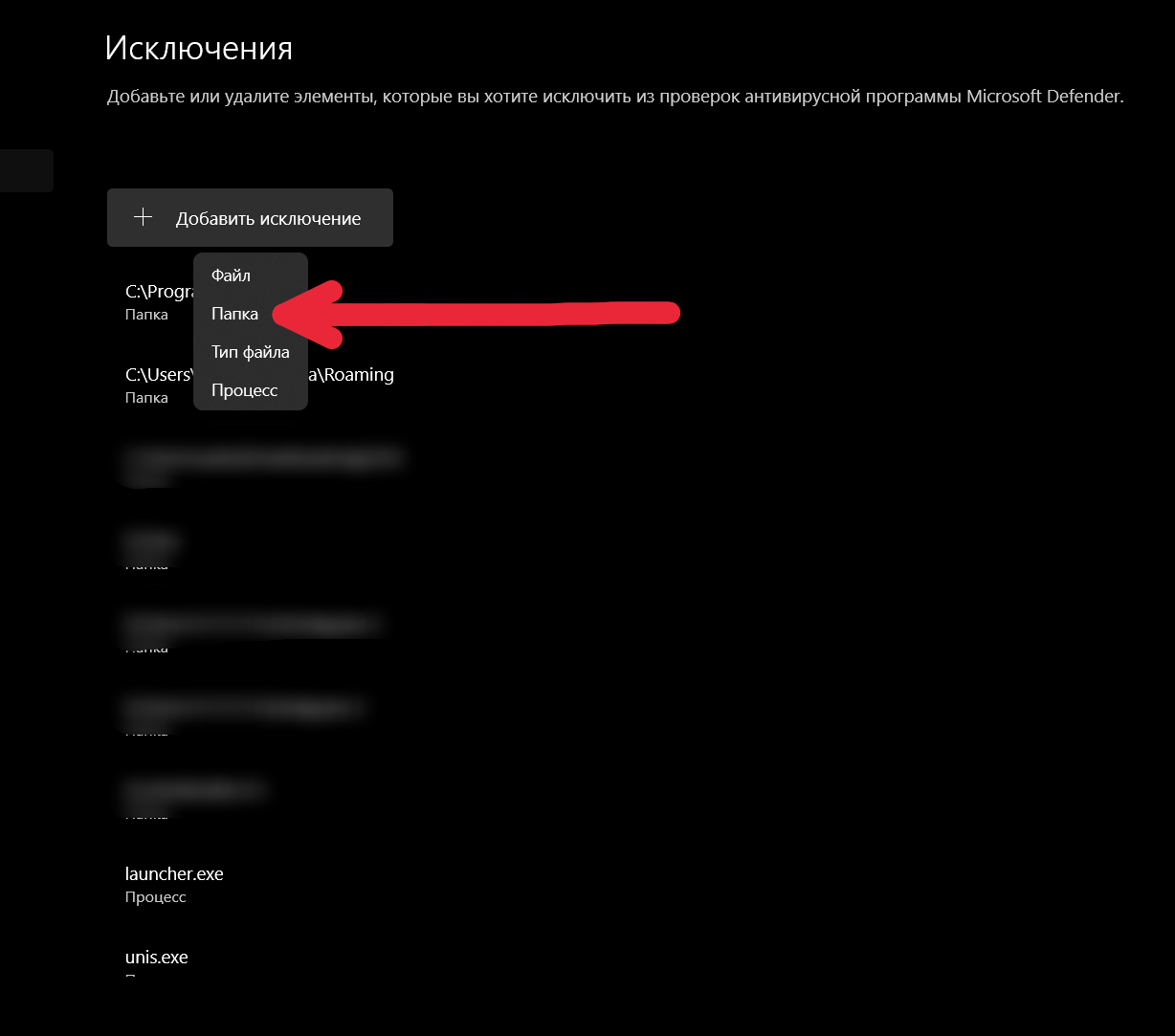
Do not add your whole disk to exclusions. Add only the program folder.
Step 5. Launch Deskgram 2 Again
After the folder is added, restart Deskgram 2.
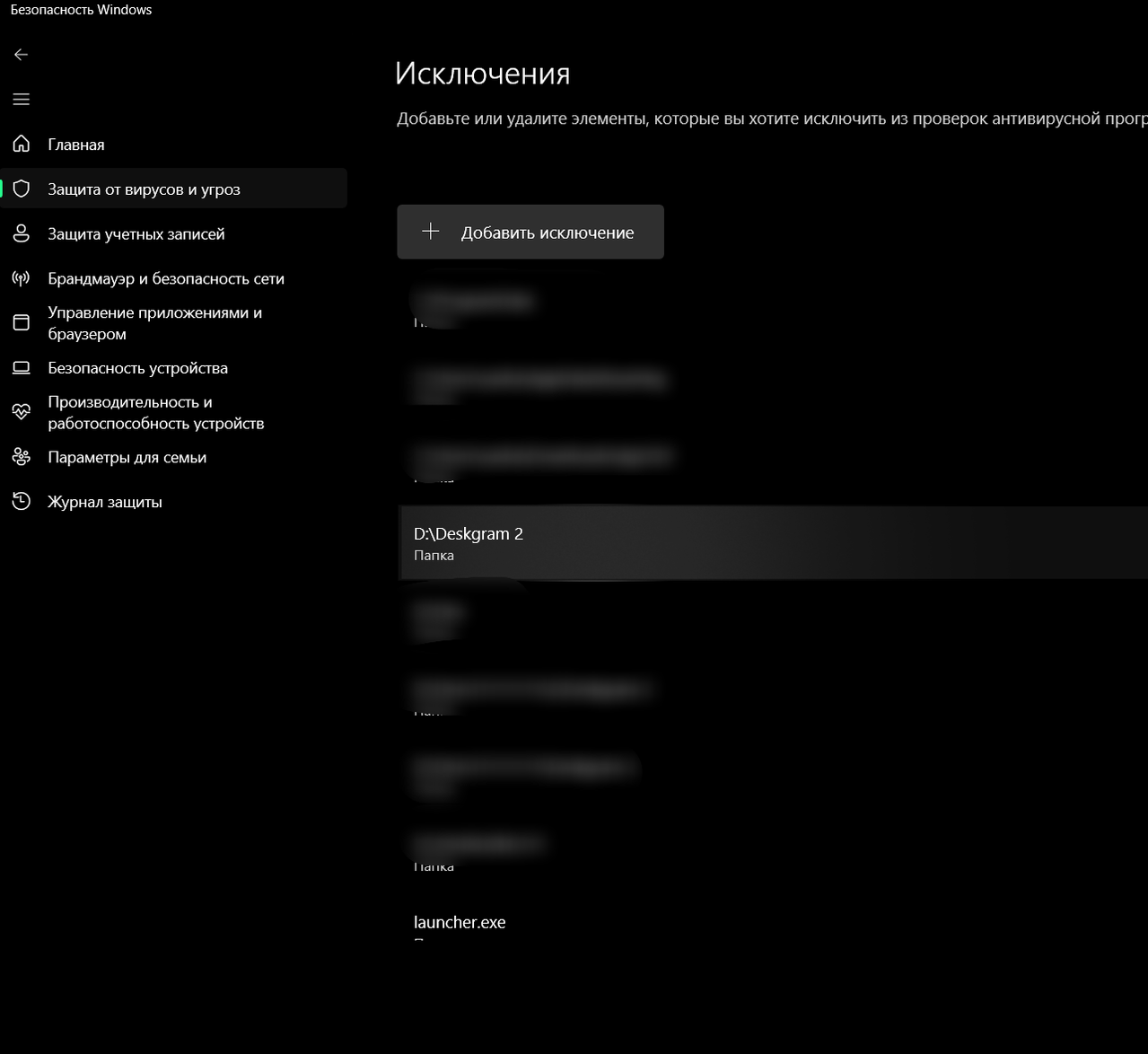
If files were already removed by antivirus, download the official build again and place it into the excluded folder.
Safety Notes
- Download Deskgram 2 only from the official website.
- Exclude only the program folder.
- Do not disable antivirus globally.
- If you are unsure about the file source, do not run it.
Key Takeaways
- Defender warnings can prevent Deskgram 2 from starting.
- Folder exclusions are safer than disabling all protection.
- Use the official download source before adding exclusions.
- Restart the program after changing Defender settings.