Telegram Neuro Mailing in Deskgram 2
Neuro Mailing is an AI-driven private messaging module. Unlike standard direct messaging, it is not limited to sending the first message. It can build a conversation, explain an offer, handle objections, and move a contact toward a target action.
Use this module when a simple template is not enough and the conversation needs logic, arguments, follow-ups, and tone control.
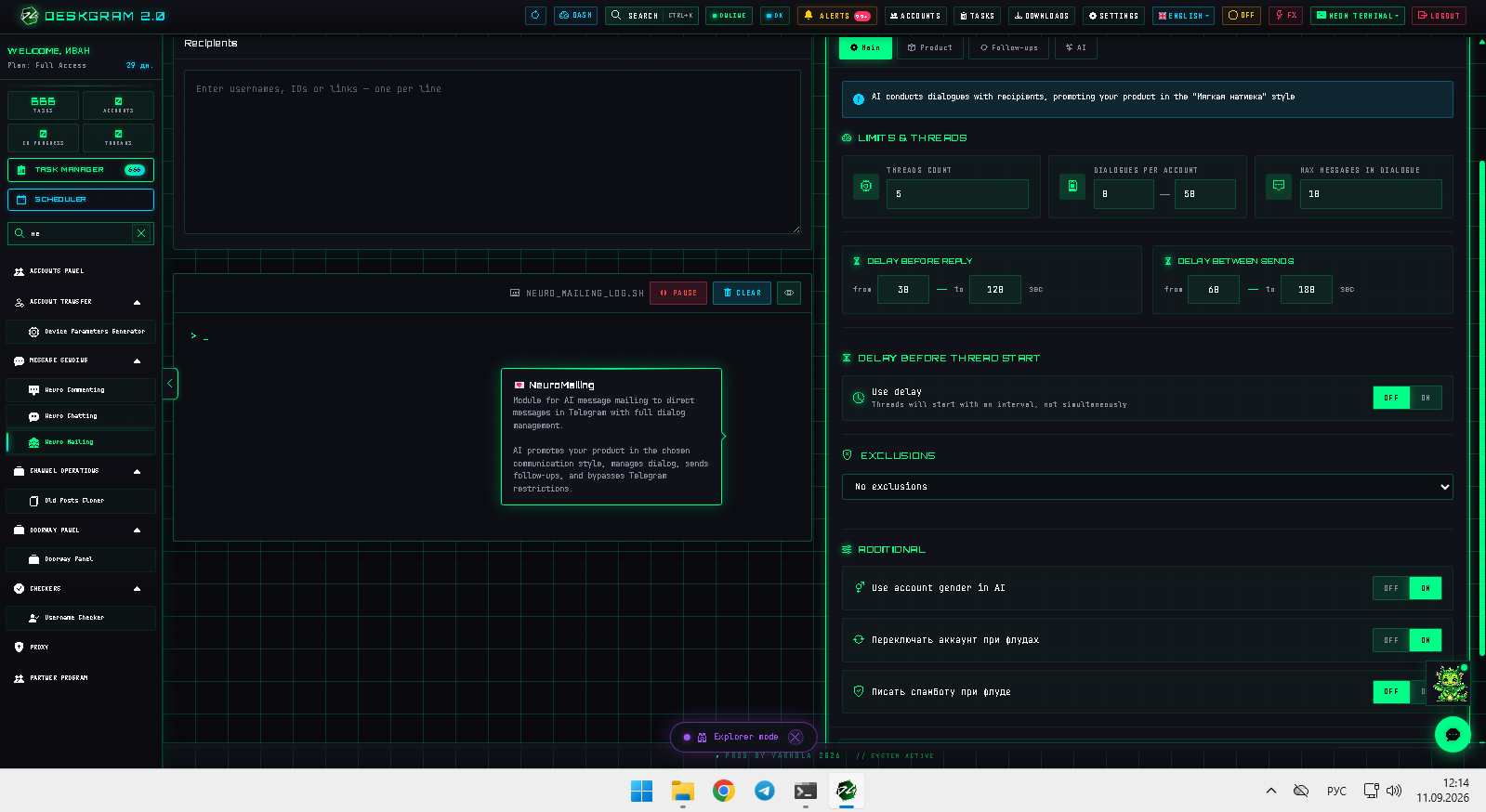
Main tab: limits and safety
The main tab defines the structure of the task:
- Threads: how many accounts start dialogs at the same time.
- Dialogs per account: how many target contacts one account can process.
- Maximum messages per dialog: how many messages AI can send in one conversation.
- Delay before replies: how long AI waits before answering a user.
- Delay between contacts: how long the module waits before moving to the next person.
The maximum messages per dialog is especially important. It limits the AI so it does not continue endlessly.
Start with small values. Neuro mailing is more complex than standard sending, so the first launch should be a test.
Offer setup: product, goal, and scenario
This is the most important part of the module. Here you explain to AI what it is promoting and what result you expect.
The updated offer setup is divided into several sections.
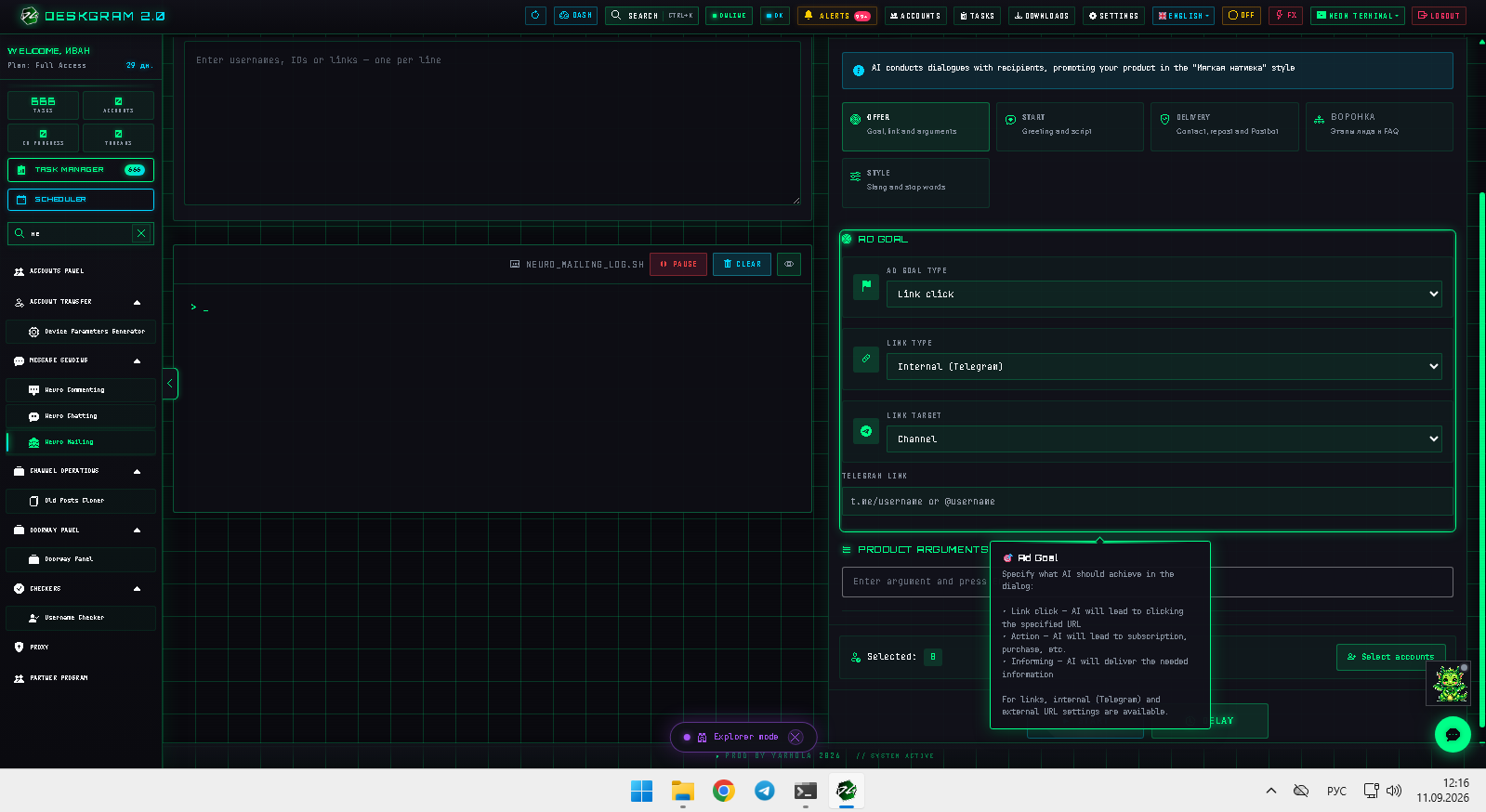
Offer
Choose the target action:
- open a link;
- buy;
- subscribe;
- receive information;
- move to a bot or web preview.
If the target action is a link, define whether it is an internal Telegram link or an external URL. Add the strongest product arguments so AI can use them in the dialog.
Start
Choose how the first message is created:
- fixed custom greeting;
- AI-generated first message based on the offer.
The dialog scenario should be detailed. Example: greet the user, ask about the business problem, explain the solution, and give the link only when interest appears.
Delivery
This block defines how the offer is delivered. If direct links are not suitable, the module can use alternative delivery paths such as reposts or a bot-based route.
Style
Here you define the communication character:
- friendly;
- expert;
- business-like;
- soft native;
- custom tone.
You can also define stop words and expressions that AI must not use.
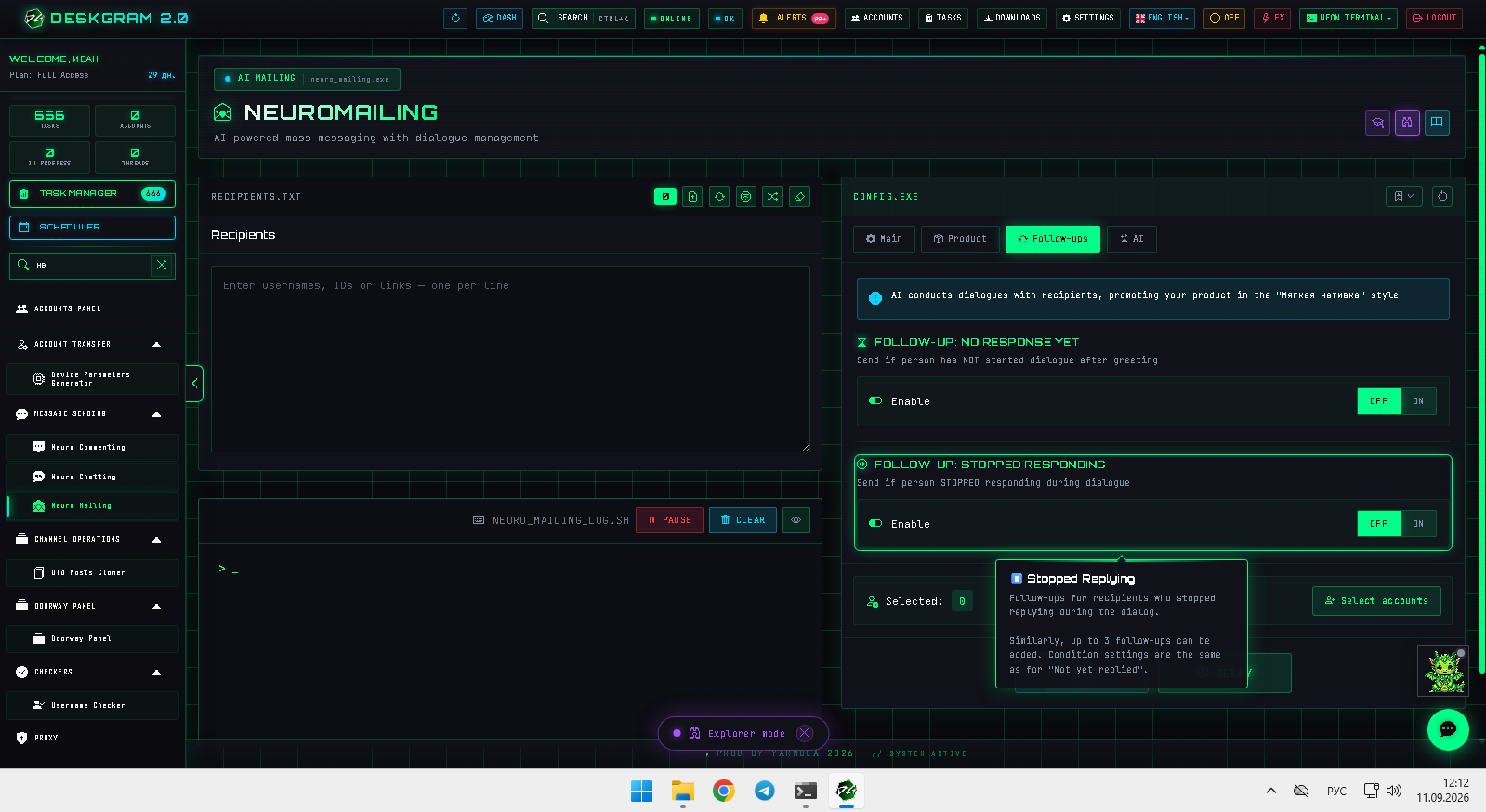
Follow-ups
Follow-ups help continue the conversation when a user does not answer or stops replying.
There are two common cases:
- the dialog started, but the user stopped responding;
- the user did not answer the first message at all.
Set a reasonable time window, for example 10-30 minutes, and let AI continue softly. Follow-ups should not pressure the user. Their job is to reopen the conversation.
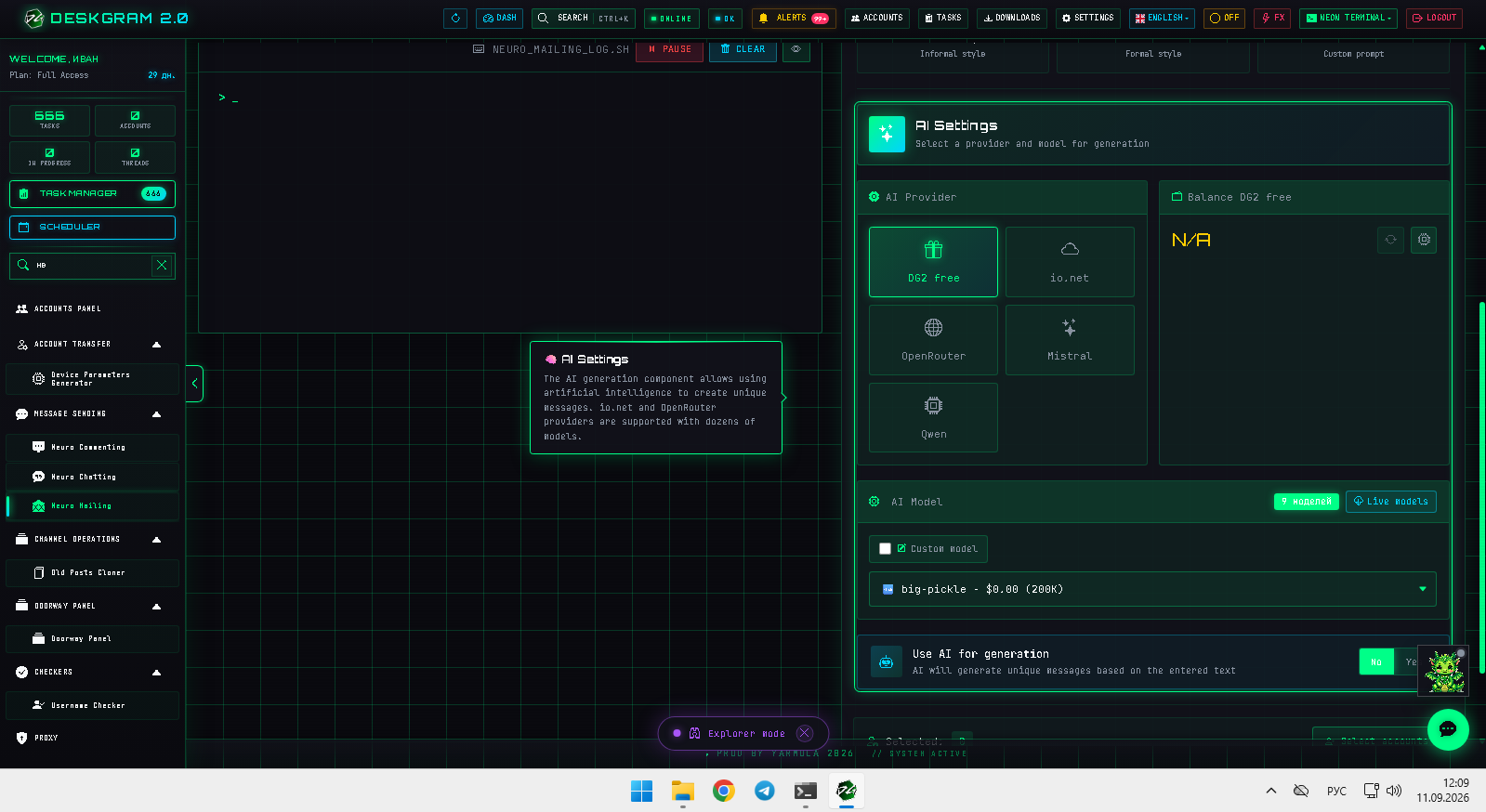
AI settings
In the AI tab, connect the provider, model, and tone.
The tone can be:
- soft native;
- expert;
- friendly;
- business-like;
- custom.
Before launching at scale, test the AI on your own accounts. Talk to it as a user, check whether it understands the offer, whether it gives the right link, and whether it makes unsupported promises.
Web preview
You can inspect the module interface in the browser:
Open Web Preview: Neuro Mailing
Common mistakes
- Using neuro mailing without a clear offer.
- Writing a vague product description.
- Letting AI create dialogs without boundaries.
- Skipping follow-ups even when the product needs several touches.
- Testing on a cold base before testing on your own accounts.
- Using too many threads at the first launch.
What to use with this module
Use neuro mailing together with:
- Audience Parser for preparing the target base;
- Proxy Manager and Account Manager for infrastructure;
- Autoresponder for additional reply handling;
- Task Manager for logs and control.
Summary
Neuro Mailing is not just an AI version of bulk messaging. It is a conversation funnel. The result depends on the offer, scenario, limits, follow-ups, AI prompt, and account quality.
Start small, test the dialog yourself, improve the prompt, and only then launch it on a real audience.