AI Chatting in Deskgram 2
The Neuro Chatting module monitors selected Telegram chats and generates context-aware responses. Use it in communities you manage or where automated participation is allowed, and disclose automation when required.
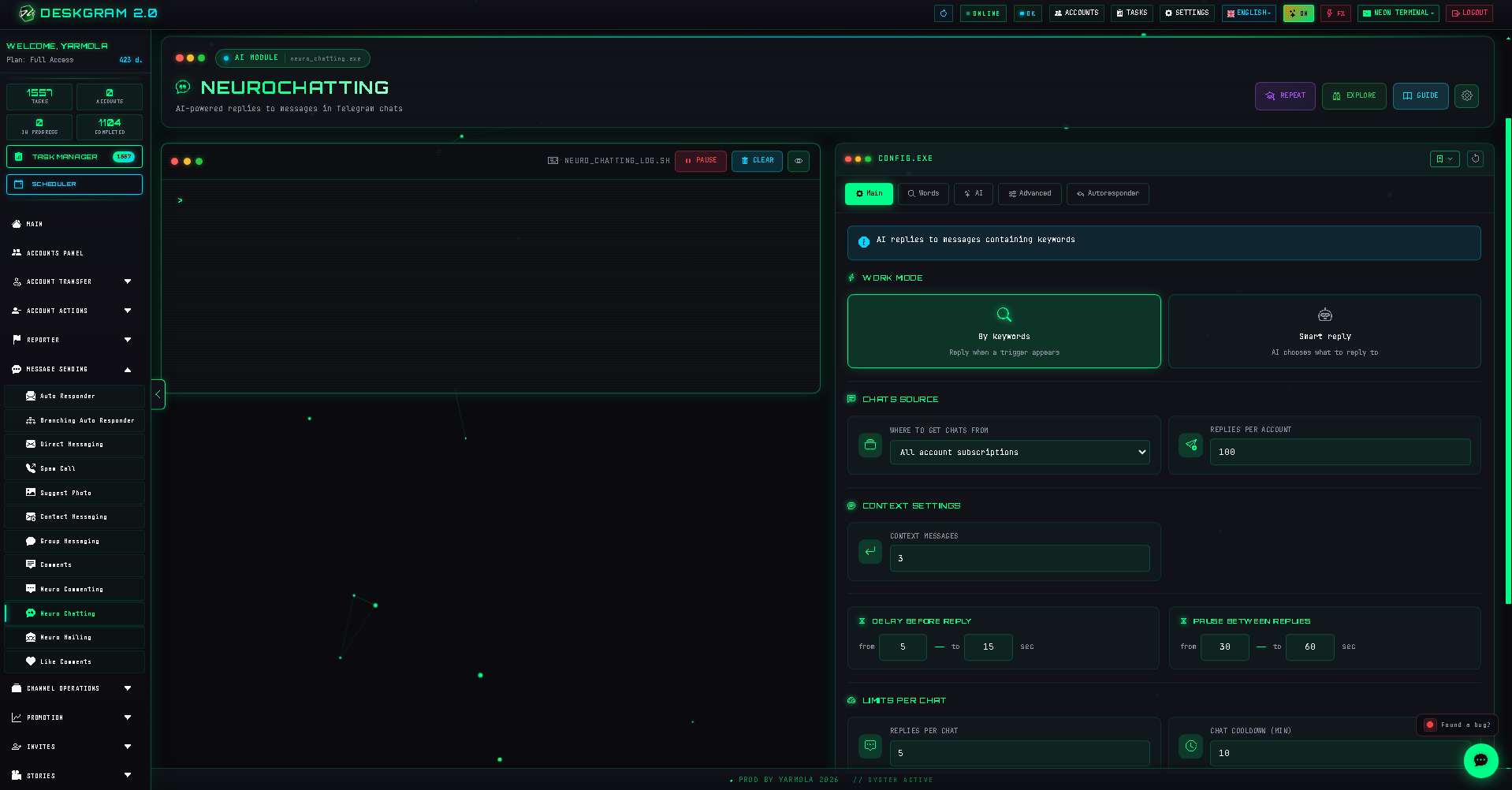
1. Three operating modes
- Keyword responses: monitor for selected triggers and generate a contextual response when a relevant message appears.
- Smart responses: analyze message meaning without requiring a specific word, responding only where the configured topic and rules allow.
- AI Promoter: analyze relevant earlier messages at initialization, then continue monitoring for suitable conversations under the configured rules.
2. Keywords and triggers
In Words, add triggers and choose exact-word matching and case sensitivity where needed.
3. Context and limits
Choose the chat source, define how many preceding messages form context, set maximum replies per account, configure per-chat cooldown, and use randomized delays.
4. Additional controls
Use chat quality analysis, filters for bots/system messages/very short messages, reply-to-reply behavior, and account error handling to maintain appropriate participation.
5. AI and autoresponder
Choose a model, prompt, and tone in AI settings. If participants then contact you privately and the flow permits follow-up, configure the autoresponder separately.
Review outputs and maintain community rules throughout operation. Use the web preview to inspect settings.