Guide

Message Existing Telegram Contacts and Dialogs with Deskgram 2

Configure expected communication with existing Telegram contacts and open dialogs using exclusions, pacing, and optional reply workflows.

otpravka-sms4 min2026-08-30

Key Takeaways

  • Messaging Existing Contacts and Open Dialogs in Deskgram 2 The Contact Messaging module works with warm, expected communication: people already present in an account& x27;s contacts or existing dialogs.
  • Use it only where contact is appropriate, expected, and respects opt outs.
  • Contact messaging: main screen 1.
  • Build the message Prepare the text, appropriate variants, media, and links in the message builder.

Messaging Existing Contacts and Open Dialogs in Deskgram 2

The Contact Messaging module works with warm, expected communication: people already present in an account's contacts or existing dialogs. Use it only where contact is appropriate, expected, and respects opt-outs.
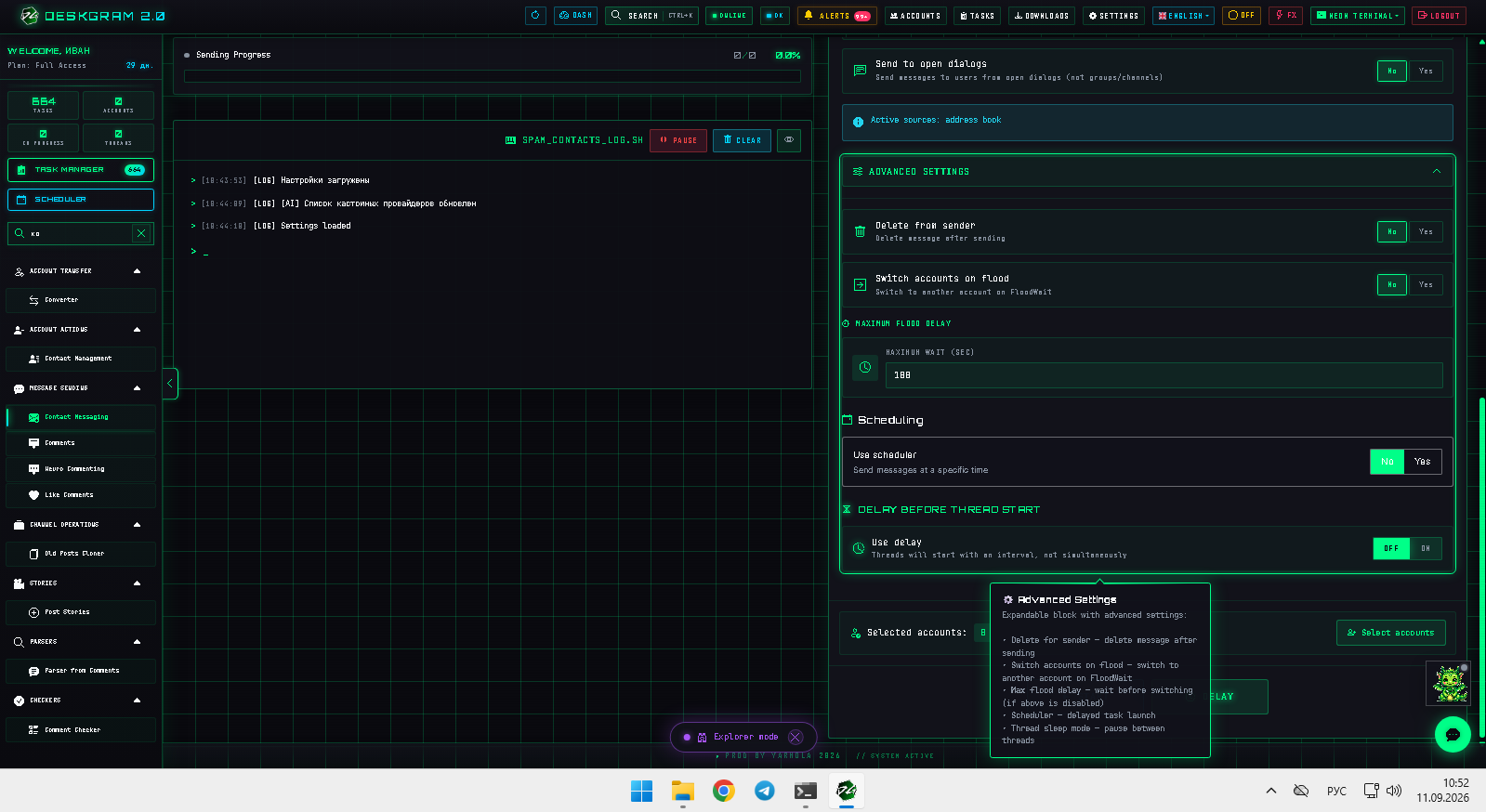
![Contact messaging: main screen](https://raw.githubusercontent.com/Deskgram-2/telegram-contact-messaging-deskgram-en/main/assets/screenshots/contact-messagingmainen.png "Message builder, logs, and settings.")

1. Build the message

Prepare the text, appropriate variants, media, and links in the message builder.
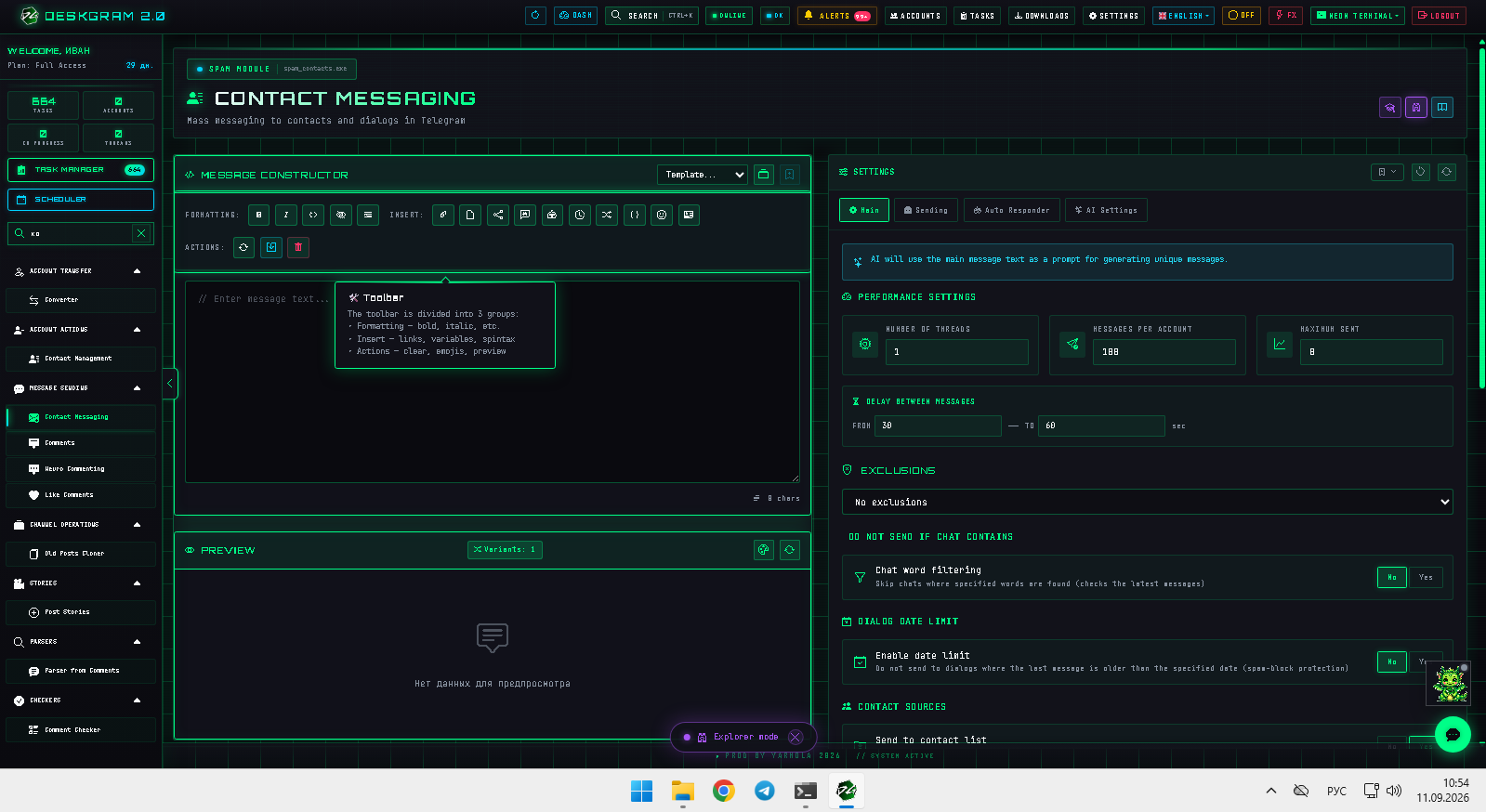
![Contact messaging: message builder](https://raw.githubusercontent.com/Deskgram-2/telegram-contact-messaging-deskgram-en/main/assets/screenshots/contact-messagingmessage-constructoren.png "Message text and variants.")

2. Select sources and limits

Choose contacts, existing dialogs, or both. Configure threads, messages per account, a global limit, and delays.

Use exclusions and conversation filters to avoid contacting people who should not receive another message, including old threads or dialogs containing opt-out terms.

3. Configure delivery

Set quiet delivery or media expiration only where appropriate for the conversation and recipient expectation. Avoid settings intended to obscure unsolicited activity; maintain clear records for legitimate communications.

4. Add replies or AI only when needed

Enable autoresponder or AI when the agreed communication flow includes continuing a conversation. Review generated messages for accuracy and tone.
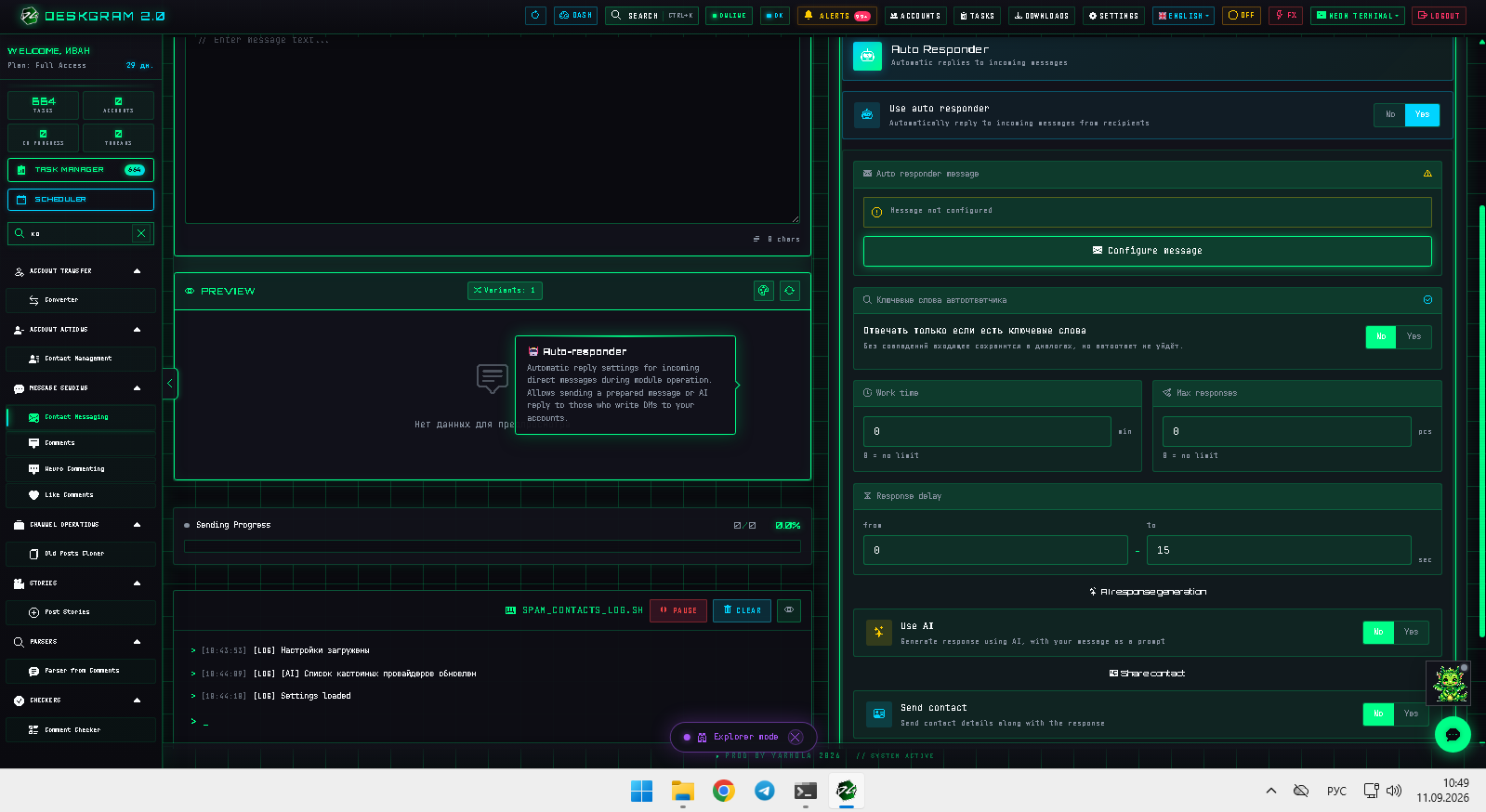
![Contact messaging: autoresponder](https://raw.githubusercontent.com/Deskgram-2/telegram-contact-messaging-deskgram-en/main/assets/screenshots/contact-messagingautoresponderen.png "Autoresponder settings.")

5. Launch

Select accounts that contain the relevant contacts or dialog history, launch with sensible pacing, and monitor responses and exclusions.

View the module in the web preview.

Helpful Links