Chat Warmup in Deskgram 2
The Chat Warmup module organizes conversations between selected accounts in chats you control. It can help prepare owned group spaces for activity tests and validate account communication workflows before a production launch.
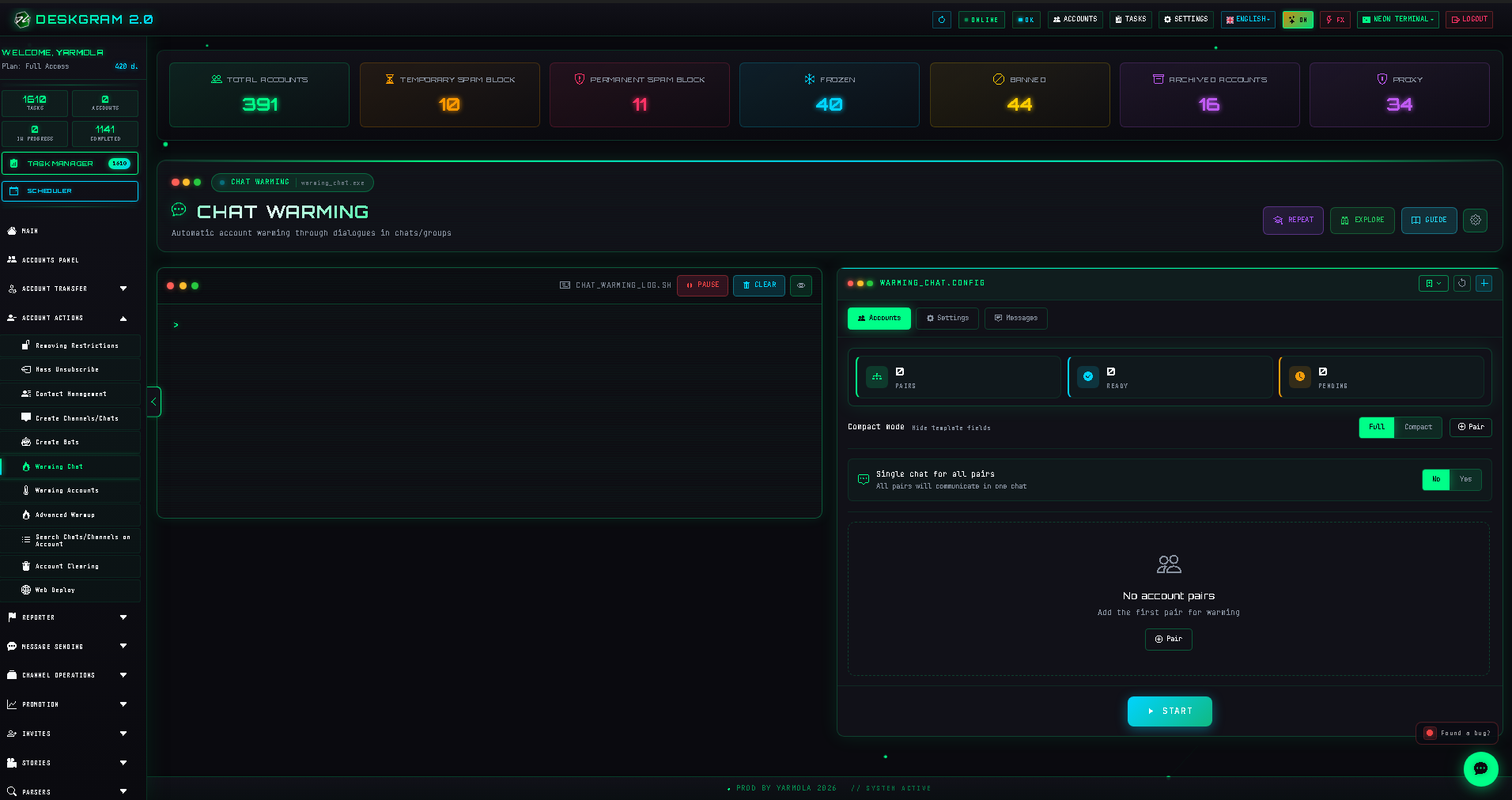
1. Assign accounts and chat structure
In Accounts, add the selected account set. Deskgram 2 can arrange accounts in pairs.
Choose a structure:
- one shared chat for all selected pairs;
- one separate chat per pair.
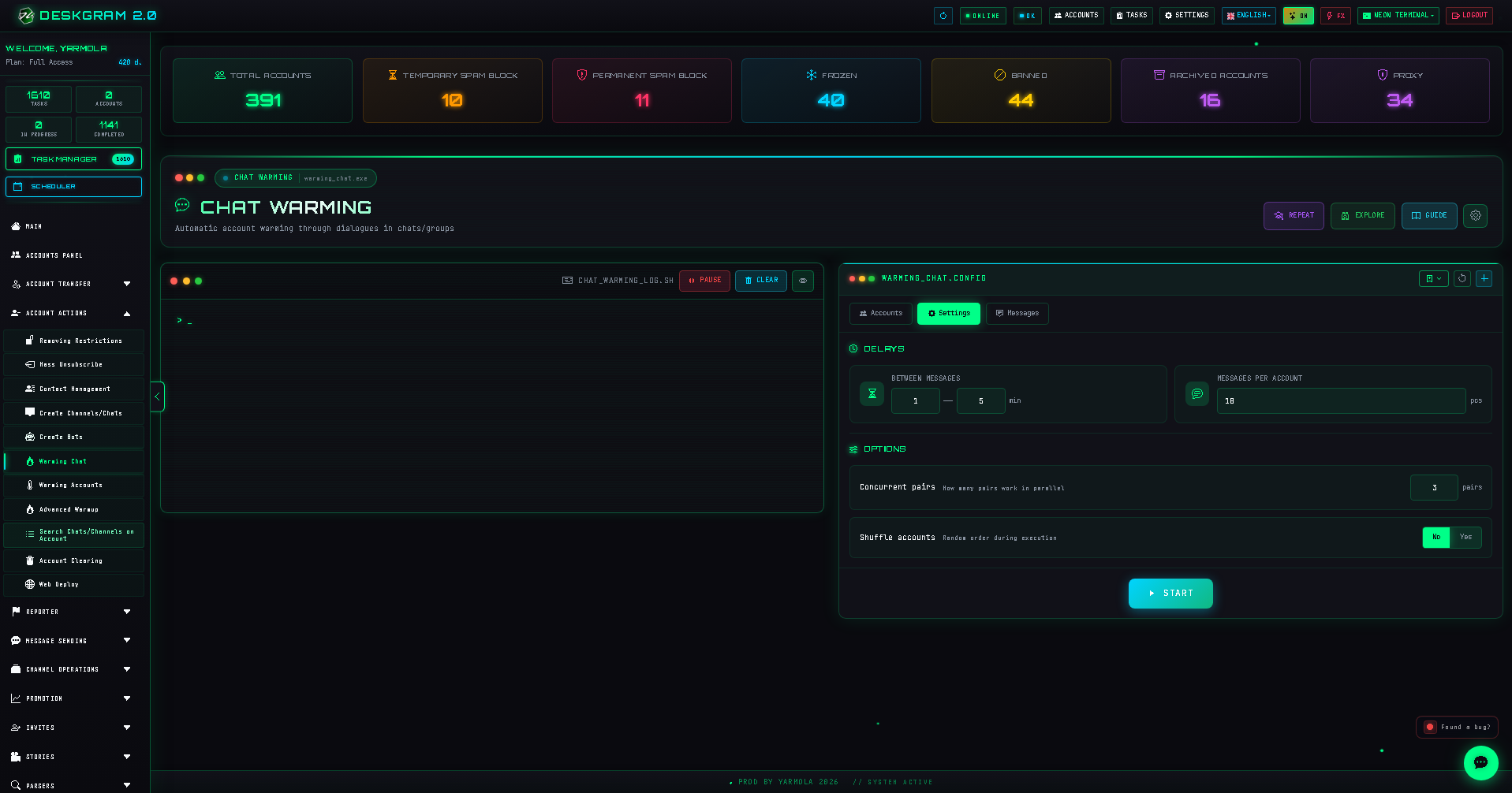
2. Configure pacing
Use presets or configure:
- delay between messages, measured in minutes and randomized by the module;
- messages per account;
- concurrent pairs, noting that five pairs means ten accounts working;
- optional account shuffling.
3. Configure messages
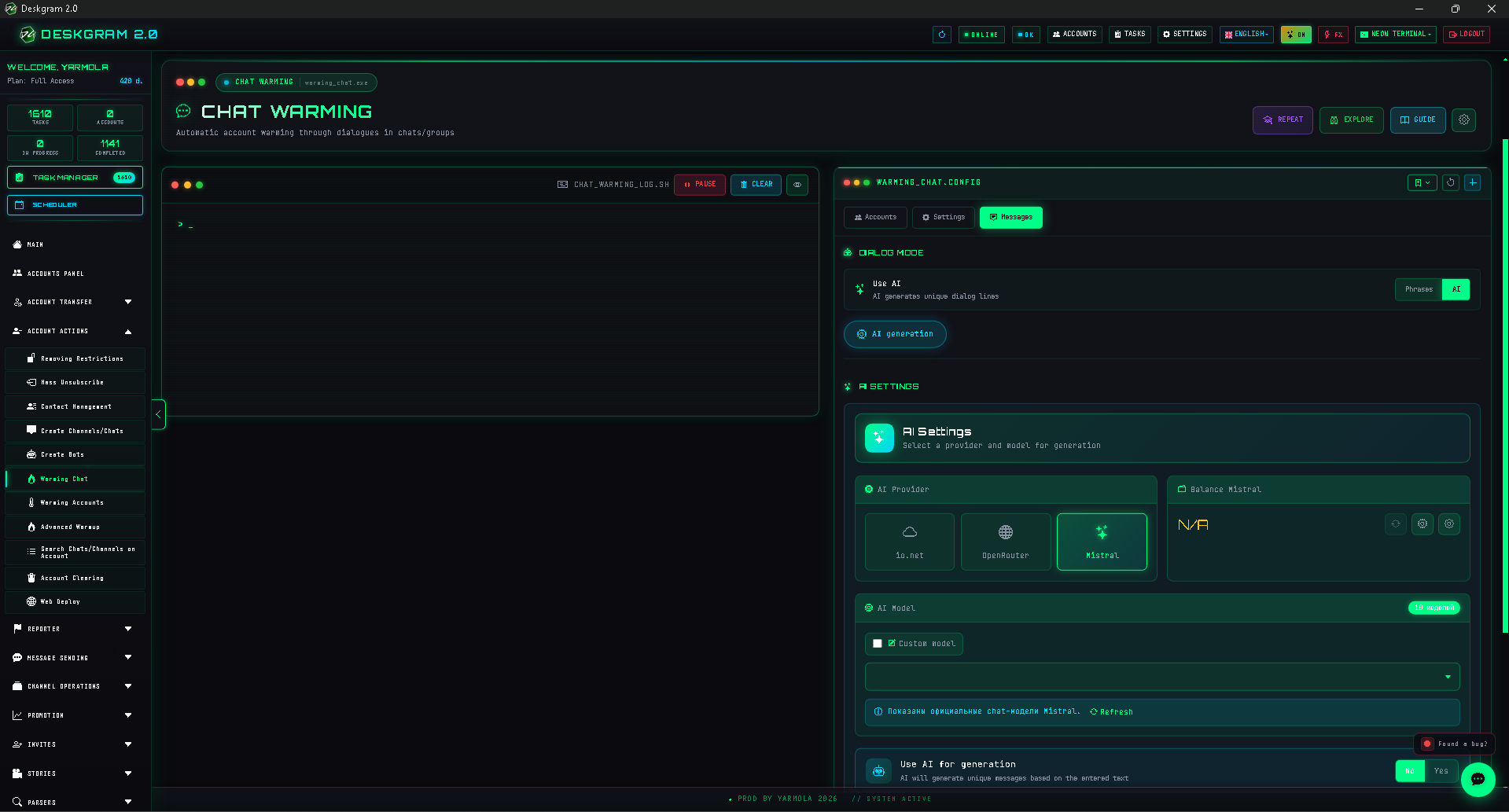
Choose from built-in phrases, your own prepared messages, or AI-generated discussion prompts appropriate for your owned test/community environment.
4. Launch and review statistics
Keep account groups organized, launch the task, and monitor running conversations, message totals, and errors in Statistics.
Use the web preview to inspect the module.