Find Telegram Channels, Groups, Bots, and Users with Deskgram 2
This module is your starting point when you do not yet have a ready audience base.
The Channel and Group Search module helps you build a map of Telegram communities for almost any niche: channels, chats, bots, and users that can later be checked, parsed, or used as sources for deeper research.
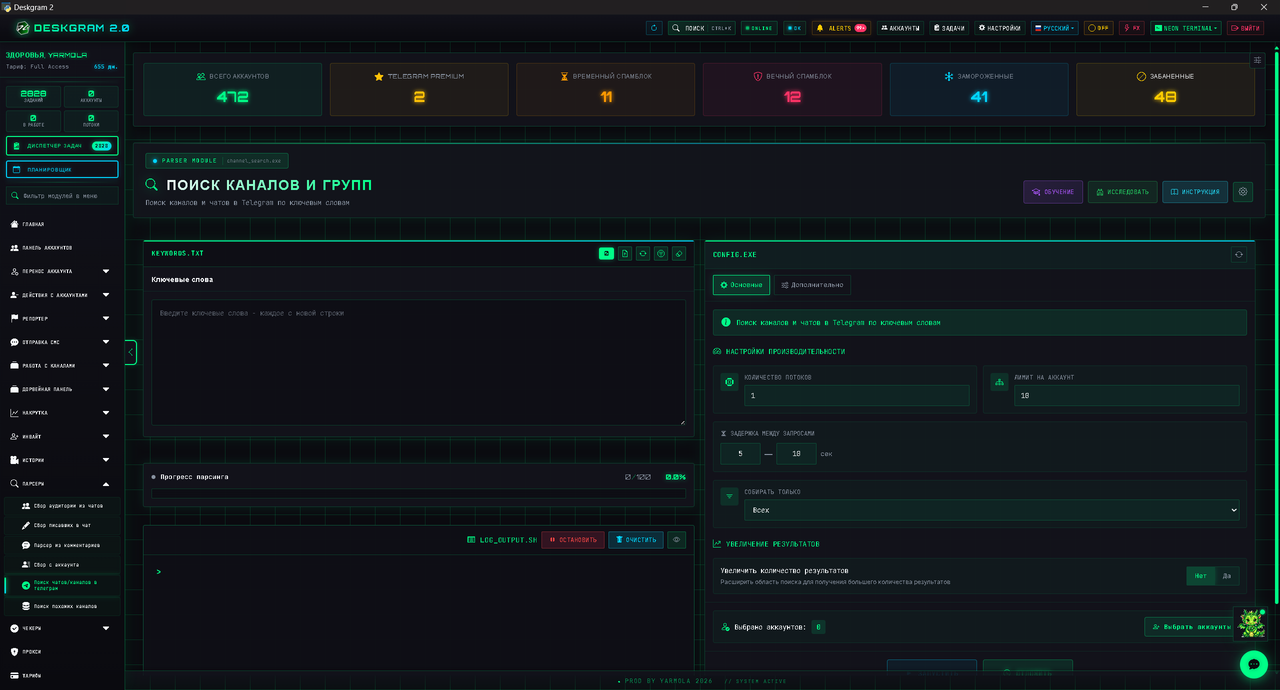
1. Prepare Your Keyword List
The left side of the module contains the keyword input area. Add each keyword on a separate line.
Avoid phrases that are too broad. The more specific the keyword, the cleaner the result will be.
Good keyword examples:
- a product category;
- a niche phrase;
- a city or region plus topic;
- competitor-related wording;
- English alternatives for international niches.
2. Configure Search Limits
The right side contains the main settings:
- Threads: how many accounts search at the same time.
- Limit per account: how many search requests each account can make.
- Delay: pause between requests to reduce account risk.
- Collect: choose what you want to search for: channels, chats, users, or bots.
For the first run, keep the pace moderate. It is better to collect a stable base in several controlled passes than to overload accounts with aggressive limits.
3. Use x10 and x30 Result Expansion
One of the strongest features of the module is result expansion.
You can use:
- Standard x10 for wider coverage;
- Deep x30 when you need maximum discovery depth.
How it works:
Deskgram 2 does not only search the exact keyword. It expands the query with additional characters and variations, helping you uncover many more Telegram communities from the same initial keyword.
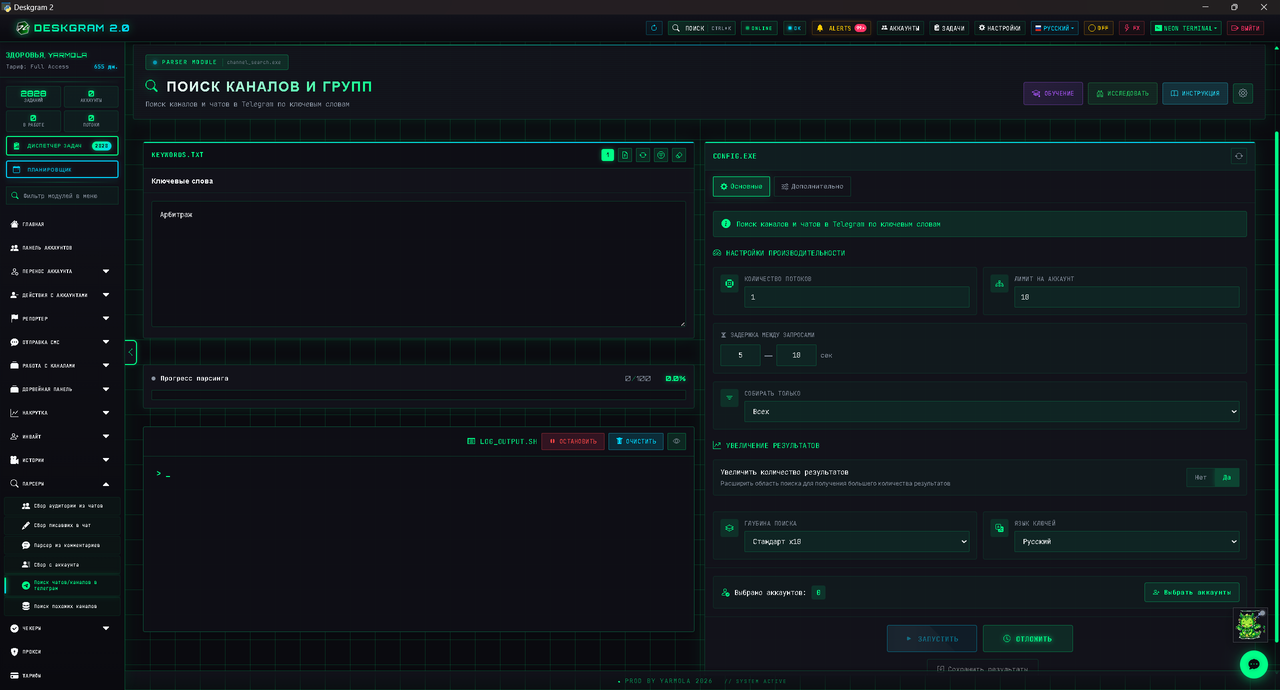
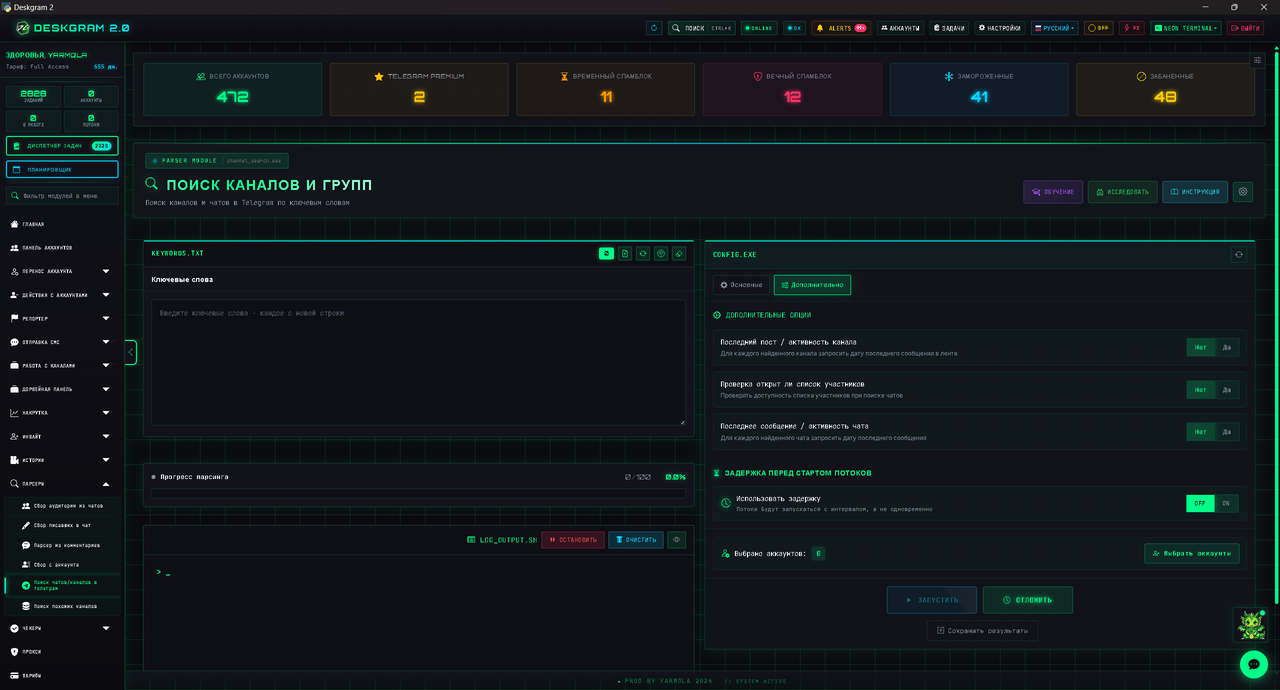
4. Filter Dead or Low-Quality Communities
The Advanced tab helps remove weak sources before they pollute your base.
Useful checks:
- Last post: shows whether a channel is active or abandoned.
- Member list check: for chats, verifies whether members are visible and can be parsed.
- Message check: helps identify whether a chat has real activity.
These filters are especially important before audience parsing, invite campaigns, or comment-based workflows.
5. Start the Search
After pressing Start, Deskgram 2 begins collecting results and shows progress in the log.
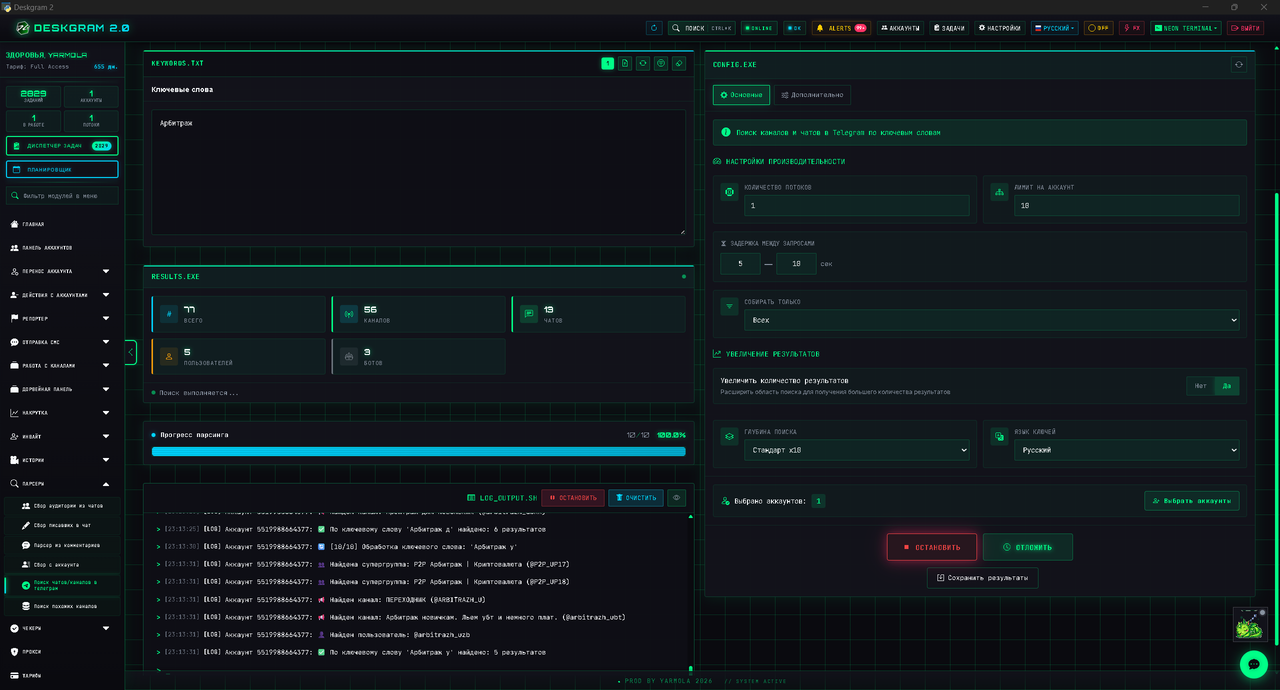
At the end, you receive a cleaner list of Telegram sources that can be used in other modules.
Recommended next steps:
- Use Similar Channels Search to expand the strongest sources.
- Use link and activity checkers to remove weak communities.
- Use Channel Comments Checker if you plan to run comment campaigns or parse users from discussions.
FAQ
Can I search for users or bots?
Yes. The module can search not only channels and chats, but also users and bots depending on the selected collection mode.
What should I do if there are too few results?
Use x10 or x30 expansion and revise your keywords. Try synonyms, English variants, adjacent niche phrases, and competitor-related terms.
How do I keep the search safer for accounts?
Use reasonable thread counts, set delays, avoid excessive per-account limits, and run a small test before scaling.
What is the best use case for this module?
It is best used at the beginning of a Telegram promotion workflow, when you need to build the first source base for parsing, analysis, inviting, or content monitoring.