Deskgram 2 Settings Guide
This guide explains how to configure Deskgram 2 before live work: which system parameters matter, where API keys are connected, how notifications work, and what should be reviewed before launching modules.
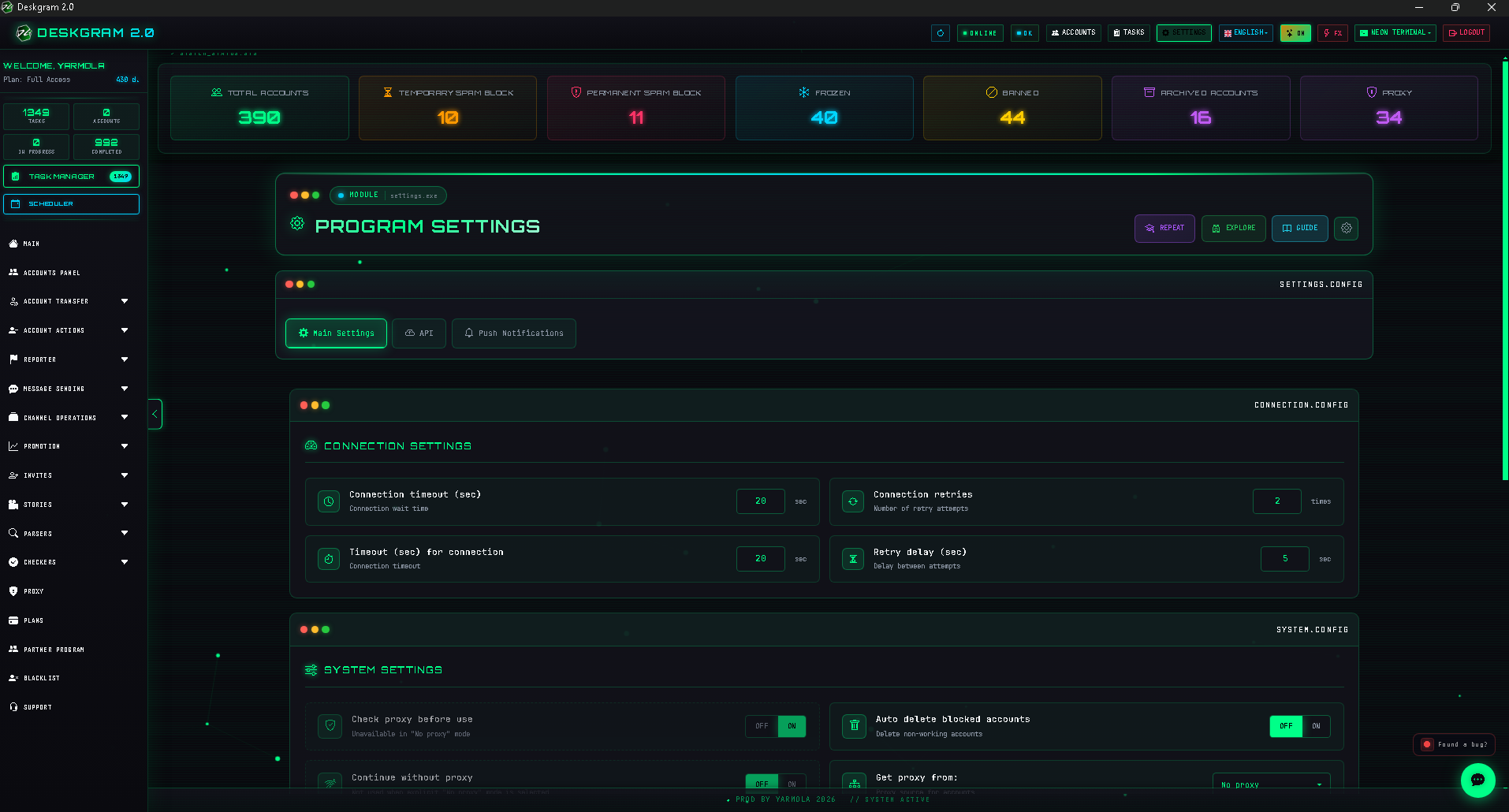
What this section does
The settings section is the configuration center of Deskgram 2. It controls the base application parameters, external API connections, and notifications that later affect operational modules.
What to prepare before configuration
- an understanding of which external services and APIs you actually need;
- a basic notification model: what should alert you and where;
- a clear idea of which system parameters matter for your environment;
- time to review the setup before starting live workflows.
Recommended workflow
1. Review base system settings
First go through the main system parameters. This is the foundation the rest of the stack depends on.
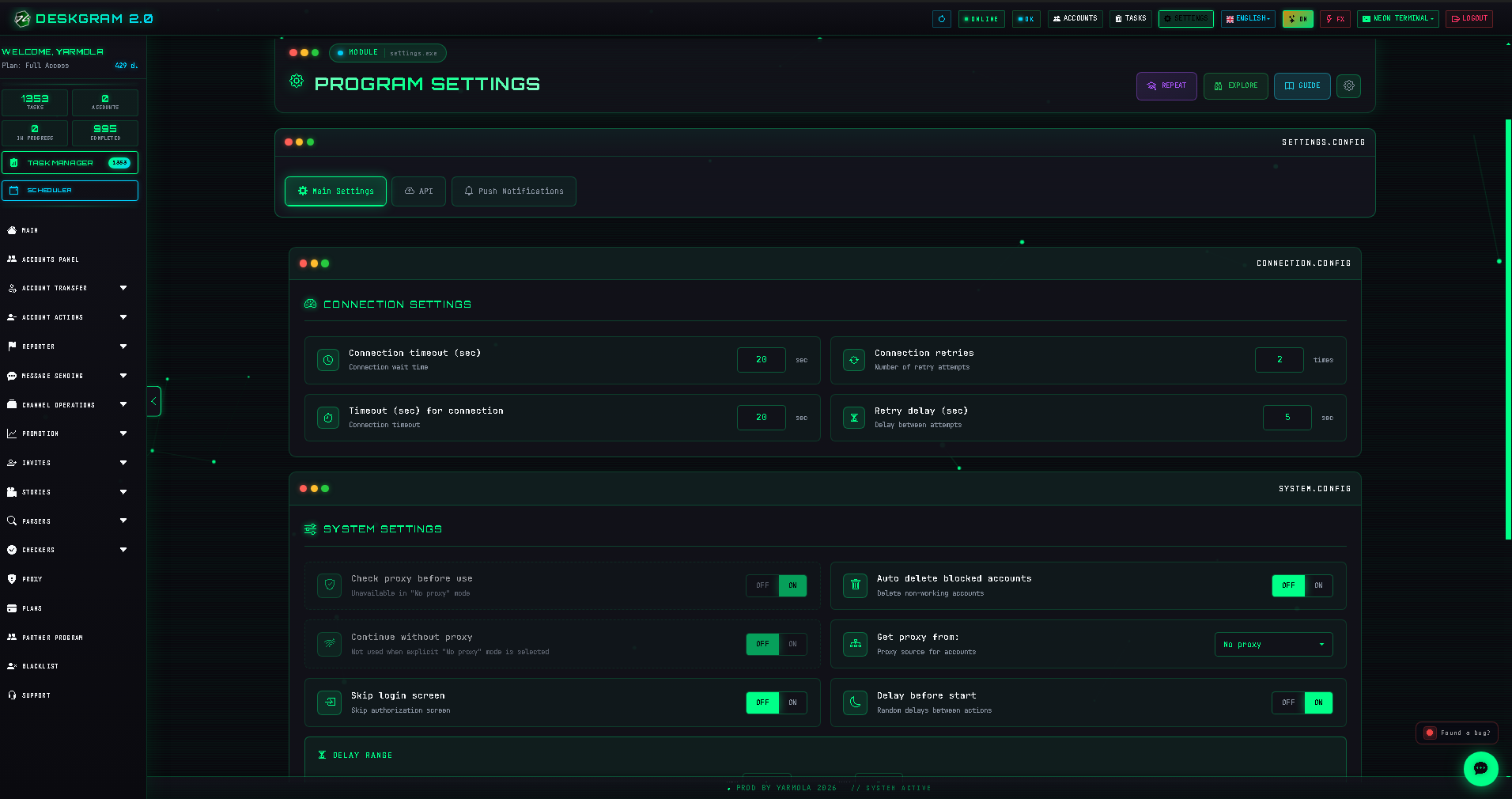
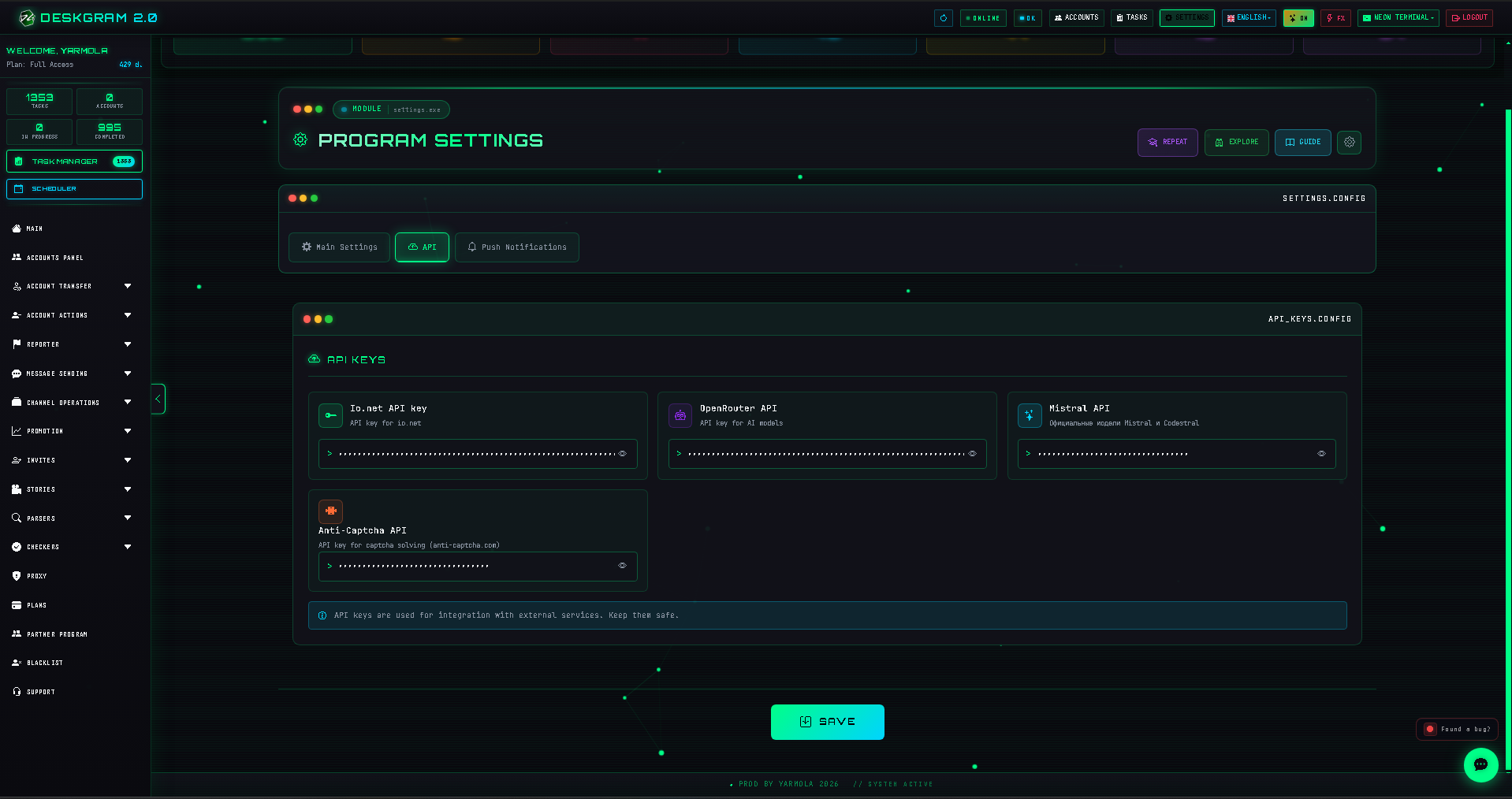
2. Connect API keys
If part of the stack depends on external services, the API section should be prepared in advance. It is better to do this once before launch than fix it during execution.
3. Configure notifications
After system settings and APIs, decide which notifications you actually need. This helps you keep operational visibility without turning alerts into noise.
Main setting groups
System parameters
This is the base application layer: interface and technical parameters that affect everyday work.
API section
This block connects external services and additional capabilities. Problems here often affect several modules at once.
Notifications
Notifications are part of control, not decoration. They work best when configured selectively.
What to check first if the system feels unstable
- the problem may come from base settings, not from the module itself;
- API keys may be missing or misconfigured;
- notifications may be overloaded or too weak;
- the base setup may not have been reviewed after workflow changes.
Common mistakes
- opening settings only after something has already broken;
- connecting APIs without understanding which modules depend on them;
- enabling too many notifications and then ignoring them;
- skipping a base setup review before a new launch cycle.
What to connect next
- Account Manager if you are still building the working system;
- Proxy Manager if infrastructure is being prepared from scratch;
- Task Manager if you want to observe how settings affect execution later;
- Web preview if you want to inspect the interface before installation.
FAQ
Should settings be configured only once?
The base setup is often done once, but it is worth revisiting when workflows change or new modules are added.
If a module behaves strangely, should I inspect the module or the system settings first?
When the issue is unclear, it often makes sense to check system settings and APIs first, because they affect the whole stack.
Can I inspect the interface before installation?
Yes. You can open the web preview and inspect the section in the browser.