Advanced Audience Collection from Accessible Chats in Deskgram 2
The Advanced Audience Parser reads user data from channels and chats accessible to a selected account. Use it only for spaces where you have authorization to analyze members or participation, including private communities you manage.
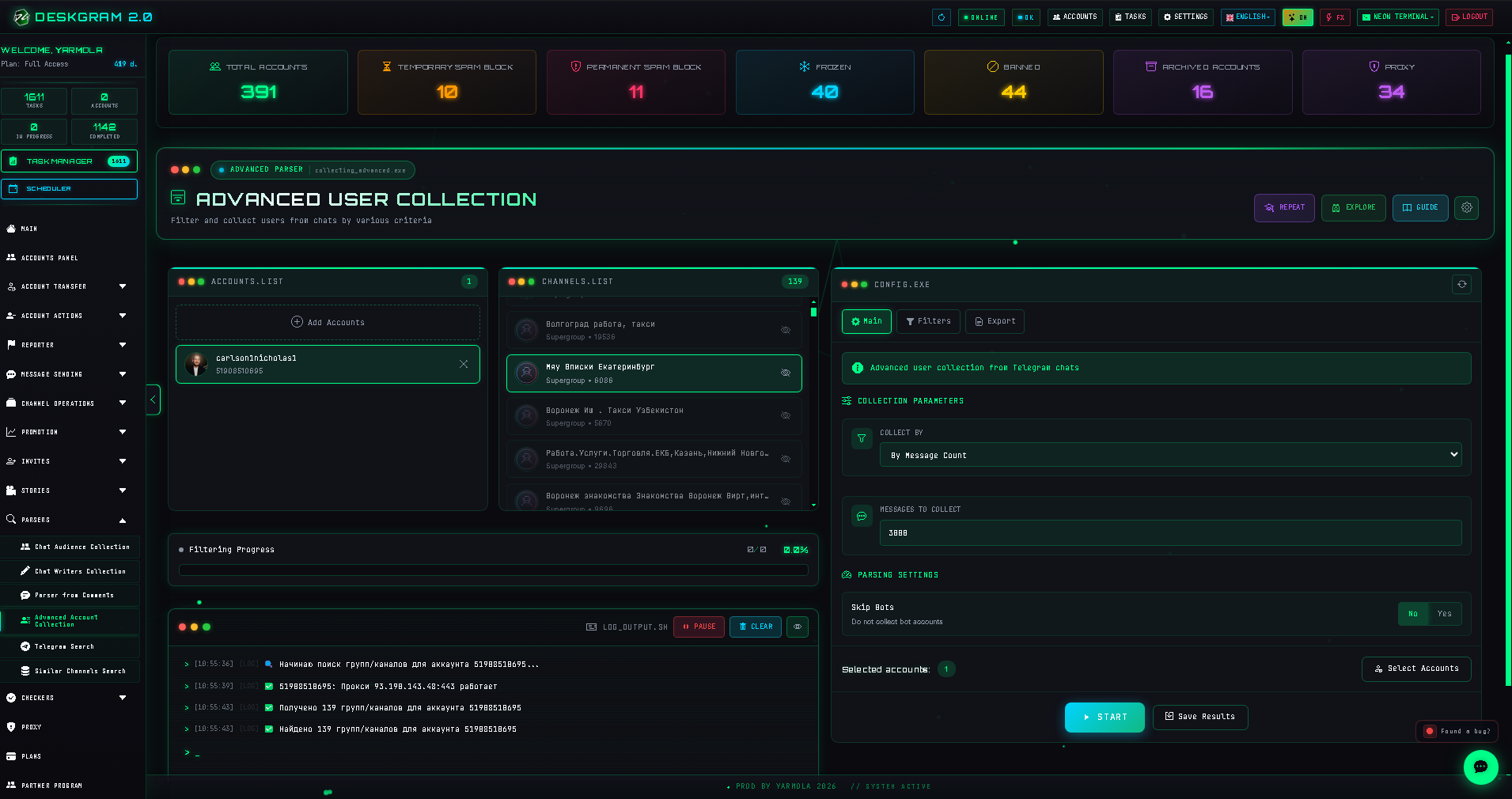
1. Select an account and accessible sources
Choose an account that has legitimate access to the required chat or channel. Deskgram 2 loads available spaces; select the destinations you are authorized to analyze.
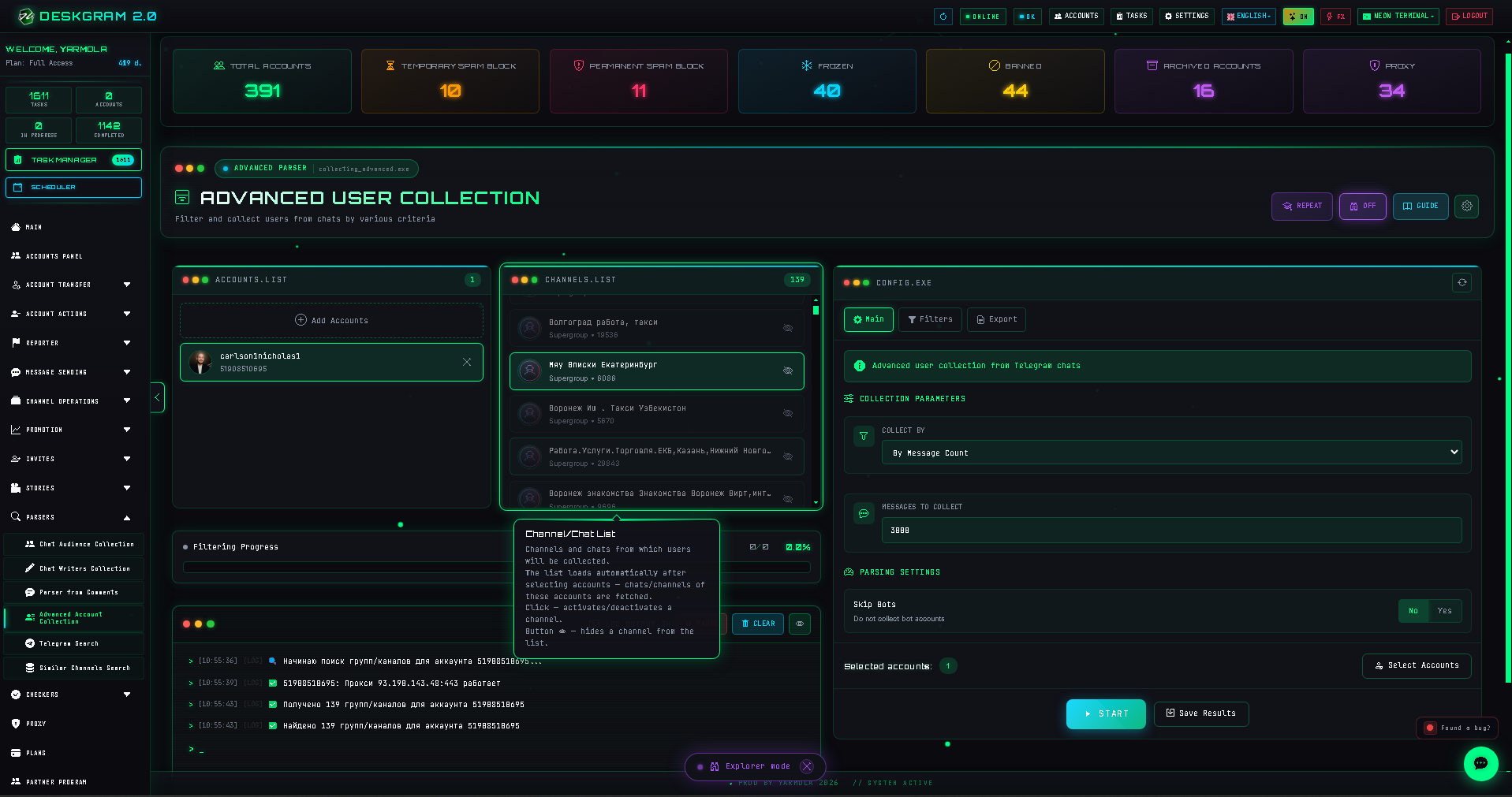
2. Choose collection logic
- Collect all: retrieve members where the community exposes a permitted list.
- By message count: analyze authors of a defined number of recent messages.
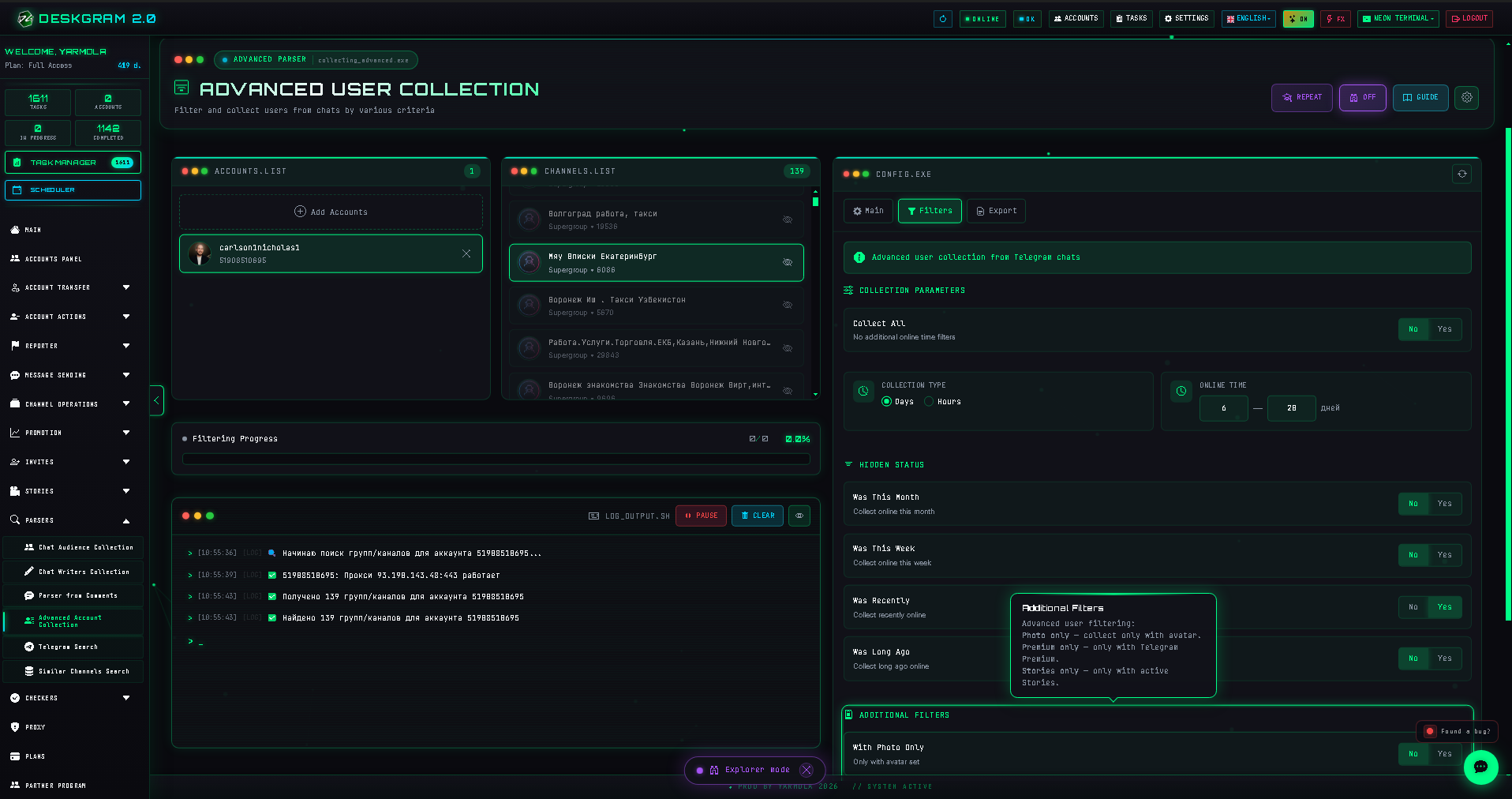
- By period: collect active participants within a chosen date range.
- Skip bots: avoid service and moderation bot accounts in exported data.
3. Apply quality filters
Filter by available profile photo, Premium status, active Stories, or recent activity status when needed for legitimate analysis.
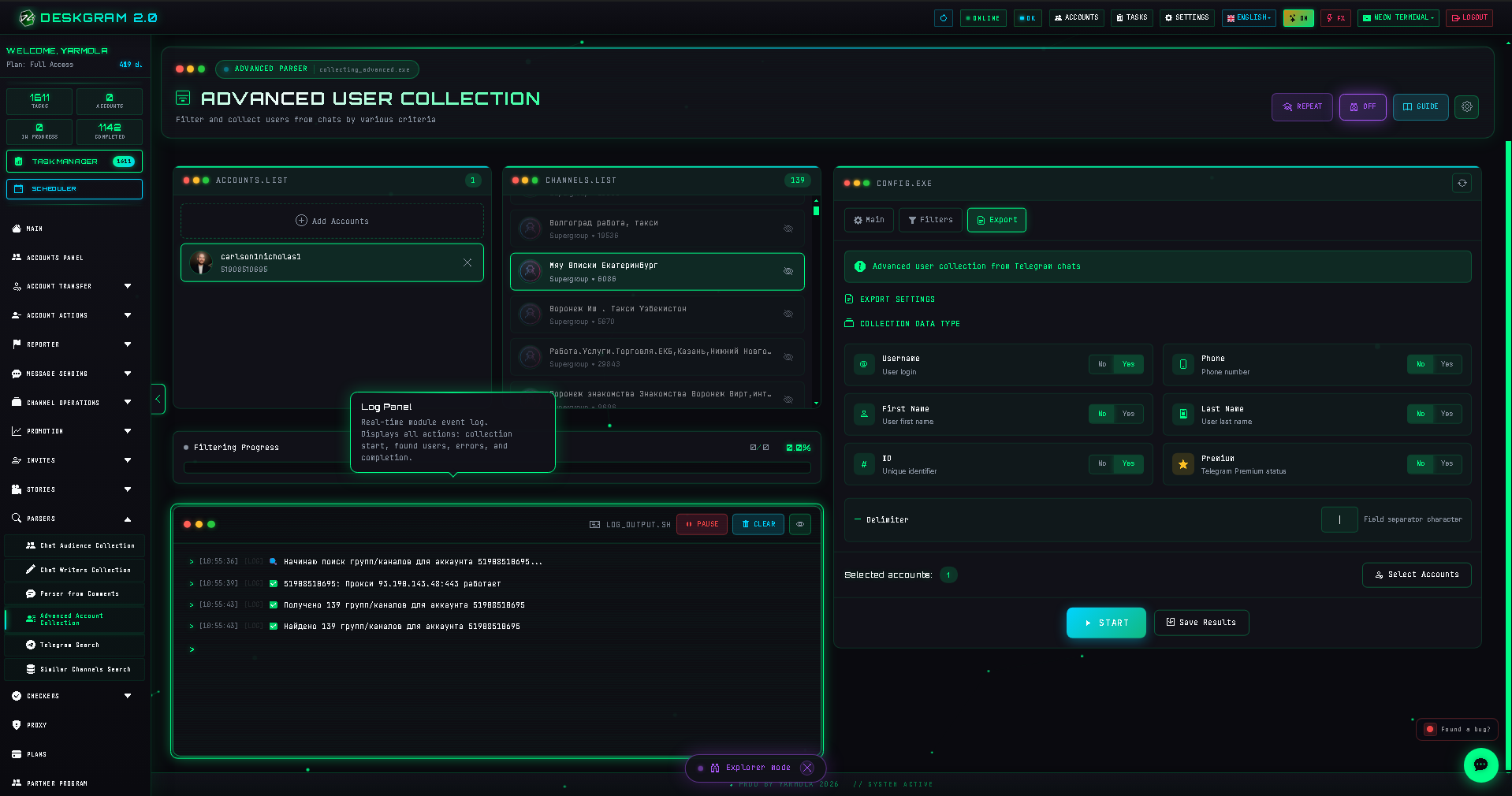
4. Export and review logs
Select necessary output fields such as username, available phone information, names, Telegram ID, and Premium status. Monitor logs for unavailable member lists and collection progress.
View the module in the web preview.