Guide

Audit Account Chats and Channels in Deskgram 2

Audit a Telegram account's dialogs, owned spaces, and subscriptions with Deskgram 2 and save results for internal inventory workflows.

accoutn-actions3 min2026-08-30

Key Takeaways

  • Personal dialogs: export users with whom the account already has a conversation history.
  • Created chats and channels: find spaces owned or created by this account.
  • All subscriptions: collect all channels and chats the account currently follows.
  • Listing Chats and Channels on an Account in Deskgram 2 The Account Chat Search module is an internal audit tool.

Listing Chats and Channels on an Account in Deskgram 2

The Account Chat Search module is an internal audit tool. It does not discover new Telegram spaces globally; it reports where a specific account is already present: open dialogs, owned groups and channels, and current subscriptions.
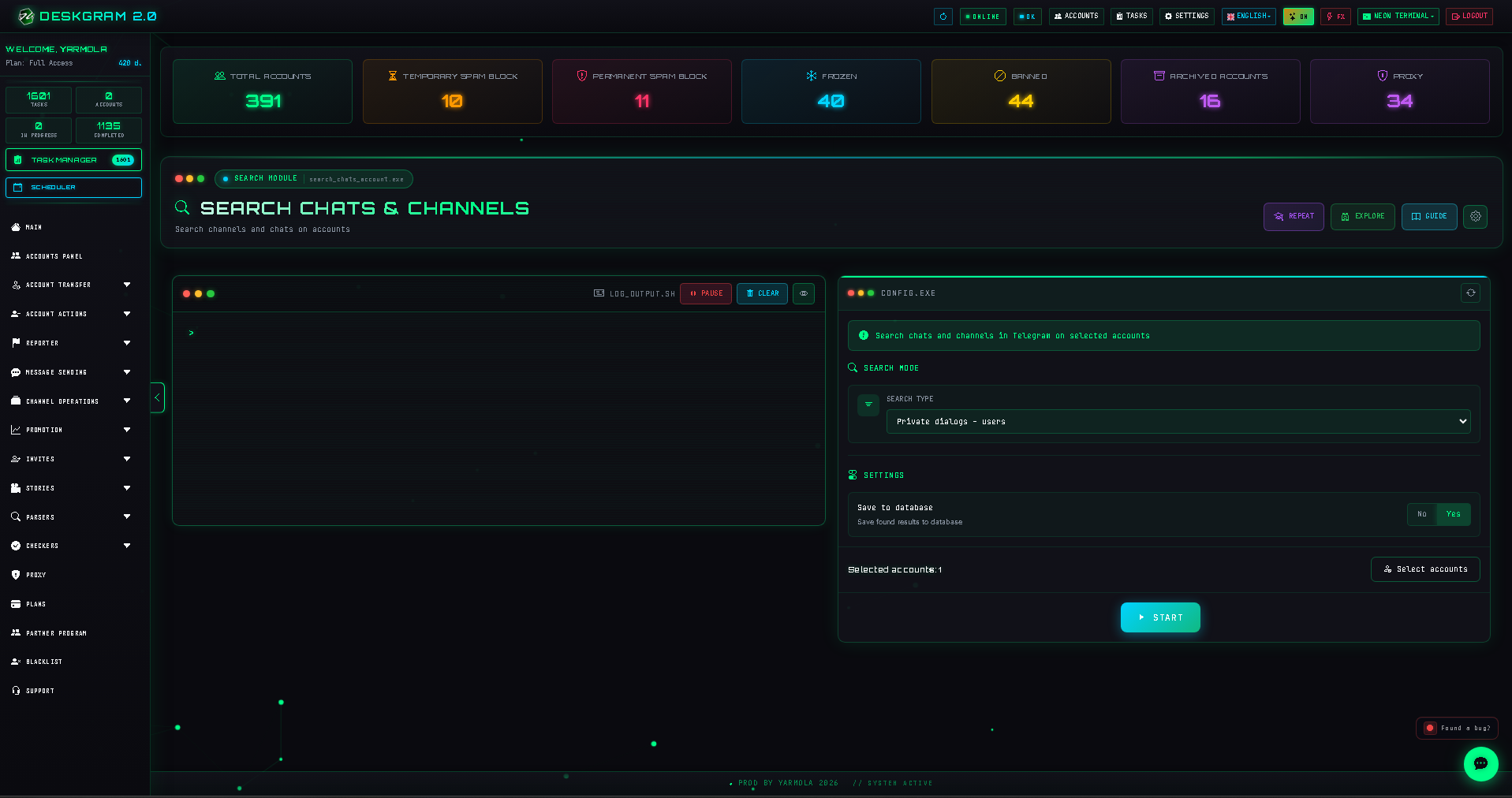
![Account chat search: main screen](https://raw.githubusercontent.com/Deskgram-2/telegram-account-chat-search-deskgram-en/main/assets/screenshots/search-chats-accountmainen.png "Internal account chat audit screen.")

1. Select an audit mode

Choose one of the available views:

  • Personal dialogs: export users with whom the account already has a conversation history.
  • Created chats and channels: find spaces owned or created by this account.
  • All subscriptions: collect all channels and chats the account currently follows.
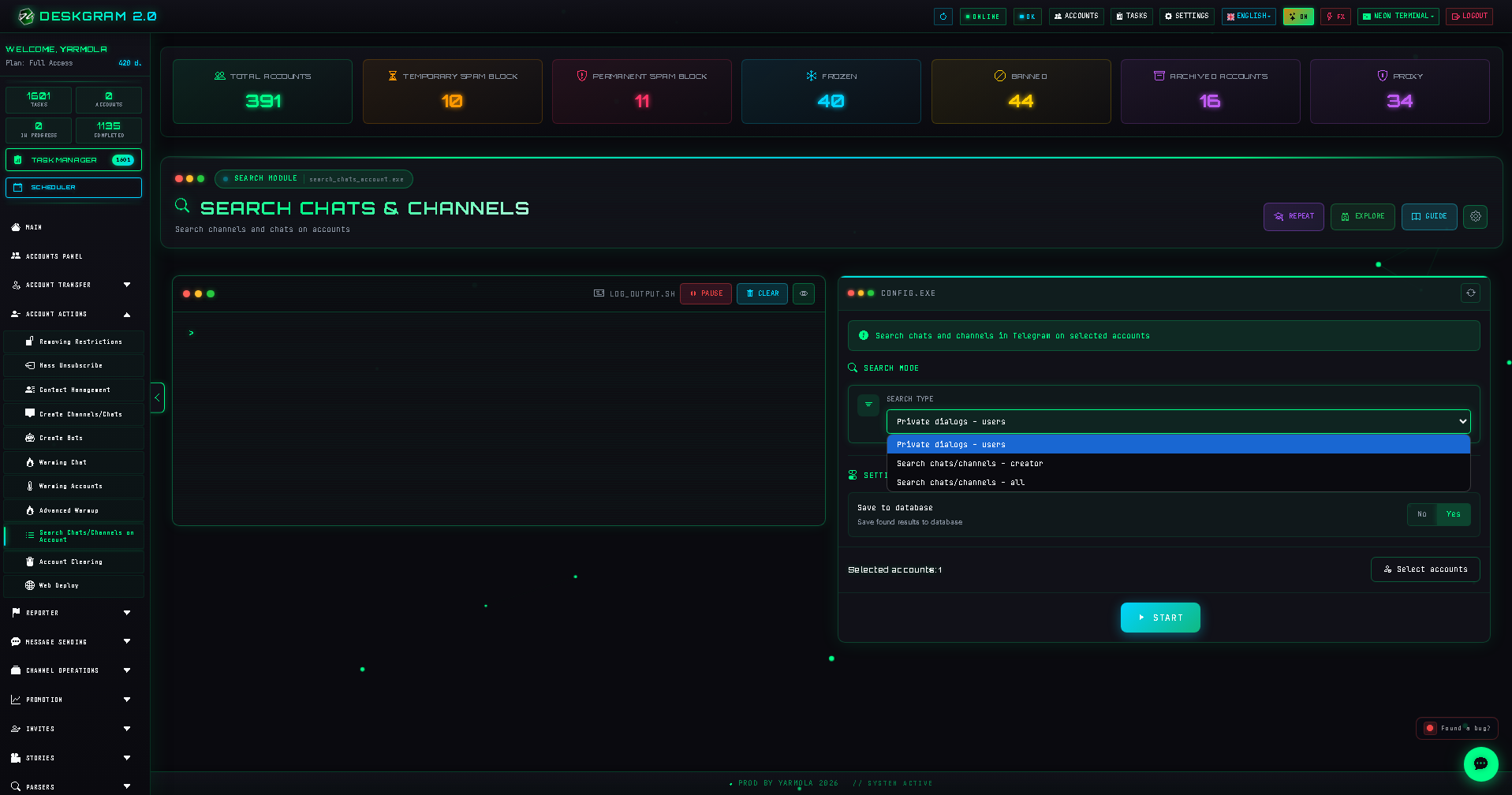
![Account chat search: modes](https://raw.githubusercontent.com/Deskgram-2/telegram-account-chat-search-deskgram-en/main/assets/screenshots/search-chats-accountsearch-modeen.png "Dialog, creator, and subscription audit modes.")

2. Save useful results

Enable Save results to database when the exported set will be used for account inventory, cleanup, or another approved internal workflow.

3. Select accounts and launch

Audit accounts in logical groups so exported results remain understandable.
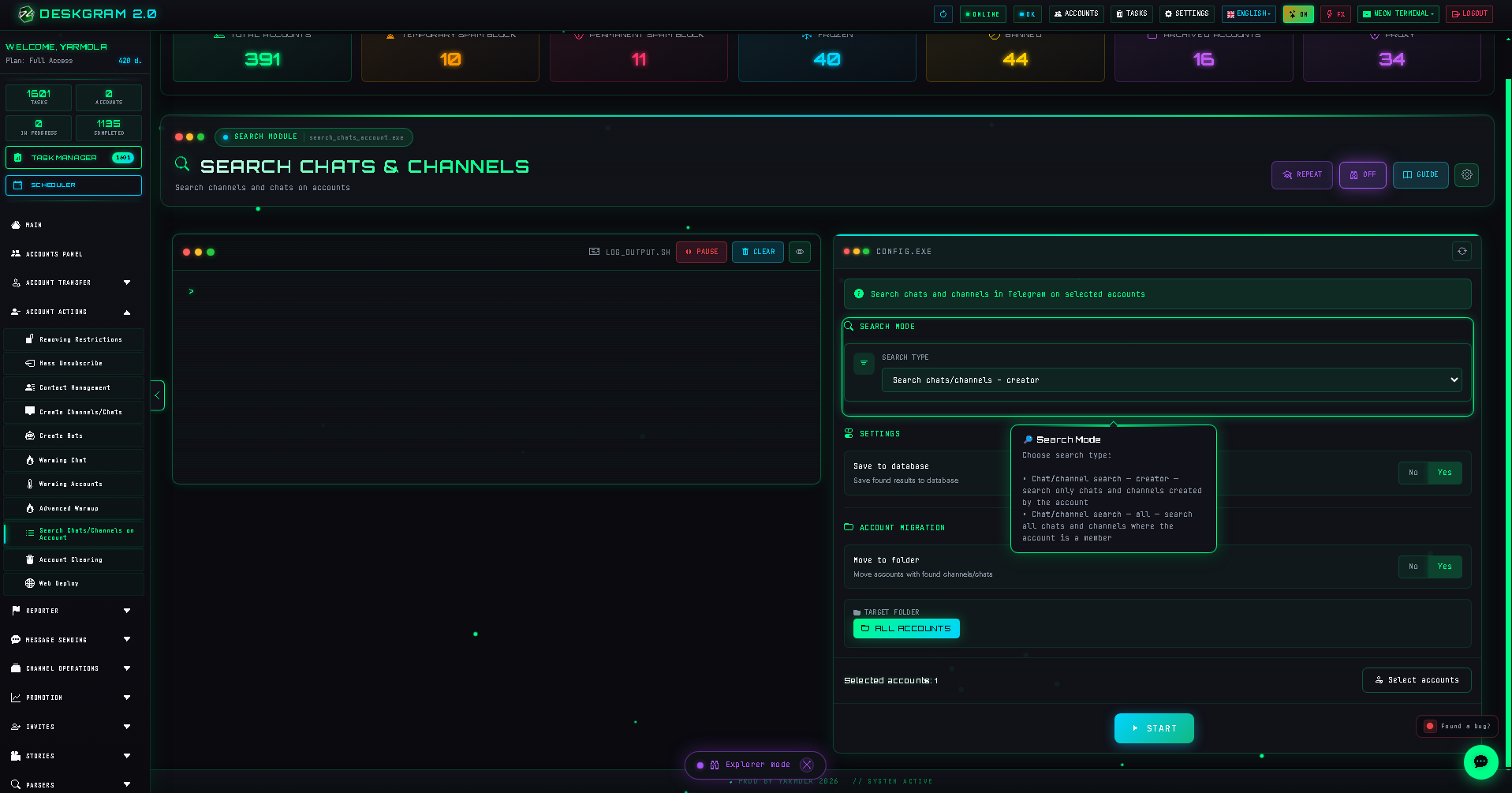
![Account chat search: account selector](https://raw.githubusercontent.com/Deskgram-2/telegram-account-chat-search-deskgram-en/main/assets/screenshots/search-chats-accountaccount-selectoren.png "Account selection for audit.")

After launching, use statistics to track the number of dialogs, groups, and channels found.
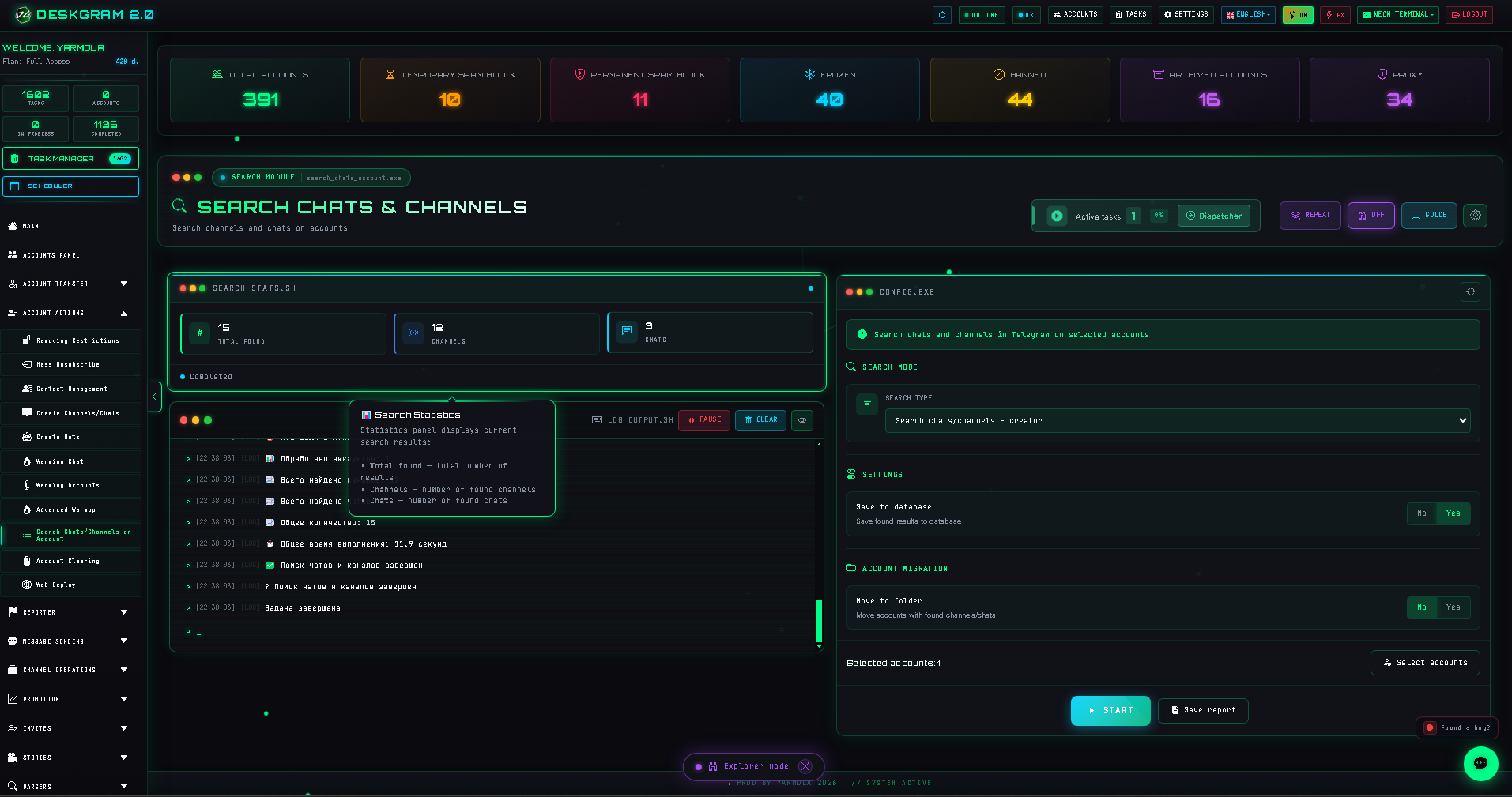
![Account chat search: statistics](https://raw.githubusercontent.com/Deskgram-2/telegram-account-chat-search-deskgram-en/main/assets/screenshots/search-chats-accountstatsen.png "Real-time audit statistics.")

Use the web preview to inspect this tool.

Helpful Links