Creating a Telegram Bot: Packaging and logic
In this guide, we will create the bot itself, which will meet our traffic. This process is divided into two large parts: the first is creating the visual shell (the face of the bot) via Deskgram 2, and the second is setting up its internal logic.
Part 1. Creating the bot shell via Deskgram 2
You don't need to go to BotFather and manually write commands. Deskgram 2 has a convenient module for mass bot creation.
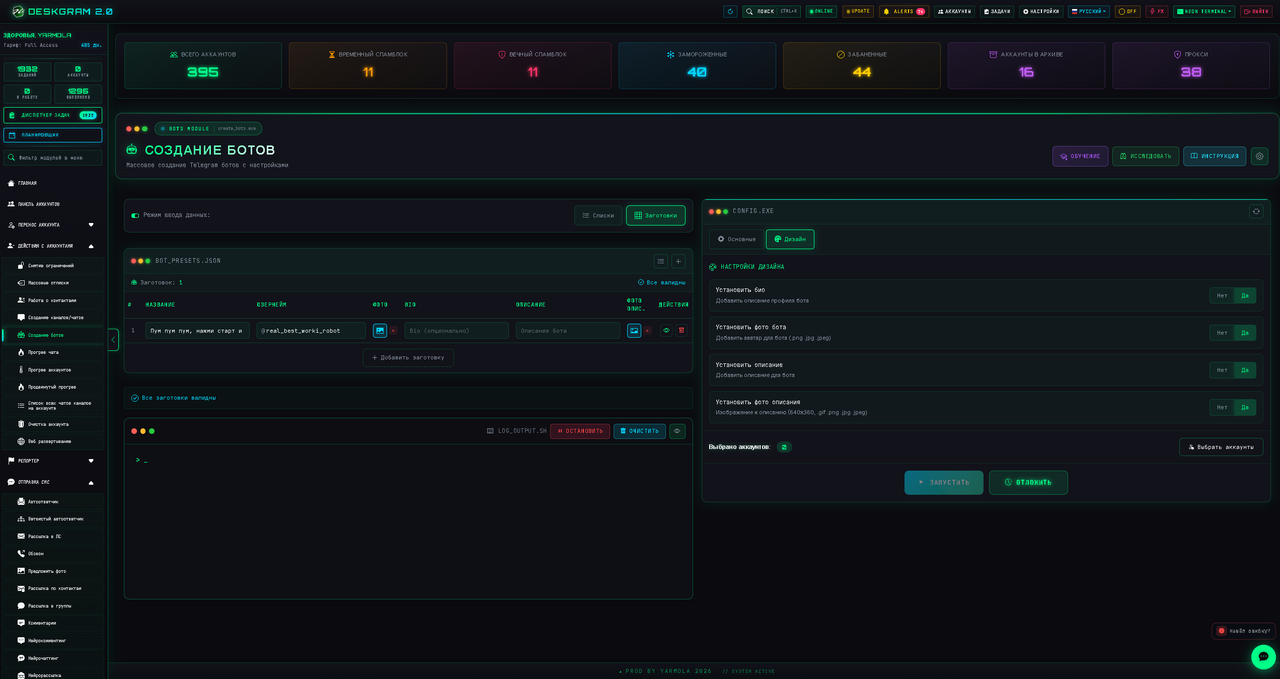
- Go to the "Create Bots" module.
- Just like when creating channels, select the "Template" mode. This ensures that all data will load correctly.
- Fill in the main fields: Name, Username, and upload an Avatar.
- Fill in the text blocks:
* "About": This is a short text that is displayed in the bot's profile itself.
"Description": This is the very text that the user sees on the main screen before* they press the "Start" button.
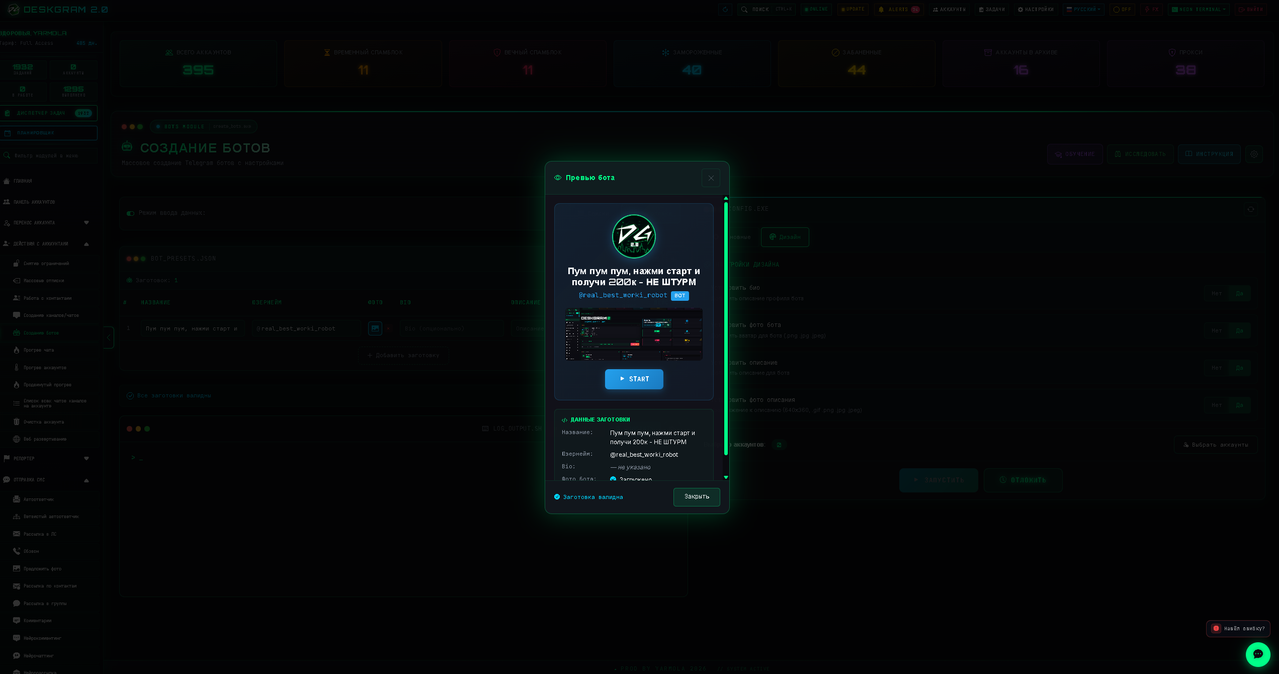
💡 Important design features:
- Picture in the description: I strongly recommend adding a welcome picture/banner to the description. This greatly increases the conversion into pressing the "Start" button.
- Backup link: Right in the description text, add a link to your main channel or website. If your bot script "falls" or freezes for some reason, the user will still see the link, click on it, and you won't lose the lead!
👉 Full instruction: Bot Creation Guide (without funnel setup)
Part 2. Internal logic (Bot brains)
Deskgram 2 creates a bot in Telegram (issues a token, designs it), but how the bot will respond to the /start button needs to be configured separately.
You will have to assemble the logic in one of the following ways:
- Use no-code bot builders (PuzzleBot, SaleBot, SmartSender, etc.).
- Hire a programmer who will write a script for your tasks.
- Write it yourself via neural networks (ChatGPT / Claude), if you understand at least a little bit about Python logic (the script is launched elementarily).
What should be inside? Everything is strictly individual.
1. Primitive logic (Minimum actions)
The user presses "Start", the bot instantly sends them a promotional post with your offer and a link (or gives the promised guide). The main thing here is that the bot script silently saves the ID of this user into its database. Now you have this lead, and you will be able to do a mass mailing to them in the future.
2. Full-fledged funnel (Warm-up)
The user presses "Start" and enters an automatic chain. Today they get a gift, tomorrow — a useful article, the day after tomorrow — customer reviews, and on the fourth day — a discount on a purchase. The bot reacts to inline button presses, segments people, and warms them up to a purchase.
How to build complex sales funnels, write scripts for warm-up bots, and do architecture is a huge topic. I recommend studying free lessons on YouTube. Well, or write to me in PM — perhaps I will share good courses on this topic with you.