Infrastructure Preparation: Packaging and proper account warm-up
Welcome to the third block of our course. Here we move on to practice: preparing our working "horses" (accounts) for aggressive traffic attraction.
Forget about 2018–2020, when you could buy fresh accounts (newly registered) and launch spam from them on the same day. Today, Telegram algorithms ban for the slightest suspicious activity. For your accounts to live long and bring leads, they must be properly packaged and warmed up.
Part 1. Choosing accounts
Not all accounts are equally suitable for different tasks. The Geo (country of registration) of the number matters: some geos perform better in mailings, others in inviting, and others in neuro-commenting.
(We will add a detailed recommendation on choosing Geo for specific tasks in a separate material a little later).
⚠️ Important rule: Even if you bought "trusted" accounts with a long aging period (they are half a year or a year old), but they have been lying idle all this time, they still need to be warmed up! A sharp surge in activity on a sleeping account = instant freeze.
Part 2. Warm-up algorithm (3 stages)
Activity on the account must be increased gradually. We have developed an ideal warm-up scheme inside Deskgram 2.
Stage 1. Soft start (Mass-looking)
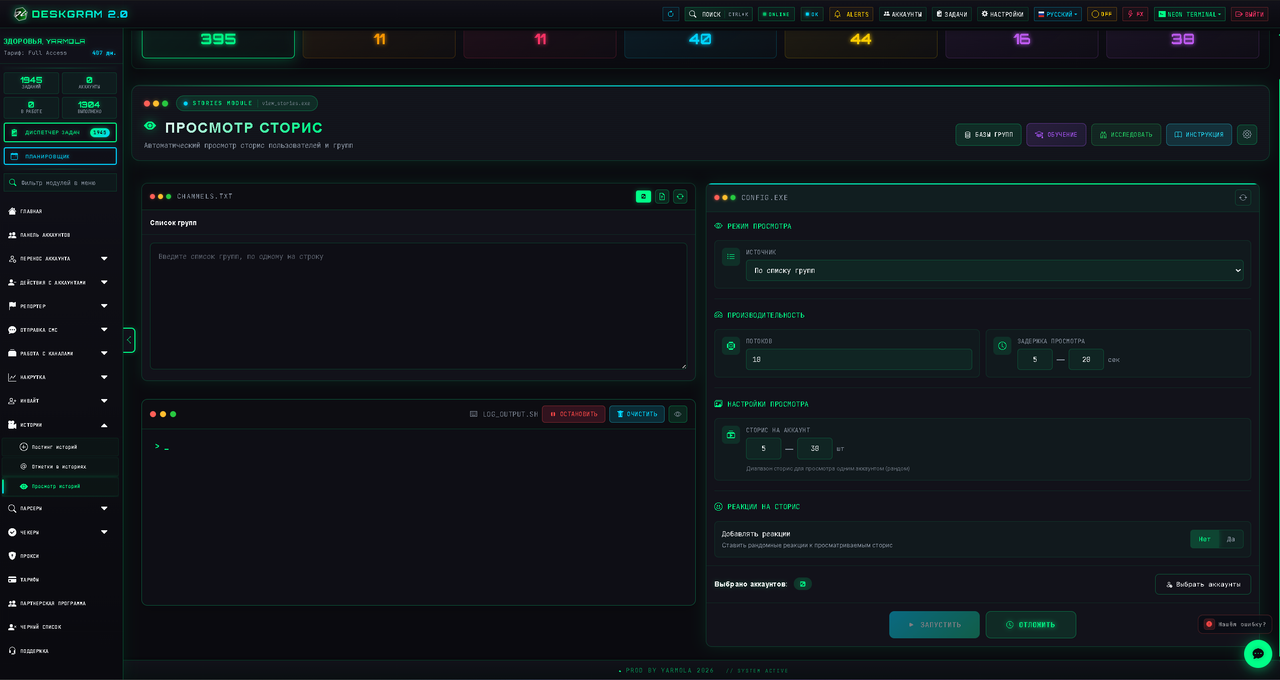
We start with the safest activity — viewing stories.
- Open the Story Viewer (Mass-looking) module.
- Select the "By groups" mode and load a list of chats with open members. (Chat databases can be taken for free or inexpensively in specialized bots — we will add the link later).
- Accounts will go through the members of these groups and watch their active stories.
- Limits: On the first day, set 5–10 views per account. On the second day, increase to 20, then to 30. If the accounts feel good and do not catch a flood wait, you can carefully bring it up to 50 views per account.
📖 Detailed instruction: Mass-looking Guide
Stage 2. Warm-up via chats (Group activity)
Next, we transfer accounts to communicate in groups. Why exactly in groups and not in PM? Because Telegram is much more loyal to spam in chats than to private messages.
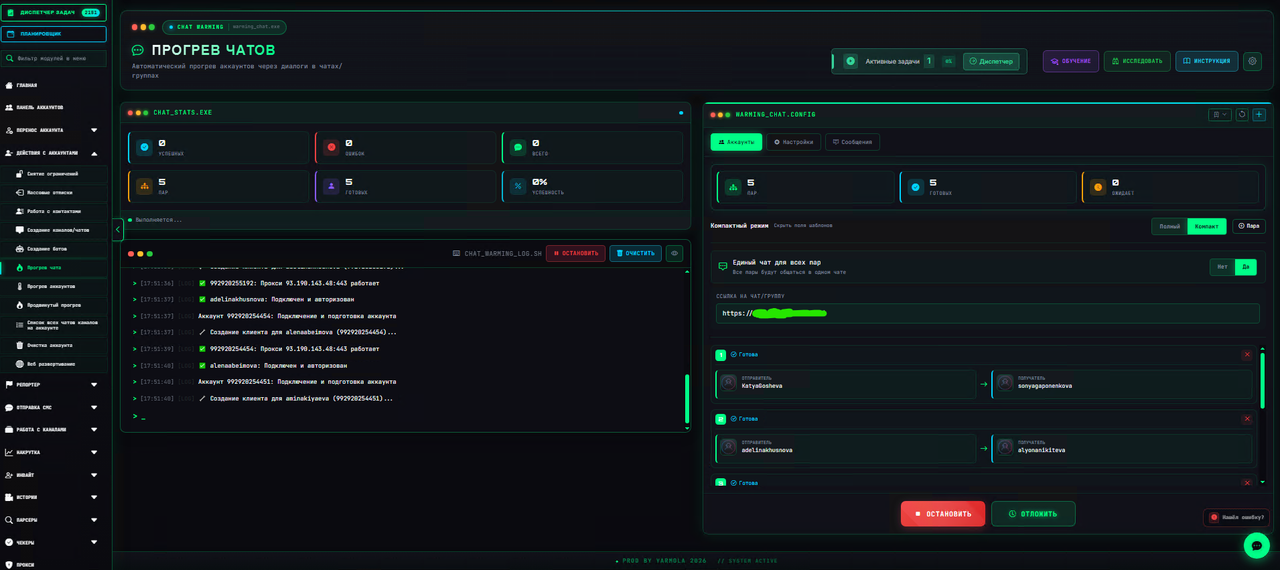
- Open the Chat Warm-up module.
- Create a regular public group from your personal (fake) account.
- Throw a pool of 10–20 of our working accounts into this module and insert a link to the created group.
- Limits: Set the time between messages to 2–5 minutes. The number of messages from an account to start with is about 5.
- Text: You can connect a neural network (AI), set a prompt, and the accounts will conduct meaningful long dialogues. If you want to save money, just don't touch the settings — over 1000 basic phrases are sewn into the program, accounts will send them to each other.
In this mode, we warm up accounts for about a week, gradually increasing the number of messages.
📖 Detailed instruction: Chat Warm-up Guide
Stage 3. Account Warm-up (Dialogues in PM)
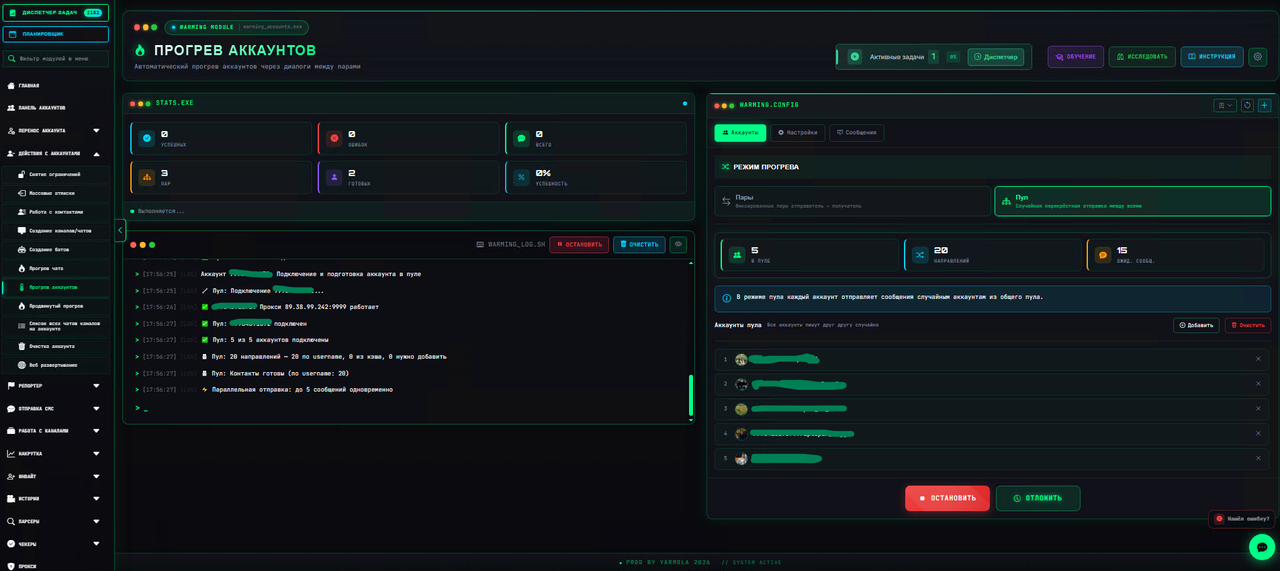
Only now do we move to the Account Warm-up module to simulate personal correspondence. The module has two modes: "Pairs" and "Pool".
- We start with the "Pairs" mode. Accounts are broken down into pairs and conduct dialogues with each other (5-10 messages each). This looks as natural as possible and does not trigger TG protection.
- If everything is fine, we transfer them to the "Pool" mode (when accounts write to each other randomly from the general list).
- Limits for Pool: We start with 2–3 messages per account, the time between messages is 3–7 minutes. Gradually, day by day, we increase the number of messages, bringing it to 10.
📖 Detailed instructions: Basic Account Warm-up and Advanced Warm-up
Part 3. Account Design (Packaging)
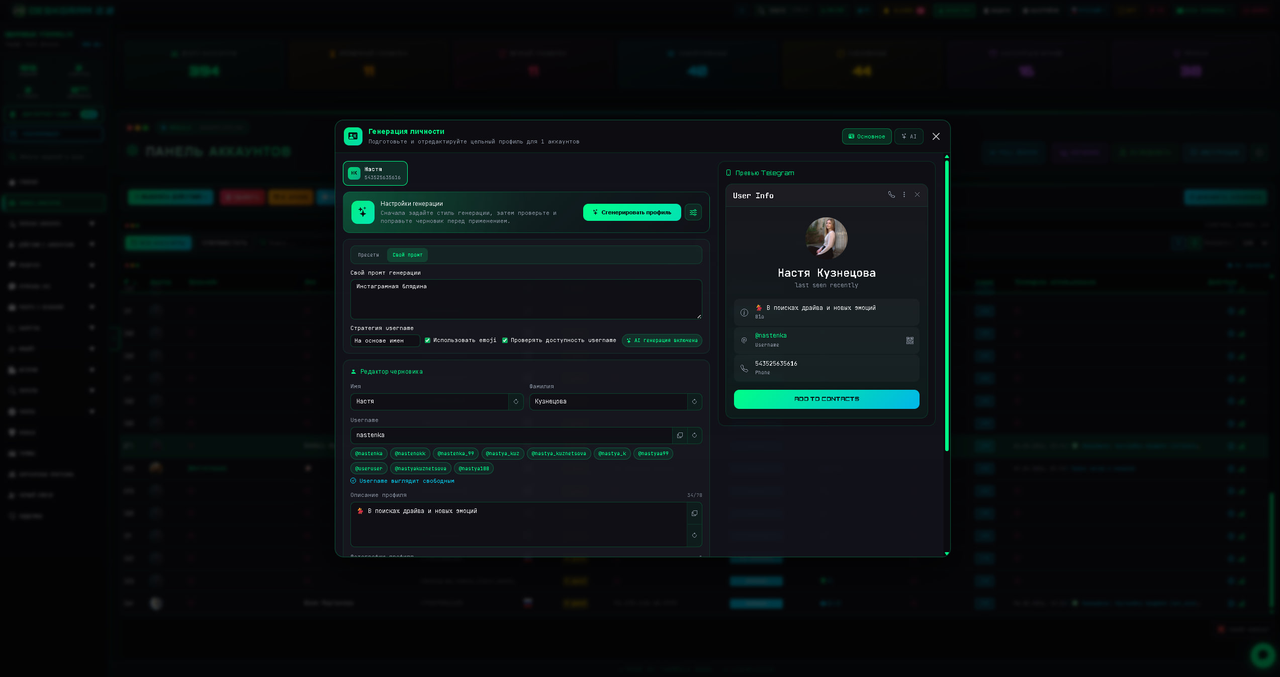
In parallel with the warm-up (or while the accounts are "aging" after communicating in chats), you need to deal with their visual design. How an account looks directly affects whether it will be banned or not.
You have two paths: mimic real people or strictly brand the profile for the offer. The choice depends on your niche.
1. Gray and risky niches
If your offer relates to topics that Telegram does not like (gambling, dating, crypto, doxing, scam, etc.), under no circumstances design the profile for the offer!
If you write "Register in the casino" in the bio and put a slots logo on the avatar — the account will fly into a ban after the very first complaint. In such cases, profiles are designed strictly as real people (regular names, regular photos of people, neutral bio). We collect traffic through the first message or a pinned promotional post in the proxy channel (as we discussed in Guide 2.2).
2. White niches and expertise
If you drive traffic to white info-products, services, physical goods, or a personal blog, you can design the profile directly. The name "John Doe | Traffic Expert" and a link to the bot in the description will work perfectly.
⚠️ Uniqueness rule (Avatars and Names)
Never put the same avatar and the same name on all your working accounts! Telegram easily calculates such a network and bans the entire batch at once.
Names must be randomized. If you use the face of one character (for example, for a personal brand), be sure to run the photos through specialized pixel uniqueness services, mirror them, change color correction or background so that for Telegram algorithms these are completely different pictures.