Proxy Setup in Deskgram 2
Proxies are one of the safety layers for Telegram automation. In Deskgram 2 they help separate account traffic, reduce suspicious patterns and keep large account sets easier to manage.
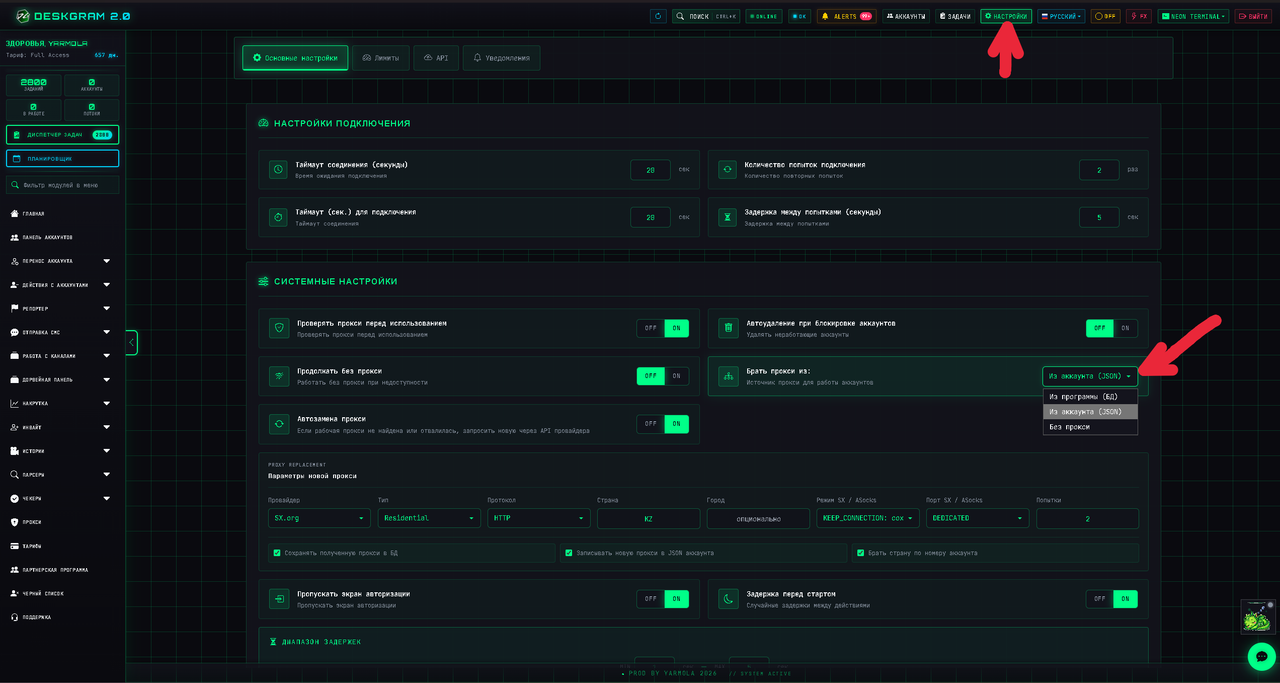
Choose the Proxy Mode
Before launching tasks, decide where Deskgram 2 should take proxies from.
The main modes are:
- From the program database: Deskgram 2 takes a random proxy from the proxy module.
- From account JSON: Deskgram 2 uses the proxy that is attached to the specific Telegram account profile.
- No proxy: Deskgram 2 uses the computer or VPS IP address. This is not recommended for mass work.
For serious Telegram automation, the safest approach is usually to keep a stable proxy attached to each account.
Mode 1. Proxies from the Database
This mode is useful when you maintain a general proxy pool inside Deskgram 2.
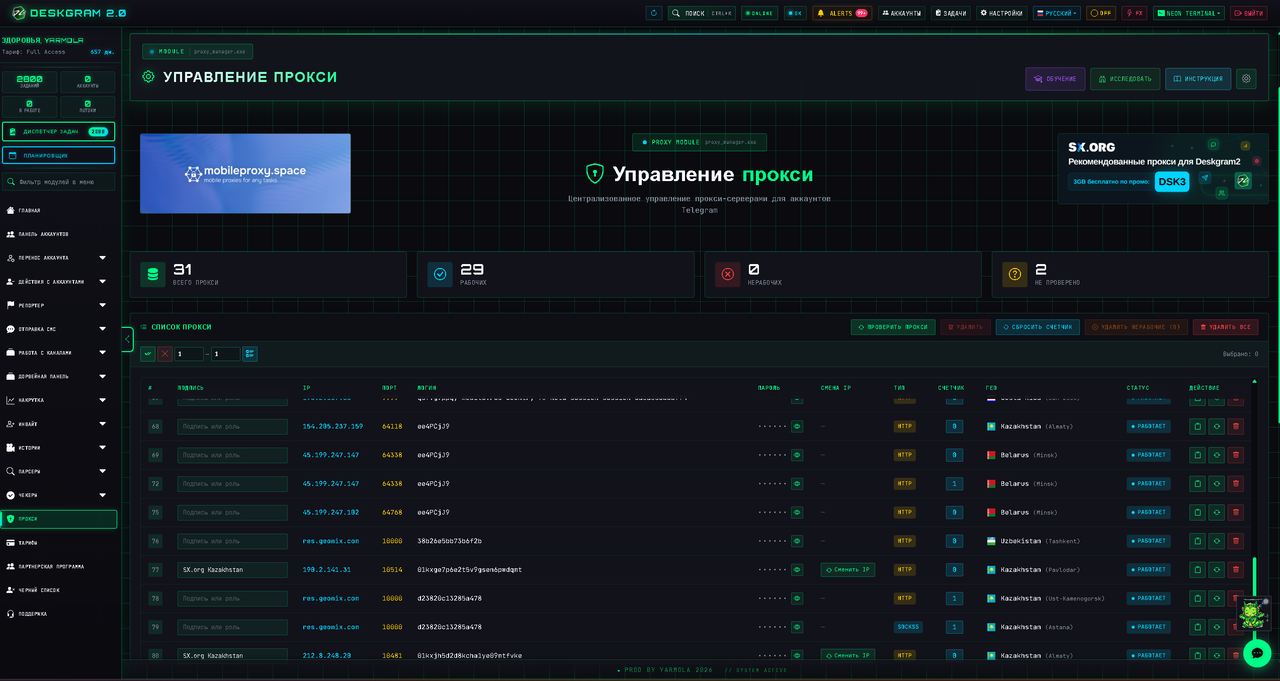
Use it when:
- you have a clean proxy list;
- accounts do not require strict one-account-one-proxy binding;
- you run small or medium tasks;
- you monitor errors and replace weak proxies quickly.
The downside is that random proxy assignment can be less predictable. If account history matters, use account-level proxies instead.
Mode 2. Proxy from Account JSON
In this mode, each account works through the proxy stored in its profile. This is usually better for long-term account health.
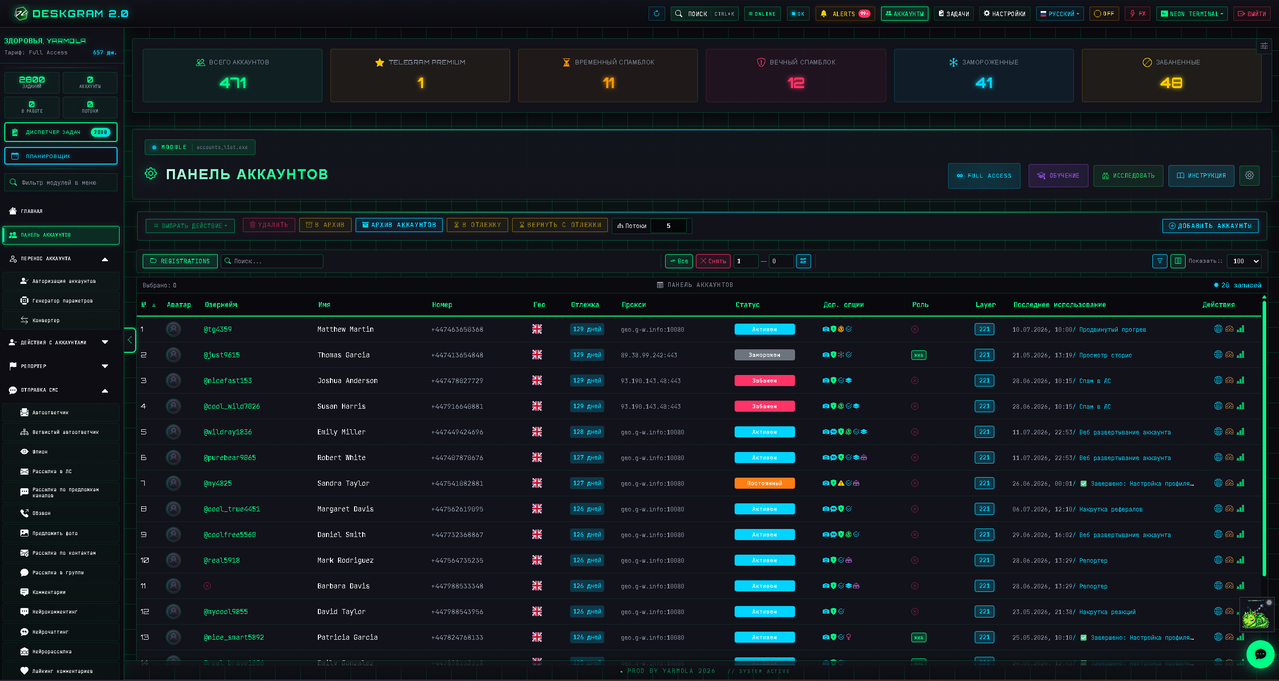
Use this mode when:
- every account has its own proxy;
- you buy accounts with
.sessionand.jsonfiles; - you want stable geolocation and IP history;
- you run repeated campaigns from the same accounts.
This mode is especially important for account warming, invites, parsing and bulk messaging.
Mode 3. No Proxy
Running without proxies is acceptable only for very small tests or personal accounts. Do not use this mode for a farm of Telegram accounts.
Risks:
- too many accounts share one IP;
- Telegram can connect unrelated sessions into one risk cluster;
- bans and limits become harder to diagnose;
- VPS IP reputation may affect all accounts at once.
Add and Test Proxies
After adding proxies, test them before launching real tasks.
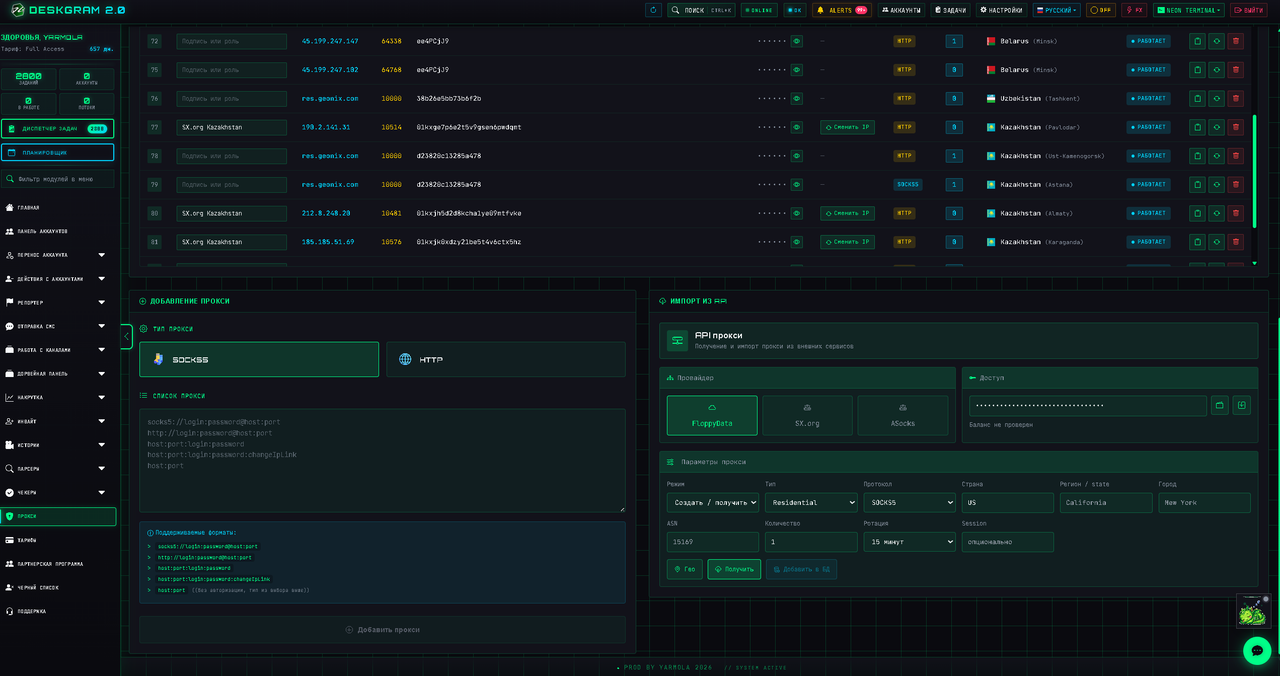
Check:
- format and protocol;
- login and password;
- country or region;
- response speed;
- error rate during real tasks.
If a proxy is unstable, do not try to "push through" errors. Replace it.
Common Mistakes
Avoid these mistakes:
- using public or shared free proxies;
- changing account proxies too often;
- mixing too many accounts on one proxy;
- ignoring proxy errors during tasks;
- running mass actions from the VPS IP without proxies.
Key Takeaways
- Proxy mode defines how Deskgram 2 connects Telegram accounts to the network.
- Account JSON proxies are safer for long-term work.
- Database proxies are convenient for flexible proxy pools.
- No-proxy mode is only for small tests.
- Proxy stability directly affects Telegram automation safety.