How to Connect Custom AI Providers in Deskgram 2
Deskgram 2 includes built-in AI providers, but sometimes you may want to use another model, a routing service or your own OpenAI-compatible endpoint. The custom provider option was added for exactly that.
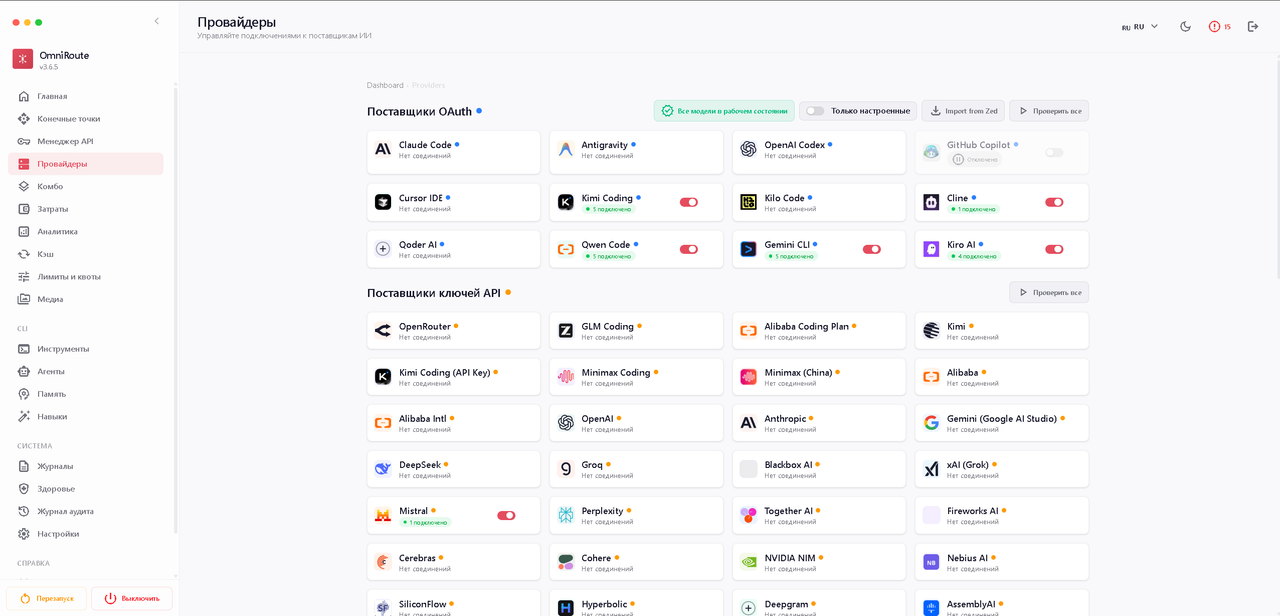
Compatibility requirement
The provider must support an OpenAI-compatible API format. If the service uses a different format, connect it through a router such as OmniRoute or another compatible gateway, then add the gateway endpoint to Deskgram 2.
Setup steps
- Open program settings.
- Go to the API section.
- Scroll to Custom AI providers.
- Click Add provider.
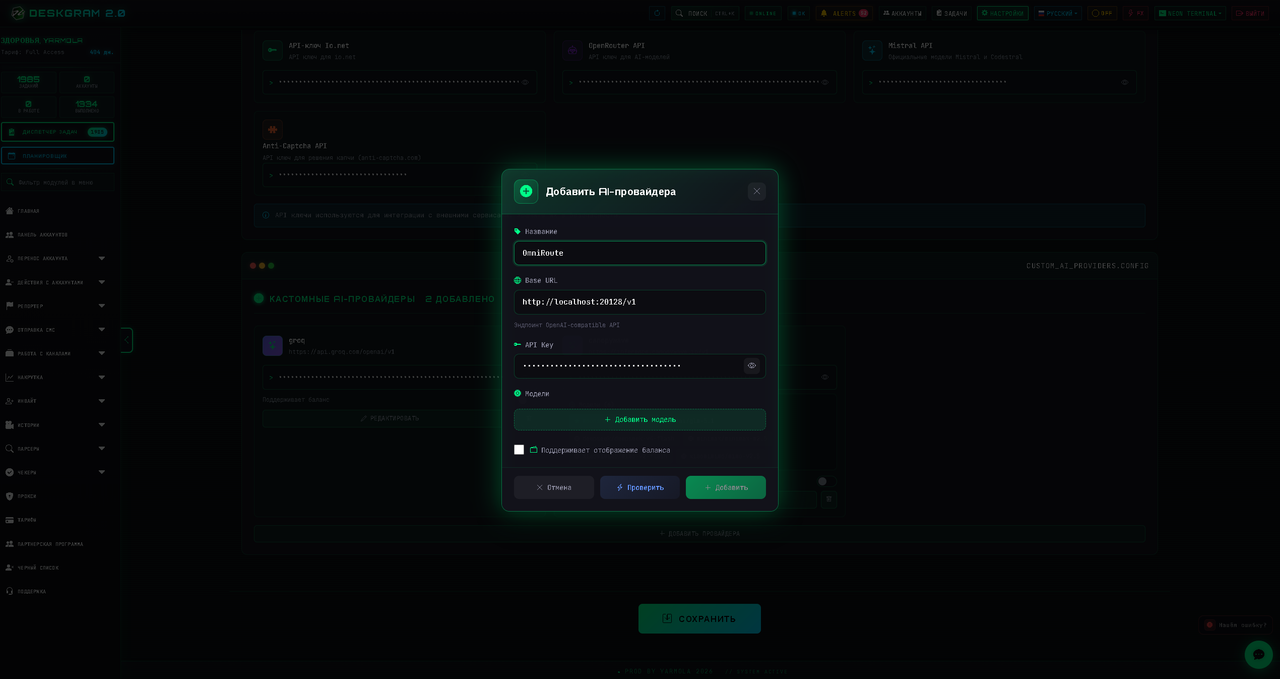
- Fill in provider name, Base URL, API key and model name.
- Test the connection.
- Save the settings.
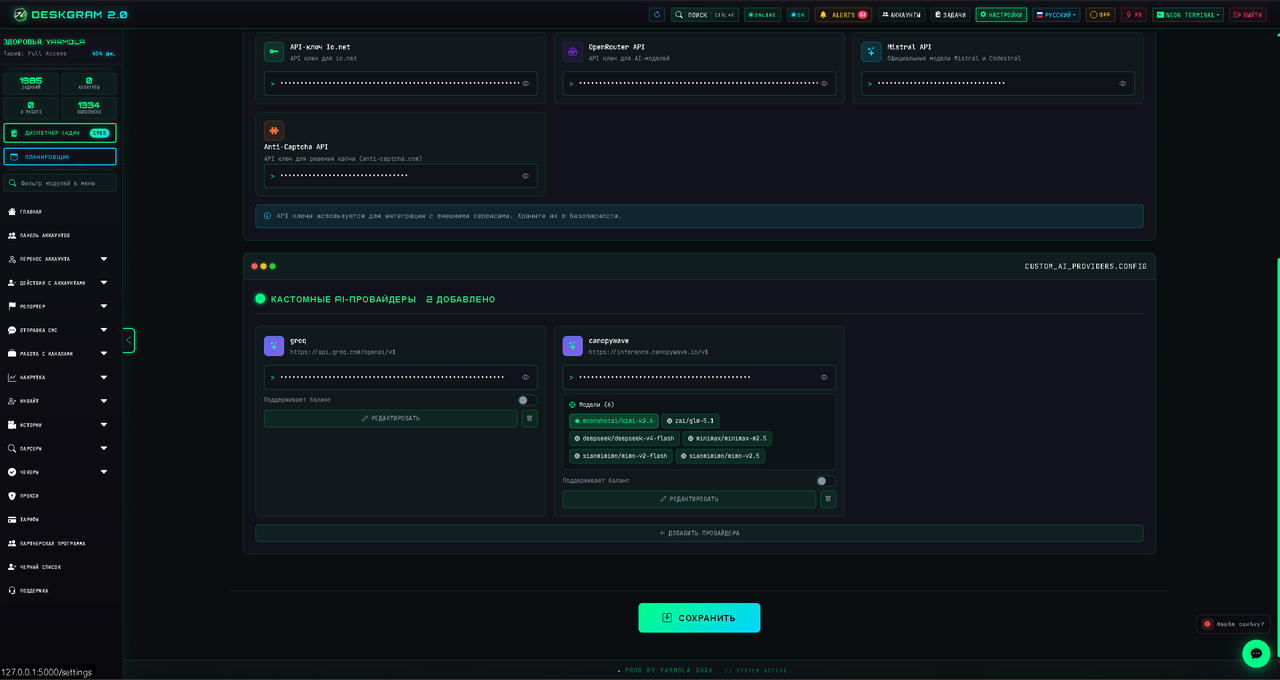
What each field means
- Name: your internal label, for example
My AI Gateway. - Base URL: the API endpoint from the provider documentation.
- API key: the private key from the provider account.
- Model: the exact model identifier used by the provider.
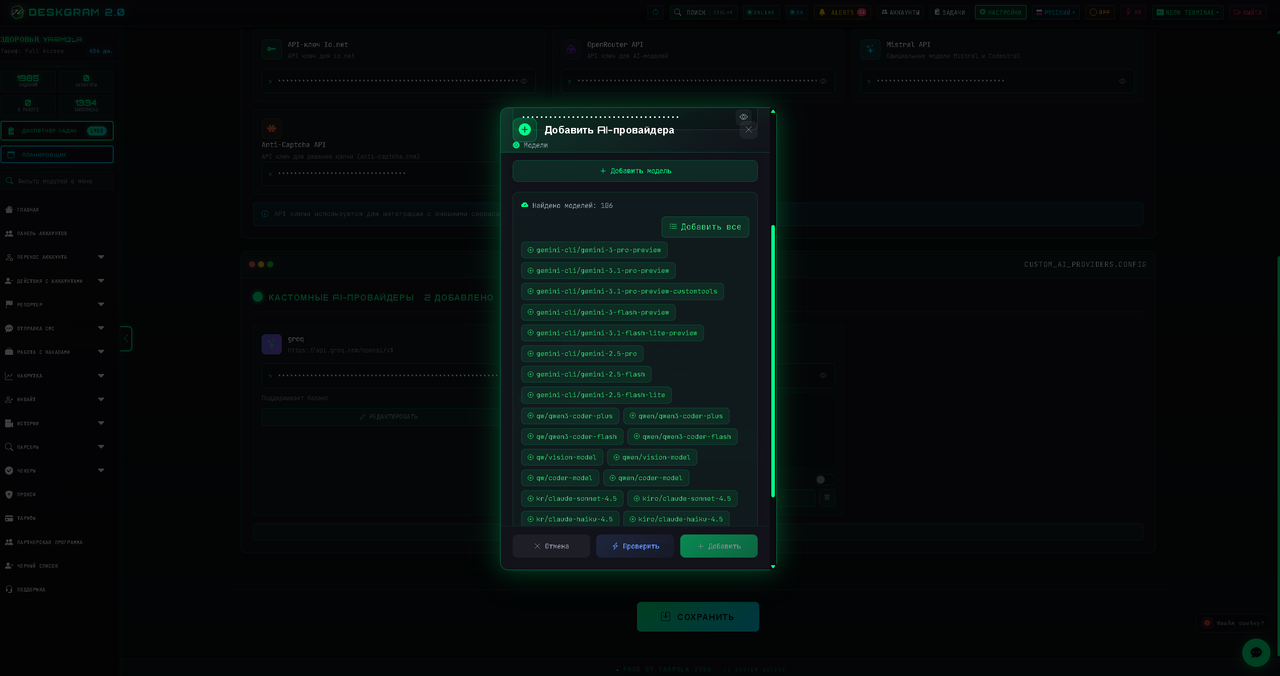
Testing
Always run the connection test before using a provider in a real module. If the test succeeds, Deskgram 2 can pull available models or confirm that the selected model is usable.
Using the provider
After saving, the custom provider appears in AI-enabled modules. Select it in the AI component, choose the model and run a small test campaign before scaling.
Summary
Custom providers are useful when you want more model flexibility, lower cost or a private gateway. Keep the provider OpenAI-compatible, test the connection and monitor the first outputs before using it in high-volume Telegram automation.