Deskgram 2 Account Panel Overview
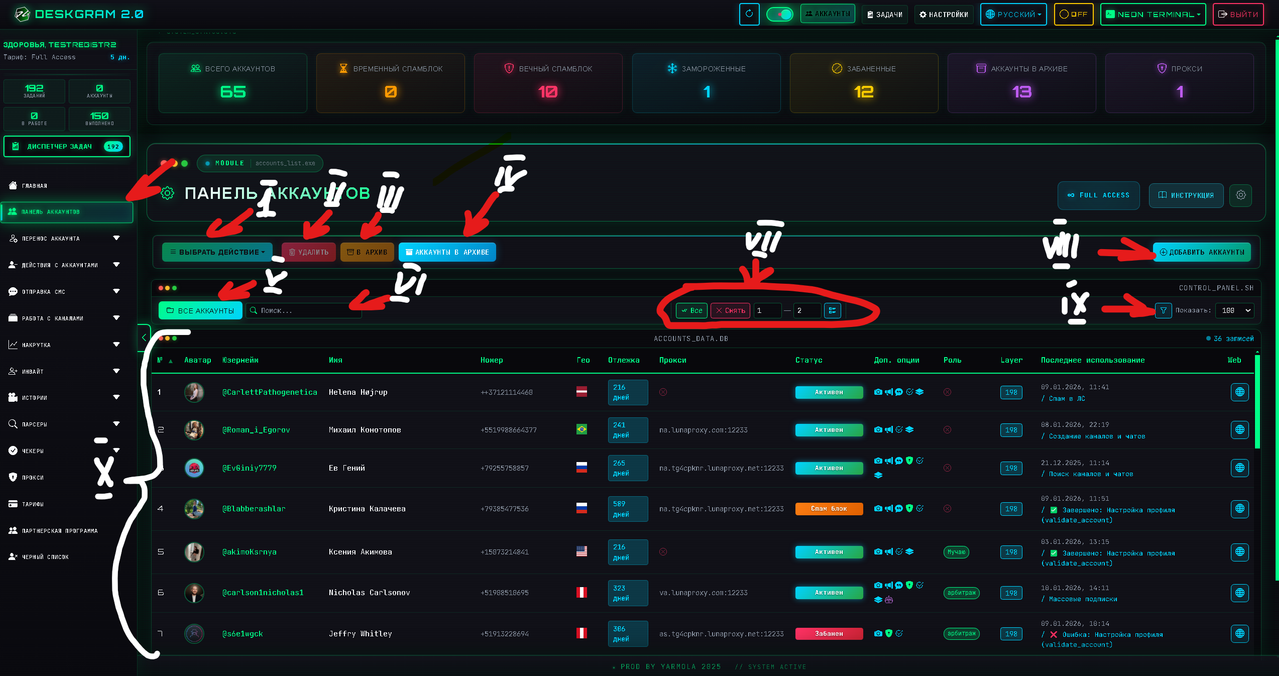
The account panel is one of the main working areas in Deskgram 2. It helps you manage Telegram sessions, check account status, assign proxies, archive unused accounts and prepare accounts for automation tasks.
What the Account Panel Is For
Use the account panel when you need to:
- review all imported Telegram accounts;
- select accounts for module tasks;
- archive or restore accounts;
- remove accounts from the active list;
- manage proxy and account metadata;
- filter accounts by status or group.
This panel is the control center for Telegram account operations.
Main Account Actions
Account actions become available when at least one account is selected.
Common actions:
- delete selected accounts from the active list;
- move accounts to archive;
- restore archived accounts;
- update account data;
- check account status before launching tasks.
Deleted accounts are not always physically destroyed immediately. In the standard workflow, they can be moved into a separate folder such as sessions/deleted, which helps recover mistakes.
Archive and Recovery
The archive is useful when you want to hide accounts from daily work without losing them completely.
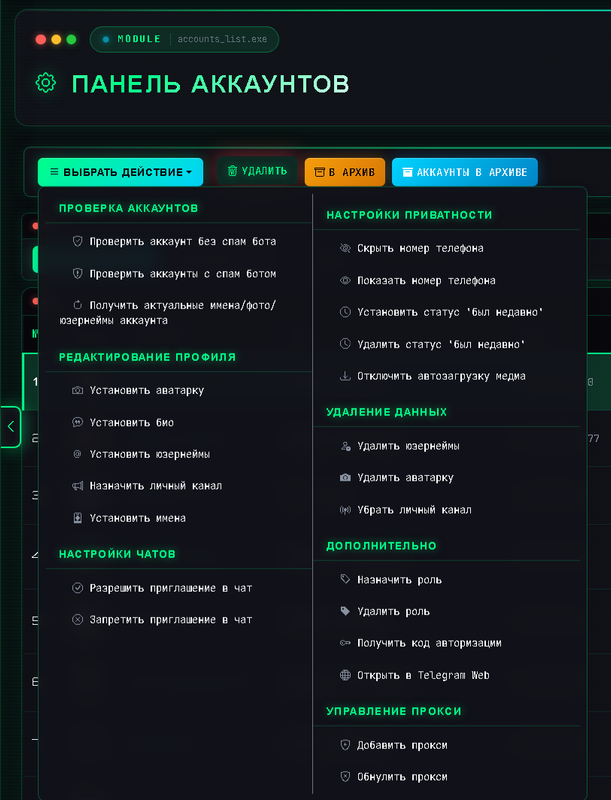
Use archive for:
- paused accounts;
- accounts that need manual review;
- seasonal or temporary account sets;
- accounts that should not be used in current campaigns.
Proxy and Session Management
Account quality depends not only on the session itself, but also on proxy stability and account history.
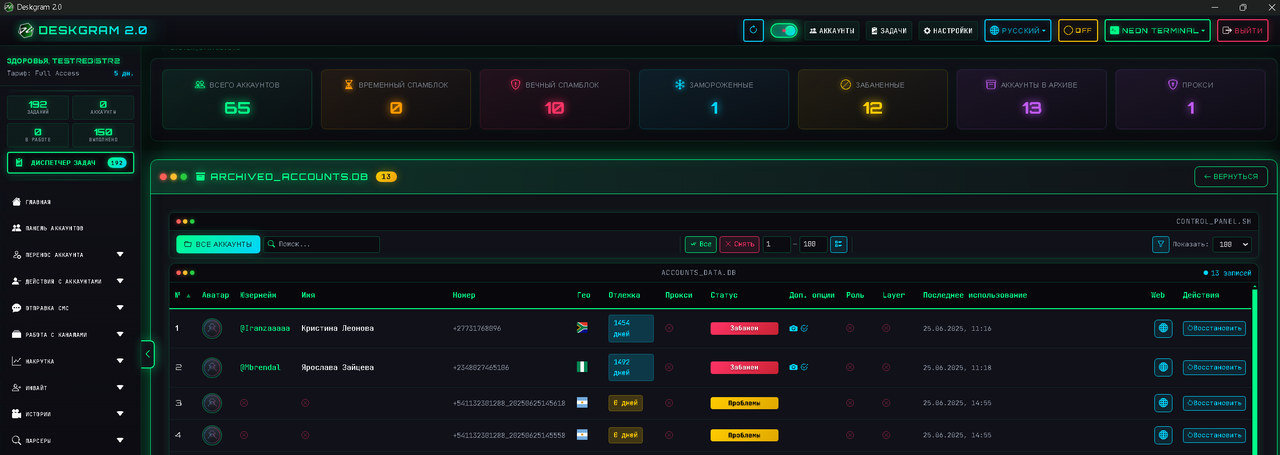
Before using accounts in mass tasks:
- check whether proxies are attached correctly;
- avoid mixing many accounts on one IP;
- keep account groups organized;
- test suspicious accounts with small tasks first.
Filters and Search
When the account base grows, filters become essential. Use search and filters to quickly find the right group of accounts.
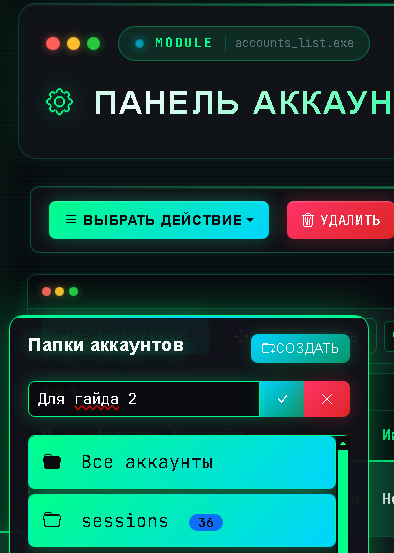
Recommended structure:
- group accounts by project;
- separate new, warmed and active accounts;
- keep risky accounts out of important campaigns;
- review failed accounts regularly.
Key Takeaways
- The account panel is the main place for Telegram account management.
- Archive is safer than deleting when you are unsure.
- Proxy and session quality should be checked before automation.
- Good account grouping makes large Telegram workflows easier to control.