How to Avoid Burning Telegram Accounts During Automation
Telegram automation safety starts before the first campaign. If accounts are new, untested, badly proxied or pushed too hard, even a good module and a normal message can produce flood limits, errors and bans.
The goal is not to make Telegram automation risk-free. The goal is to make it controlled: account status, proxy quality, warming, limits, delays, test runs and task logs should all be visible before you scale.
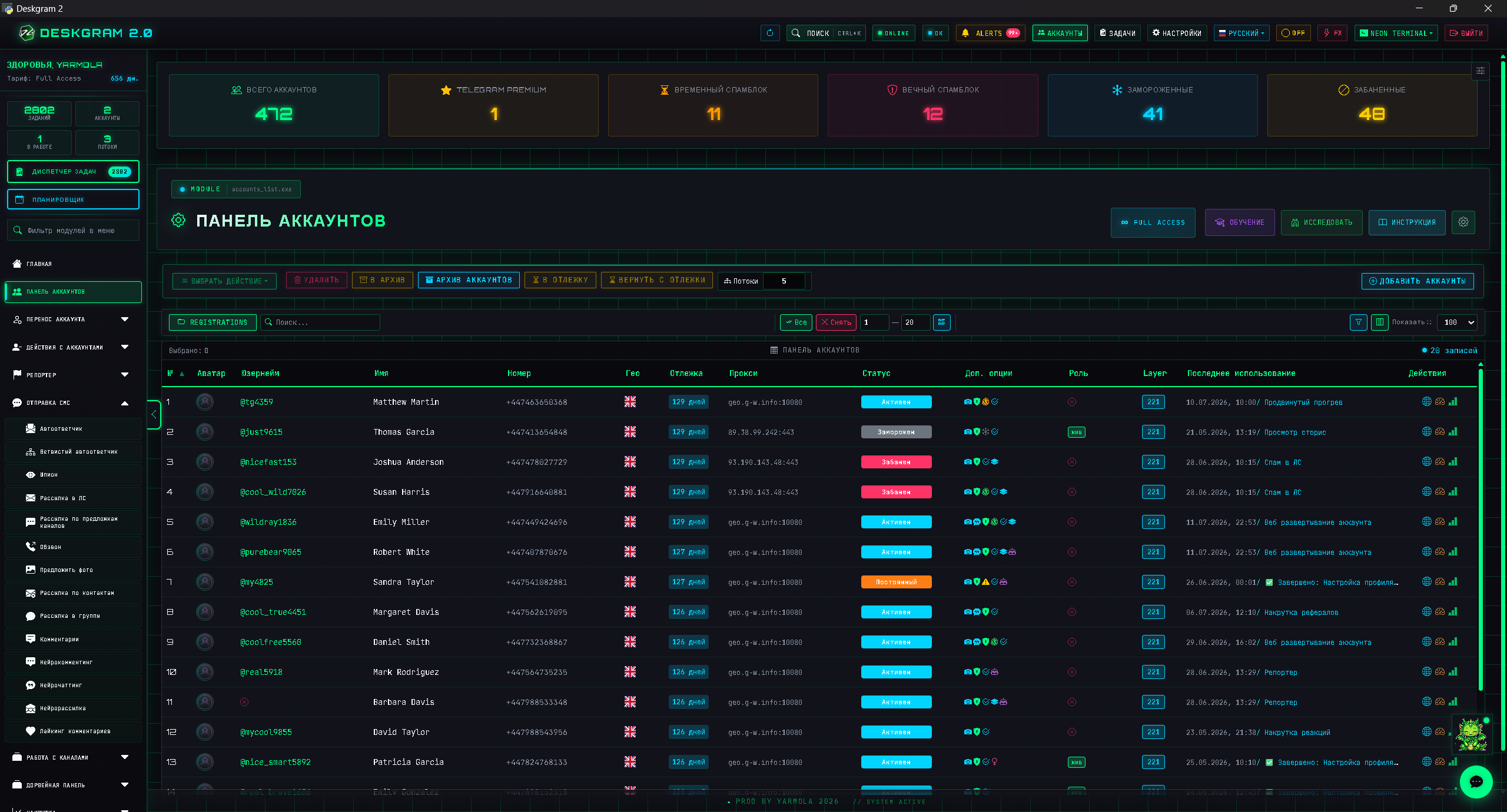
Why Telegram accounts get limited
Telegram evaluates behavior as a pattern. Risk is affected by:
- account age and previous activity;
- proxy quality and stability;
- speed and frequency of actions;
- repeated identical behavior;
- user complaints and blocks;
- sudden scaling;
- suspicious synchronization between accounts;
- ignoring Telegram API limits and flood responses.
There is no magic delay that makes every action safe. Safety is a stack of several layers.
Layer 1: account checks
Before active tasks, separate accounts by condition and role. At minimum, check:
- authorization works;
- there are no obvious restrictions;
- the account survives simple actions;
- recent errors are understood;
- the account is assigned to a clear scenario.
Do not mix weak, new and proven accounts in one large task. That makes debugging almost impossible.
Layer 2: proxies and infrastructure
Proxies are not just a checkbox. Stable proxy rotation helps separate accounts, reduce shared infrastructure risk and find weak points faster. A bad proxy can be worse than no proxy.
Check proxies before campaigns, avoid overloading one node, and do not change proxies, limits and message text at the same time. If everything changes at once, you cannot understand what caused the result.
Open the proxy module preview: proxy manager.
Layer 3: account warming
Account warming creates a smoother transition from a passive account to an active task. It matters before bulk messaging, inviting, commenting, subscriptions and story activity.
A practical sequence:
- Add accounts.
- Attach proxies.
- Check connection.
- Run warming.
- Review logs.
- Start a small test.
- Scale only the stable group.
Open the warming preview: account warming.
Layer 4: limits and test runs
The most dangerous scaling pattern is simple:
many threads -> many messages -> check who survivedA safer pattern is:
small test -> analyze errors -> moderate increase -> repeatWatch messages per account, delay between actions, start delay, threads, flood reactions and stop conditions. Soft limits protect the campaign from turning into a blind stress test.
What to monitor after launch
Account safety does not end when the task starts. The first minutes and first small batch are the most useful diagnostic window.
Track these signals:
- repeated authorization errors;
- proxy groups with unusual failure rates;
- flood responses or sudden Telegram API limits;
- accounts that fail only on one task type;
- audience segments that create more complaints or weak replies;
- messages that trigger low response quality.
If one pattern repeats, pause that segment instead of increasing volume. Stable Telegram automation grows through controlled feedback loops, not through pressure.
Key takeaways
- Account warming is not cosmetic; it is part of risk control.
- Proxy rotation matters only when proxies are stable and tracked.
- Bulk messaging safety depends on audience quality as much as account quality.
- Small tests are cheaper than losing a whole account set.
- Logs are part of the workflow, not something to read after everything fails.
FAQ
Who is this article for?
This article is for teams that want to use Deskgram 2 for Telegram automation, audience growth, messaging or operational workflows.
Do I need warmed accounts and proxies?
In most bulk Telegram scenarios, warmed accounts, stable proxies, conservative limits and small tests reduce risk before scaling.
Where should I test the workflow?
Use the Deskgram 2 web preview links in the article to understand the module, then start with a small controlled task before launching a larger campaign.
Summary
Telegram automation becomes safer when you treat accounts as infrastructure. Prepare them, warm them, assign roles, use stable proxies, respect Telegram API limits and scale through tests rather than jumps.