Telegram Account Warm-Up: Why It Matters Before Messaging and Invites
Telegram account warm-up is often underestimated. Many teams want to jump straight into messaging, invites, comments, or subscriptions because those actions look like “real promotion.” But when accounts are not prepared, active modules quickly run into errors, limits, and unstable results.
Warm-up is not a magic shield and not a guarantee against restrictions. It is the transition layer between “the account was added to the software” and “the account is performing real actions.” Its role is to make account behavior less abrupt and more controllable.
What account warm-up actually is
Warm-up means gradually simulating normal account activity before more sensitive actions begin. Depending on the scenario, this can include subscriptions, views, joining groups, pauses, light interaction, and other actions that prepare the account for work.
It is important to understand one thing: account warming does not turn a bad scenario into a good one. If the base is poor, the copy is spammy, proxies are weak, and limits are aggressive, warm-up alone will not save the system. But without warm-up, even a reasonable setup can behave unpredictably.
When warm-up matters the most
Warm-up helps in almost every automation scenario, but it becomes especially important before actions that look active and repetitive.
| Scenario | Why warm-up matters |
|---|---|
| Direct messaging | The account starts initiating many dialogs |
| Invites | The account adds users to groups or channels |
| Comments | The account interacts with posts on a regular basis |
| Subscriptions | The account joins groups and channels |
| Channel and chat creation | The account performs organizational actions |
| Large task batches | Activity becomes repetitive and visible |
If an account is added and immediately performs a high volume of repetitive actions, the risk rises sharply. That is why it is safer to place a gradual stage between account import and working load.
Which future actions warm-up prepares
Warm-up should match the future scenario. If the account will be used for comments, it makes sense to prepare it through views, subscriptions, and content interaction. If the account will be used for messaging, it is more important to approach contact and dialogue-related activity carefully.
Rough logic:
- for DMs: very small volumes, pauses, and response/error control;
- for invites: gradual entry into relevant groups and careful load growth;
- for comments: channel work, content views, and small test actions;
- for subscriptions: slow growth in joins;
- for infrastructure tasks: account check, proxy check, and session stability.
The key is not to warm the account “for the checkbox.” You should know what it is being prepared for.
The role of proxies
Proxies are a separate and critical layer. If accounts run through unstable or mismatched proxies, warm-up may not deliver the expected result. The account needs a predictable network environment.
What to control:
- the proxy is bound to the account;
- geography is not changing constantly without reason;
- the proxy is not overloaded;
- connection errors are not repeating at scale;
- accounts are not sharing the same broken route.
Warm-up and proxy rotation work together. Warm-up shapes account behavior; proxies support network stability.
Limits and gradual load
Warm-up should never become another aggressive task. Its whole purpose is gradualism. If the warm-up module itself launches with harsh volumes, it loses the point.
A strong strategy looks like this:
- Start with the minimum activity.
- Check errors and account condition.
- Increase load gradually.
- Avoid mixing many different actions in one day.
- Move accounts into working scenarios only after validation.
If some accounts already show errors, separate them instead of pushing the whole group forward.
How to tell when an account is ready
There is no universal “ready” button, because account condition depends on many factors. But there are indirect signals.
An account is more prepared if:
- tasks run without constant errors;
- the proxy is stable;
- there are no hard limits after small actions;
- the account survives light test loads;
- the logs do not show repeating issues for the same scenario;
- the behavior no longer looks like a sudden spike.
If an account is unstable even during warm-up, do not send it straight into outreach. Put it into a separate group and inspect proxy quality, session condition, and error history.
Warm-up before different tasks
Different scenarios require different preparation tempo. An account that will view Stories or subscribe to channels is in a different risk zone than an account that will send direct messages.
| Future task | Better warm-up approach |
|---|---|
| Direct messaging | Start with very small volumes and monitor reactions |
| Invites | Validate joins, groups, and gradual growth in actions |
| Comments | Begin with views, channel activity, and low-intensity tests |
| Subscriptions | Increase join counts slowly, not in bursts |
| Channel creation | Check account stability and avoid stacking too many actions |
This keeps you from using one template for every account. Warm-up becomes meaningful instead of ceremonial.
Common warm-up mistakes
The first mistake is treating warm-up as a guarantee. It reduces abrupt behavior, but it does not override audience quality, limits, proxies, or message quality.
The second mistake is warming all accounts the same way. Accounts differ by age, history, proxies, and state. One universal template rarely fits all of them.
The third mistake is launching maximum load immediately after warm-up. Warm-up should lead into a pilot, not into instant scale.
The fourth mistake is ignoring logs. If repeating errors appear during warm-up, they will not magically disappear during invites or messaging. They will usually become more visible.
The fifth mistake is failing to separate account roles. If the same accounts join groups today, message people tomorrow, and create channels the next day, behavior becomes too erratic.
How to move from warm-up into real tasks
After warm-up, do not begin with a large launch. Start with a small pilot:
- take only part of the accounts;
- choose a small audience segment;
- launch a soft scenario;
- check replies, errors, and restrictions;
- expand only after that.
This matters especially for direct messaging and invites. Both depend heavily on account condition, audience quality, and speed.
How Deskgram 2 helps structure warm-up
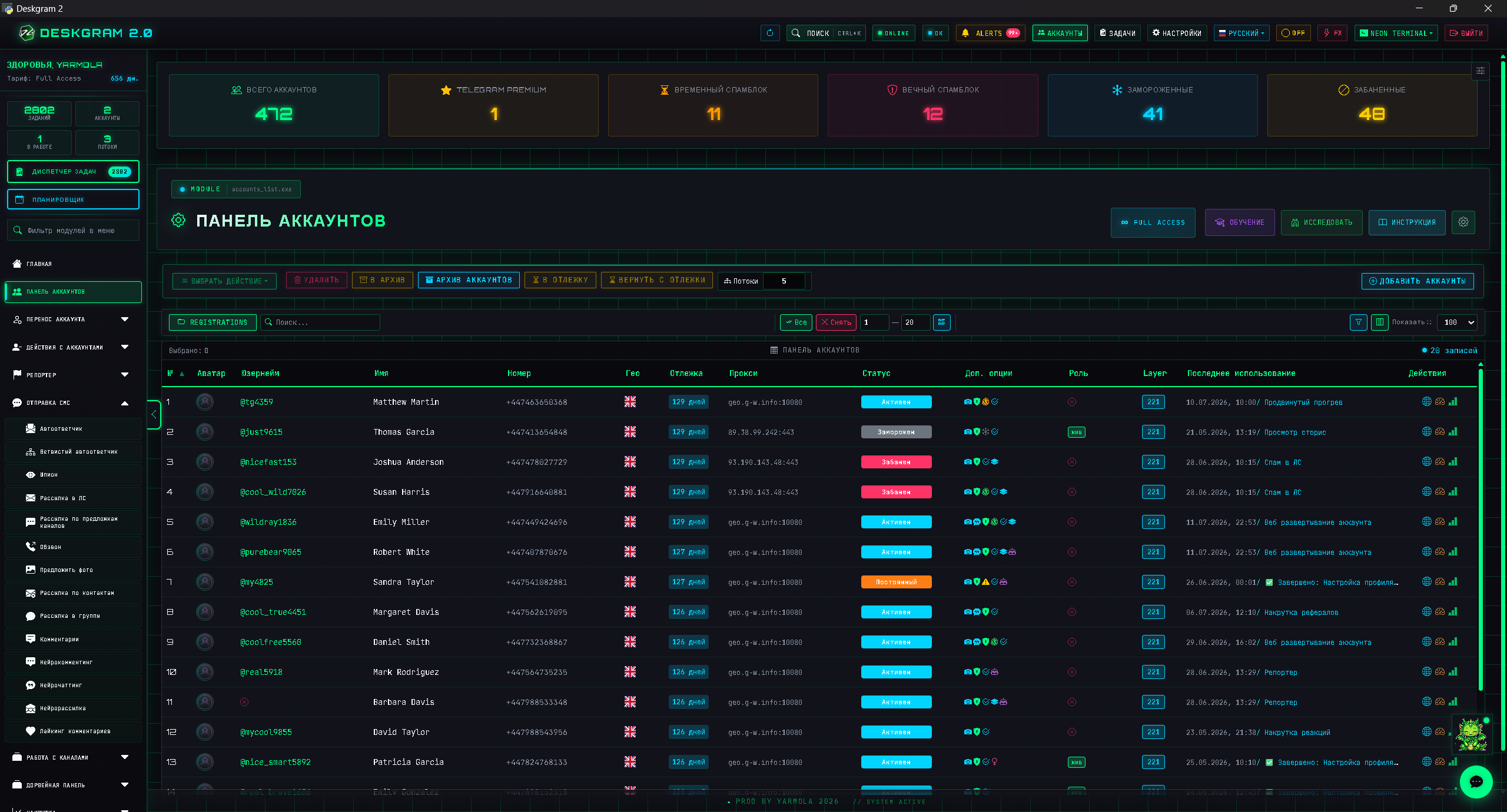
In Deskgram 2, warm-up can be connected to the account panel, proxies, tasks, and future activity modules. That makes warm-up part of infrastructure, not a standalone button.
Useful web previews:
FAQ
Who is this article for?
This article is for teams that want to use Deskgram 2 for Telegram automation, audience growth, messaging or operational workflows.
Do I need warmed accounts and proxies?
In most bulk Telegram scenarios, warmed accounts, stable proxies, conservative limits and small tests reduce risk before scaling.
Where should I test the workflow?
Use the Deskgram 2 web preview links in the article to understand the module, then start with a small controlled task before launching a larger campaign.
Conclusion
Telegram account warm-up matters not because it “cures” every risk, but because it creates the transition between imported accounts and real activity. It helps you launch messaging, invites, comments, and subscriptions in a more controlled way.
The best approach is to treat warm-up as part of infrastructure: accounts, proxies, limits, tasks, the audience base, and the outreach scenario all have to work together. Then promotion becomes a system instead of a chain of random launches.